
BOSCH SHP78CP5N 800 Series Dishwasher

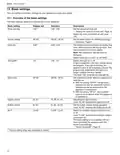
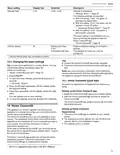
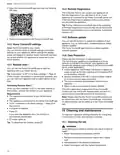
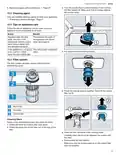


en-usꢀCleaning and maintenance
1. Open the Home Connect® app and scan the following
14.4ꢀRemote Diagnostics
QR code.
The Customer Service can access your appliance via
Remote Diagnostics if you ask them to do so, if your
appliance is connected to the Home Connect® server and
if Remote Diagnostics is available in the country where
you are using the appliance.
Tip: Further information and details about the availability
of Remote Diagnostics in your country can be found in the
connect.com.
14.5ꢀSoftware update
2. Follow the instructions in the Home Connect® app.
You can use this function to update the software of your
appliance, e.g. for optimization, troubleshooting or safety-
relevant updates.
The Home Connect® app informs you about available
software updates.
14.2ꢀHome Connect® settings
Adapt Home Connect® to your needs.
You can find the Home Connect® settings in the basic
settings for your appliance. Which settings the display
shows will depend on whether Home Connect® has been
set up and whether the appliance is connected to your
home network.
14.6ꢀData Protection
Please see the information on data protection.
The first time your appliance is registered on a home
network connected to the Internet, your appliance will
transmit the following types of data to the Home Connect®
server (initial registration):
¡ Unique appliance identification (consisting of appliance
codes as well as the MAC address of the installed Wi-Fi
communication module).
¡ Security certificate of the Wi-Fi communication module
(to ensure a secure data connection).
¡ The current software and hardware version of your
appliance.
14.3ꢀRemote Start
You can use the Home Connect® app to start the
appliance with your mobile device.
of this function, the function is permanently activated, and
you can start your appliance with a mobile device at any
time.
Activating Remote Start
¡ Status of any previous reset to factory settings.
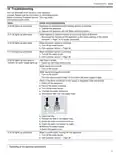
When you have selected "rc:01" in the basic settings of
this function, activate the function on your appliance.
This initial registration prepares the Home Connect®
functions for use and is only required when you want to
use the Home Connect® functions for the first time.
Requirements
¡ The appliance is connected to your WLAN home
network.
¡ The appliance is connected to the Home Connect® app.
this function.
Note: Please note that the Home Connect® functions can
be utilized only with the Home Connect® app. Information
on data protection can be called up in the Home Connect®
app.
¡ A program is selected.
C
a
n
e
15ꢀCleaning and maintenance
▶ Press
.
C
a
n
e
If you open the appliance door, the function is
automatically deactivated.
To keep your appliance working efficiently for a long time,
it is important to clean and maintain it carefully.
a
button lights up.
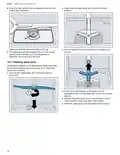
15.1ꢀCleaning the tub
Tip: To deactivate the function, press
.
WARNING
Using detergents containing chlorine may result in harm to
health.
▶ Never use detergents containing chlorine.
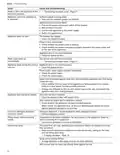
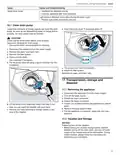
1. Remove any heavy soiling in the interior with a damp
cloth.
2. Add detergent to the detergent dispenser.
3. Select the program with the highest temperature.
24

| General | Details |
|---|---|
| Name | BOSCH SHP78CP5N 800 Series Dishwasher |
| Make | Bosch |
| Language | English |
| Filetype | PDF (Download) |
| File size | 2.91 MB |
 (1 votes, average: 5.00 out of 5)
 Loading...

BOSCH SMV6ZCX49E-39 Dishwasher

BOSCH SMI4HVS33E Dishwasher

BOSCH SRV2HKX39G Dishwasher

BOSCH SGS4HAW40G Dishwasher

BOSCH SGH4HVX32G Dishwasher

BOSCH SMS4ECI26E Dishwasher

BOSCH SMS6EDI02G Free-Standing Dishwasher

BOSCH SMS6EDW02G Free-Standing Dishwasher

BOSCH SMV4HTX27G Dishwasher

BOSCH SMV4HCX48E Dishwasher


FISHER PAYKEL DD24SCTB9_N Tall Dishwasher

FISHER AND PAYKEL DD24DTI9 N Dishwasher

FISHER AND PAYKEL DD24DTX6I1 Dishwasher

ELVITA CBD6603V Countertop Dishwasher

COMFEE CDC22P1ABB Countertop Dishwasher

FISHER and PAYKEL DD24DCTX9 Sanitize Dishwasher
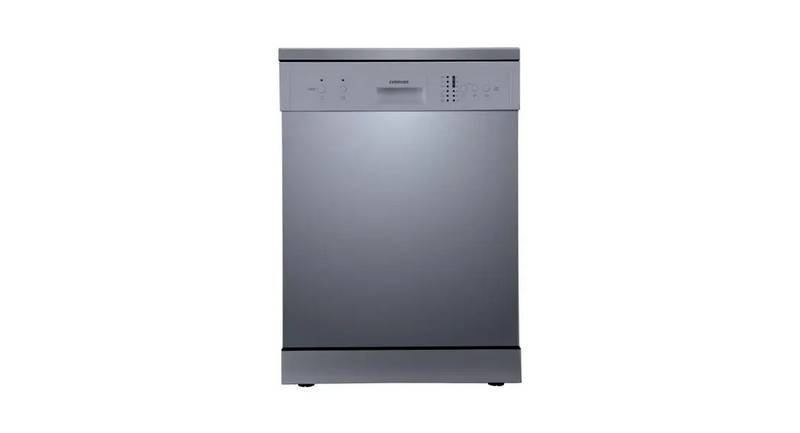
EVERDURE DWC066WE 55cm 6 Place Settings Free Standing Dishwasher

Hotpoint H3B L626 B UK Dishwasher

FISHER PAYKEL DD60SDFHTX9 Dishwasher

FISHER AND PAYKEL DD24ST4NX9 Dishwasher