
aspes AJI12600E Dishwasher




button to change or cancel the delayed start
time. The Delay led (iii) corresponding to
the remaining delay duration (3h, 6h, 9h)
will be on. If you switch off the machine
after activating the delay time, the delayed
time is cancelled.
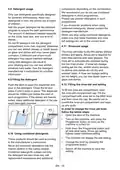
7 THE CONTROL PANEL
NOTE: If you decide not to start the
selected programme, please see the
"Changing a Programme" and "Cancelling a
Programme" sections.
1. On/Off button
2. Programme Selection Button
i. Programme Leds
3. Half Load Button
ii. Half Load Led
4. Delay Button
iii. Delay Leds
iv. Salt Indicator
v. Rinse Aid Indicator
vi. End of Programme Indicator
NOTE: When there is insufficient
softening salt, the Salt Lack Warning
Indicator (iv) will illuminate to indicate the
salt chamber needs filling.
NOTE: When there is insufficient rinse
aid, the Rinse Aid Lack Warning Indicator
(v) will illuminate to indicate the rinse aid
chamber needs filling.
1. On/Off Button
Switch the machine on by pressing On/Off
button. When machine is on, the End Of
Programme Indicator (vi) will illuminate.
Changing a Programme
Follow the steps below to change a
programme while in operation.
2. Programme Selection Button
Select a suitable programme for your
dishes by pressing Programme
Open the door and select a new
programme using the Programme
Selection button.
Selection button. The Programme Led (i)
corresponding to the selected programme
will illuminate and the End Of Programme
Indicator (vi) will switch off. The programme
will start automatically when the door is
closed.
After closing the door, the new
programme will resume the
course of the old programme.
NOTE: Open the door slightly at first to
stop a programme before it is complete in
order to avoid water spillage.
3. Half Load Button
Press the Half Load button to reduce the
duration of the selected programme, and
therefore decrease your energy and water
consumption. When Half Load option is
selected, Half Load led (ii) will illuminate.
4. Delay Button
Press the Delay button to delay the start
time of a programme for 3, 6 or 9 hours.
Pressing once will delay the start time for 3
hours, pressing twice for 6 hours, and three
times for 9 hours. Press the Delay Timer
EN - 21

| General | Details |
|---|---|
| Name | aspes AJI12600E Dishwasher |
| Make | aspes |
| Language | English |
| Filetype | PDF (Download) |
| File size | 0.66 MB |
 (1 votes, average: 5.00 out of 5)
 Loading...

aspes AJ14600BD Dishwasher

aspes ALV1047 Dishwasher


SIEMENS SN25EI56CE Dishwasher

BOSCH SMV4EVX14E Dishwasher

FISHER AND PAYKEL DD60DCX9 7 Contemporary Dishwasher

FISHER PAYKEL DD60DTX6HI1 Dishwasher

FISHER AND PAYKEL DD60SCW9 Single Dishwasher

COMFEE TD802 Table Top Dishwasher

comfee CDC22P4AWW Dishwasher

Whirlpool 400011655817 E Dishwasher

SIEMENS SN65EX13CE Dishwasher

NEFF S975HKX20G Fully Int Slimline Dishwasher