
BOSCH SHP65CM6N Dishwasher















Dishwasher
SHP65CM6N
[en-us] Use and Care Manual


| General | Details |
|---|---|
| Name | BOSCH SHP65CM6N Dishwasher |
| Make | Bosch |
| Language | English |
| Filetype | PDF (Download) |
| File size | 2.67 MB |
 (1 votes, average: 5.00 out of 5)
 Loading...

BOSCH SMV6ZCX49E-39 Dishwasher

BOSCH SMI4HVS33E Dishwasher

BOSCH SRV2HKX39G Dishwasher

BOSCH SGS4HAW40G Dishwasher

BOSCH SGH4HVX32G Dishwasher

BOSCH SMS4ECI26E Dishwasher

BOSCH SPV4XMX28E Dishwasher

BOSCH SMS6EDI02G Free-Standing Dishwasher

BOSCH SMS6EDW02G Free-Standing Dishwasher

BOSCH SMV4HTX27G Dishwasher

BOSCH SHP65CM6N Dishwasher Overview
Summary of Contents
- Page 1: Dishwasher SHP65CM6N Use and care manual
- Page 2: IMPORTANT SAFETY INSTRUCTIONS Safety definitions General information Intended use Restrictive use Grounding instructions Safe use Risk to children State of California Proposition 65 Warning Dishware Basic operation Preventing material damage
- Page 3: Statement of limited product warranty. What this warranty covers and who it applies to. How long the warranty lasts. Extended warranty. Repair/replace as your exclusive remedy. Out of warranty product. Warranty exclusions. Obtaining warranty service. Product information.
- Page 4: IMPORTANT SAFETY INSTRUCTIONS Always use caution when opening the door during or following a wash cycle as hot water or steam may escape. Under certain conditions, hydrogen gas may be produced in a hot water system that has not been used for two weeks or more. To avoid floor damage and possible mold growth, do not allow wet areas to remain around or under the dishwasher. Before using a dishwasher that is connected to a hot water system that has been unused for two weeks or longer, turn on all hot water faucets and let the water flow from each for several minutes. It is highly recommended for the end user to become familiar with the procedure to shut off the incoming water supply and the procedure to shut off the incoming power supply. To avoid risk of electric shock, only use the appliance in enclosed residential space according to the installation manual. Do not allow children to play in or on the dishwasher. When loading items to be washed, locate sharp items so they are not likely to damage the door seal. Do not wash plastic items unless they are marked dishwasher safe or the equivalent. This product may contain a chemical known to the State of California, which can cause cancer or reproductive harm.
- Page 5: Preventing material damage If automatic door opening is deactivated, energy consumption increases and the drying phase is usually shortened. This function can be set using the Home Connect® app. Harsh chemicals such as bleach-based products can damage your dishwasher. Do not use harsh chemicals such as bleach-based products to clean your dishwasher. Do not use a steam cleaner. Do not use sponges with a rough surface or abrasive cleaning agents. Do not use stainless steel polish on an anti-fingerprint finish or a black stainless finish. When the program ends, let the appliance cool down a bit before opening the door. Protect against freezing to avoid possible damage to the fill valve. Environmental protection and energy-saving If you follow these instructions, your appliance will use less power and water.
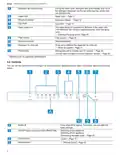
- Page 6: Familiarizing yourself with your appliance Detergent dispenser Add detergent to the detergent dispenser. Lower rack The lower spray arm washes the dishware in the lower rack. If the dishware has not been washed properly, clean the spray arms.
- Page 7: Familiarizing yourself with your appliance Detergent tab collecting tray: During the wash cycle, detergent tabs automatically drop out of the detergent dispenser into the tab collecting tray, where they can dissolve fully. Upper rack: The upper spray arm washes the dishware in the upper rack. If the dishware has not been washed properly, clean the spray arms. Dispenser for rinse aid: Rinse aid is added to the dispenser for rinse aid. You can use the control panel to configure all functions of your appliance and to obtain information about the operating status. If you press the button for approx. 3 seconds, you can open the basic settings. ON/OFF button and reset button: Switching on the appliance, switching off the appliance, terminating the wash cycle.
- Page 8: Familiarizing yourself with your appliance Cycle buttons and options The displays show the remaining time of the wash cycle. Starting the wash cycle Rinse aid refill indicator Rinse aid system The indicator lights up at the end of the program Sanitize. Once the wash cycle has ended, the display lights up.
- Page 9: Dishwasher cycles overview includes different cycles available on the dishwasher. Running time varies depending on the selected cycle, water temperature, quantity of dishware, level of dirt, and options selected. Consumption values relate to normal conditions and a water hardness of 16 - 20 °E. Heavy cycle is for washing pots, pans, non-fragile dishware, and silverware, focusing on removing stubborn food remnants. Auto cycle is sensor-controlled and optimized based on the soiling of the rinse water. Normal cycle is for cleaning mixed dishware and silverware, suitable for daily use. Energy Guide label is based on the Normal soil sensing cycle without rinse aid. Favorite function allows saving a combination of a cycle and an option via the Home Connect app. The displayed cycle time indicates an average value. Recommended settings should be followed for optimal energy certification testing.
- Page 10: You can use the Home Connect app to download additional cycles and options and save them. Arrange cups, glasses, and small tableware items in the top rack. Here is an overview of the different options available on your dishwasher. The appliance door opens automatically during the drying phase. To ensure a higher hygiene status for the appliance and dishware, the temperature is increased and maintained for an extra-long period. Continuous use of this option improves the hygiene status. You can adjust the height of the upper rack to make room for larger items. Only sanitizing cycles have been designed to meet the requirements for soil removal and sanitation efficacy. You can find an overview of the possible features of your appliance and how to use them here. These features depend on your appliance model.
- Page 11: Features Raise or lower the rack evenly to the right level. Check that the rack is level on both sides. Release the levers. Arrange silverware in the silverware drawer. The rack clicks into position. Slide the rack in. Arrange pans and plates in the lower rack. Arrange silverware with the points and sharp edges down. You can reorganize the silverware drawer to make more space for longer or wider utensils. Load knives and other sharp utensils with edges down.
- Page 12: Features To fold down a side shelf, push the lever forward and fold down the side shelf. Use the cup shelf and the space underneath for small cups and glasses or for large items of silverware, e.g. cooking spoons or serving cutlery. To fold down the front tines, push the lever forward and fold down the folding tines. If you do not need the cup shelf, you can fold it down. Use the flip tines to position dishware securely, e.g. plates. If you want to return the cutlery tray to its original position, fold the side shelf upward until it clicks into position. You can fold the tines down to arrange pans, bowls and glasses better. If you do not need the tines, fold them down. Depending on the appliance specifications.
- Page 13: Before using for the first time, push the lever forward and fold down the tines. To use the tines again, fold them back up; the tines click into position. Set the racks at the right height. For appliance height 34 with silverware basket, the upper rack settings are 24 cm / 9.5, 26.5 cm / 10.5, and 29 cm / 11.5. The lower rack settings are 33 cm / 13, 30.5 cm / 12, and 28 cm / 11. For appliance height 34 with silverware drawer, the upper rack settings are 18 cm / 7, 20.5 cm / 8, and 23 cm / 9. If you remove the 3rd rack, you can place large items. Start the program with the highest cleaning temperature of dishware in the lower rack without dishware. To remove any marks from water or other residues, operate the appliance without dishware before using it for the first time. Before the first use, or after a factory reset, you will need to configure the settings. For optimum drying results, use rinse aid. Only use rinse aid intended for household dishwashers.
- Page 14: Press the catch on the lid of the dispenser for rinse aid and lift. The factory setting for rinse aid is level 2. A low setting adds less rinse aid during the wash cycle and reduces streaking on dishware. A higher setting adds more rinse aid during the wash cycle, reduces water spots, and improves the drying result. If rinse aid spills out, remove it from the tub as it can cause excessive frothing during the wash cycle. The rinse aid system can be switched off by pressing repeatedly until no LED lights up. If there are streaks or water spots on dishware, change the amount of rinse aid. Only use detergents that are made for dishwashers, either basic or combination detergents. For the best washing and drying results, use a separate detergent and add rinse aid separately. Modern detergents mainly use a low-alkaline formulation with enzymes to break down starch and remove protein.
- Page 15: Detergent Follow the manufacturer's instructions for each detergent. Use tablets with enhanced drying results. To open the detergent dispenser, press the locking latch. Add the detergent to the dry detergent dispenser. Powder detergent is recommended for shorter cycles. Liquid detergent works faster and is recommended for shorter cycles without a pre-rinse. Do not use a detergent which is not designated for dishwasher use or contains chlorine. Liquid hand soap can cause increased frothing and damage the appliance. Detergents marked as ecological generally contain lower levels of active agents. Adjust the rinse aid and the water softening system settings in accordance with the detergent in use.
- Page 16: Dishware The water temperature of the cycle is too high. Select a cycle with lower temperatures. This dishwasher provides optimum cleaning performance without the use of a prewash detergent. After the cycle has ended, take glassware and silverware out of the appliance without delay. Only wash dishware that is suitable for dishwashers. Avoid dishwasher damage by not loading it with paper products or anything other than normal, dishwasher-safe dishware. Only put glasses and china in the dishwasher if they are labeled dishwasher-safe. Using the appliance allows you to save energy and water compared to doing dishes by hand. For better washing and drying results, position items with curves or recesses at an angle so water can run off. Do not use highly caustic alkaline or highly acidic cleaning solutions, particularly commercial or industrial cleaners. To save resources, do not pre-rinse dishware under running water.
- Page 17: Dishware To avoid damage to dishware, arrange it so it is stable and cannot tip over. Recommended loading patterns. To avoid injury, arrange silverware with the points and sharp edges facing down. Position containers with the openings facing down so no water can collect in them. Do not block the spray arms - make sure that they can turn freely. Do not place small parts in the collecting tray and do not block it with dishware so as not to obstruct the lid of the detergent dispenser. CAUTION Dishes can be very hot immediately after the cycle ends. Open the door slightly and allow dishes to cool for a few minutes before unloading. To prevent water dripping onto dishware, unload it starting at the bottom and working up.
- Page 18: Basic operation includes protection against unintentional operation, which helps prevent accidental use by children. The dishwasher requires the door to be closed within 4 seconds after starting to avoid pausing the operation. To restart the dishwasher after a pause, specific steps must be followed depending on the control type. Unintentional operation is activated by pressing Start, setting Delay time, or opening the door during a wash cycle. The appliance can be switched on with a short touch, and it will default to the last selected cycle and option. The buttons are touch sensitive and require only a gentle touch to operate. If no actions are performed for 10 minutes, the appliance will automatically switch off. To adjust the wash cycle, select a suitable program by pressing the right cycle button. Options can be set to complete the chosen wash program, depending on the selected program. The start of the wash cycle can be delayed using the Home Connect® app.
- Page 19: Basic operation Starting the wash cycle While the wash cycle is running, a spot of light is projected onto the floor below the appliance door. The wash cycle has ended when no displays on the controls are lit. The wash cycle has ended when the spot of light is no longer visible on the floor. If you want to add more dishware while the appliance is running, do not use the collecting tray as a handle for the upper rack. You can only change a cycle in progress if you can cancel it first. To save energy, the appliance switches off automatically 10 minutes after the end of the wash cycle. Interrupting the wash cycle Press On/Off. The program is saved and the appliance switches off. To end a cycle early or to switch from one that has already started, you will need to cancel it first.
- Page 20: Basic settings allow you to configure your appliance to meet your needs. The basic settings depend on the features of your appliance. You can set or switch off the amount of rinse aid to be dispensed. Intensive drying can be switched on or off for each operation, which may increase the run time slightly. Adjust the signal volume with a scale of 4 levels. You can switch the wireless network connection on or off. The basic setting is not available until the appliance is connected with the Home Connect® app. You can restore changed settings to the factory settings. Connect your appliance to a mobile device to conveniently change all settings using the Home Connect® app. To open the appliance settings, press the button for 3 seconds.
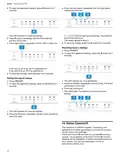
- Page 21: Home Connect® To open the appliance settings, press the button for 3 seconds. The refill indicator for rinse aid flashes. Press the button repeatedly until the Rinse Aid and Sanitize LEDs flash. The factory setting is level 2. To store the setting, press the button for 3 seconds. If the LED is not lit up, Wi-Fi is switched off. This appliance is network-capable. Connecting your appliance to a mobile device lets you control its functions via the Home Connect® app. The Home Connect® services are not available in every country. The availability of the Home Connect® function depends on the availability of Home Connect® services in your country.
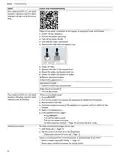
- Page 22: Home Connect® To be able to use Home Connect®, you must first set up the connection to the WLAN home network (Wi-Fi) and to the Home Connect® app. Open the Home Connect® app and scan the following QR code. The Home Connect® app guides you through the entire registration process. Consult the Home Connect® documents supplied. Follow the instructions in the Home Connect® app as well. Note the safety information in this instruction manual and ensure that it is observed when operating the appliance using the Home Connect® app. Adapt Home Connect® to your needs. Connect your appliance to a mobile device quickly and easily. You can use the Home Connect® app to start the appliance with your mobile device. The following settings are possible using the Home Connect® app: deactivate the function permanently, select the function using the button, or activate the function permanently.
- Page 23: Cleaning and maintenance Start the program without dishware. Remote diagnostics allows customer service to access your appliance if connected to the Home Connect® server. Only use suitable cleaning agents to clean your appliance. Follow tips on appliance care to ensure proper functioning. Regularly wipe the door seals, front of the dishwasher, and control panel with a damp cloth. You can update the software of your appliance for optimization and troubleshooting. Leave the door slightly ajar if the appliance is not going to be used for a while to prevent unpleasant odors. The filter system removes coarse soiling from the dishwashing cycle. Check the filters for residues after each dishwashing cycle. Never use detergents containing chlorine as they may harm health.
- Page 24: Cleaning and maintenance Turn the coarse filter counterclockwise and take out the filter system. Insert the filter system into the appliance and turn the coarse filter clockwise. Ensure that foreign objects do not fall into the sump. Ensure that the arrow markings match up. Pull the micro filter downward and off. Limescale and soiling in the dishwashing water may block the nozzles and bearings on the spray arms. Clean the spray arms regularly. Unscrew the upper spray arm and pull down to remove. Press the locking catches together and take the coarse filter upward and out. Pull up the lower spray arm to remove. Clean the filter elements under running water.
- Page 25: Cleaning and maintenance Check the outlet nozzles on the spray arms for blockages under running water and remove any foreign objects. Insert the lower spray arm. The spray arm clicks into position. Insert the upper spray arm and screw firmly in place.
- Page 26: Troubleshooting Four vertical LEDs all light up at the same time. Filters in the water connection of the supply or AquaStop hose are blocked. Switch off the appliance and pull out the power cord plug. Check the water connection for leaks. Four vertical LEDs are all flashing. There is a technical issue. Dishware is not dry. No rinse aid used or dosage set too low. Select a wash cycle with drying. Some option buttons decrease the drying result.
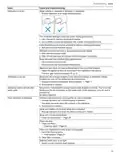
- Page 27: Troubleshooting Dishware is not dry. Position dishware at an angle where possible. Use rinse aid to improve drying performance. Activate Extra Dry/intensive drying. Wait until the program ends. Use a name-brand rinse aid. Adjust the appliance door as described in the installation instructions. Silverware is not dry. Arrange silverware individually where possible. Food remnants on dishware. Arrange dishware with sufficient space in between.
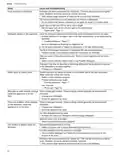
- Page 28: Troubleshooting Food remnants on dishware may occur if dishware has been precleaned too intensively, leading to stubborn remnants. Tall narrow containers in corner areas may not be rinsed out adequately. The upper rack on the right and left should be set to the same height. Detergent residue in the appliance can result from the lid of the detergent dispenser being blocked by dishware. Items of dishware may block the dispenser lid, preventing it from opening. The lid of the detergent dispenser may be blocked by the tab if positioned incorrectly. Using tabs in a quick or short cycle may not allow enough time for the tab to dissolve. Water spots on plastic parts are often due to droplet formation and can be addressed by selecting a more intensive program. Wipeable or water-soluble coatings may retain detergent residue that cannot be removed with chemicals. Stubborn white coatings on dishware may require changing detergent or scrubbing the appliance by hand.
- Page 29: Troubleshooting The formation of films is due to substances contained in vegetables or tap water. There are colored coatings inside the appliance that are difficult or impossible to remove. Clean the appliance; coatings are harmless to health. Plastic parts inside the appliance may become discolored over time. Dishwashing temperature is too low; select a program with a higher temperature. There are removable streaks on glasses and silverware due to the rinse aid setting being too high. Add rinse aid if none has been added. Detergent residue may occur if the dispenser lid is blocked by dishware. Use dishwasher-proof glasses to avoid irreversible clouding. Check that the spray arms are not blocked to ensure proper detergent rinsing.
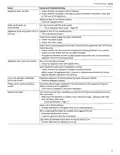
- Page 30: Troubleshooting Excessive formation of foam occurs. Detergent or machine care product used causes excessive foaming. Connection to home network is not established. WLAN on router is not active. Home Connect cannot be implemented correctly. Home Connect set incorrectly. Refill indicator for rinse aid lights up. No rinse aid. All LEDs light up or flash. Electronics have detected a fault. Water is left in the appliance at the end of the program. Filter system or area under the filters is blocked. Appliance cannot be switched on or operated. Software update is taking place. Appliance functions have failed. Power cord is not inserted.
- Page 31: Troubleshooting Appliance does not start. Check whether the power outlet is working. Check whether the power cord plug is properly inserted in the power outlet and on the rear of the appliance. Appliance door is not closed properly. Close the appliance door. Wash cycle starts up automatically. You did not wait until the cycle ended. Appliance stops during the cycle. Power and/or water supply has been interrupted. Check the power supply. Check the water supply. Appliance door cannot be closed. Door lock has been activated. Close the appliance door with greater force. Lid on the detergent dispenser cannot be closed. Detergent dispenser or lid are blocked by sticky detergent residue. Remove detergent residue. Noise level varies. The noise level can vary, depending on what kind of dishes are loaded and where they are placed. Make sure the dishware is loaded in the most secure way, resting on the tines and not hitting each other.
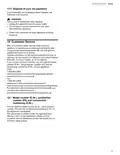
- Page 32: Transportation, storage and disposal Clean drain pump Large food remnants or foreign objects can block the drain pump. As soon as the dishwashing water no longer drains properly, the drain pump must be cleaned. Removing the appliance There may be some sharp debris, such as glass fragments, blocking the drain pump. Use caution when removing parts for cleaning. Disconnect the appliance from the power supply. Turn off the water faucet. Detach the drain connection. Detach the water connection. Vacation and storage Preparing your unit for vacation includes turning off the main valve and water supply at the nearest point to the dishwasher. Winterizing your unit is necessary if the dishwasher will be unused for an extended period in freezing temperatures. Transporting the appliance To avoid damage to the appliance, empty it before transporting. Always transport the dishwasher upright to prevent residual water from damaging the controls.
- Page 33: Disposal of your old appliance Environmentally sound disposal allows valuable raw materials to be recycled. Avoid a risk of entrapment upon disposal. Unplug the appliance from the power outlet. Cut the power cord and remove the door upon discarding the appliance. Check your local area for large appliance recycling programs. Customer Service With any warranty repair, we will make sure your appliance is repaired by an authorized service provider using genuine replacement parts. Detailed information on the warranty period and terms of warranty can be found in the Statement of Limited Product Warranty. You will need the model number (E-Nr.), the production number (FD), and the consecutive numbering (Z-Nr.) of your appliance for Customer Service.
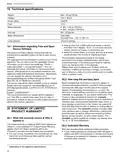
- Page 34: Technical specifications Weight: Max. 60 kg/132 lbs Voltage: 120 V, 60 Hz Power rating: 1440 W Fuse: 12 A Water pressure: Min. 7.25 psi (50 kPa), Max. 145 psi (1000 kPa) Inlet rate: Min. 2.6 gal/min Water temperature: Hot water max. 140 °F/ (60 °C) Load capacity: 16 place settings Information regarding free and open source software Bosch warrants that the product is free from defects in materials and workmanship for a period of 365 days from the date of original delivery.
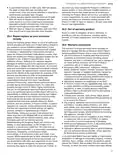
- Page 35: Statement of limited product warranty 5 year limited warranty on dish racks: BSH will replace the upper or lower dish rack if the rack proves defective in materials or workmanship. Lifetime warranty against stainless steel rust through: BSH will repair or replace your dishwasher if the inner liner should rust through. BSH will repair or replace the stainless steel door if the door should rust through. Bosch is under no obligation to provide concessions once this warranty has expired. During this warranty period, Bosch will repair your product without charge if it proves to have been manufactured with a defect. Bosch will replace your product if reasonable attempts to repair it have been made without success. Bosch's sole liability is to repair manufacturer-defective product only, using an authorized service provider. The warranty coverage excludes all defects or damage that are not the direct fault of Bosch. The warranty excludes use of the product in anything other than its normal, customary and intended manner. Bosch will not incur any liability for damage to surrounding property.
- Page 36: Register your appliance to enjoy customized benefits. Simply create a MyBosch account, then register your appliance. You'll find a variety of customized information in MyBosch such as discounts for filters, cleaners, accessories & parts. Easy access to manuals & appliance specifications. Customized offer for the Bosch Appliance Service Plan (sent by mail after appliance registration). Bosch is here to support you. We’re here to assist with usage instructions, cleaning tips, accessories & parts, troubleshooting, and repairs. Find online resources such as FAQs, how-to-videos, manuals, warranties and authorized Bosch services. Please have your Model Number (E-Nr) ready when contacting us. © 2023 BSH Home Appliances Corporation.

BOSCH SPS6ZMI29E Free Standing Dishwasher

GAGGENAU DF264100 Dishwasher

Hotpoint H7F HS41 X Dishwasher

BOSCH SMS23DW01T Dishwasher

GAGGENAU DF480701F Dishwasher

BOSCH SMV2ITX09E Dishwasher

ggmgastro GLOZ50 Undercounter Dishwasher

FISHER and PAYKEL DD24DCTX9 Sanitize Dishwasher

Hisense HV662C60 Dishwasher

SUB ZERO DW2450 Dishwasher