
GRUNDIG GSV 428420 Dishwasher













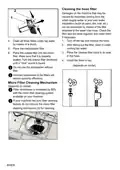

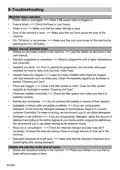
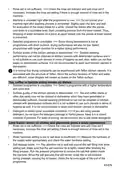




Scheduling the washing time
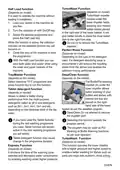
Floor illumination
Warning to show that machine is in
washing phase
(depends on the model)
Your machine reflects a light to the floor
during the washing process. This light turns
off after the washing process is complete.
Floor illumination is activated
Time Delay
If an economical electricity tariff is applied
in your region, you can use the Time
Delay function to wash your dishes during
appropriate hours.
You can delay the start of the selected
programme until 24 hours.
automatically when the washing
programme starts and remains lit until
the end of the programme.
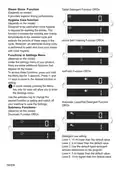
1. Press the Time Delay function key after
selecting the washing programme and
other auxiliary functions.
Floor illumination cannot be cancelled
by the user.
Interior Lighting
2. Once you press the Time Delay key,
Display Information Line will show
"0:30" and Time Delay indicator will
start flashing.
(depends on the model)
Some models have interior lighting to
illuminate the interior when the door is
opened.
1. After switching on your machine, press
the Settings Menu key for 3 seconds.
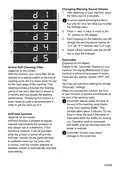
3. Set the desired time by pressing the
Time Delay key. Time will increase with
increments of 30 minutes up to 6 hours
and after that in 1 hour increments up
to 24 hours every time you press the
key.
In some models pressing the Menu
key only for once will allow you to enter
the Settings menu.
4. Close the door of your machine after
setting the Delayed Start. Once
2. Press <- and +> keys to move to the
“L:” position on the display. Select the
position you want with the Selection
key. Interior lighting is off in “L:0”
position and on in “L:1” position.
the delay time is over, the selected
programme will start automatically.
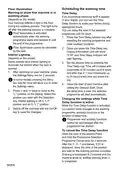
Changing the settings while Time
Delay function is active
While the Time Delay function is activated,
you cannot make changes in the washing
programme, auxiliary functions or the
duration of delay time.
3. Switch off the machine with the On/Off
key to save the changes.
Programme and auxiliary functions
cannot be set/changed after the
programme has started.
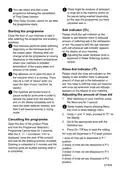
To cancel the Time Delay function
Open the door of the product Press
and hold the Programme Selection /
Programme Cancel keys for 3 seconds.
After the 3 - 2 - 1 countdown, 0:01 is
displayed, close the door of the product
and wait for the draining process complete.
Draining is completed in 2 minutes and the
machine gives an audible warning when it
is completed.
36/EN

| General | Details |
|---|---|
| Name | GRUNDIG GSV 428420 Dishwasher |
| Make | GRUNDIG |
| Language | English |
| Filetype | PDF (Download) |
| File size | 4.18 MB |
 (1 votes, average: 5.00 out of 5)
 Loading...

GRUNDIG GR5500 Dishwasher

GRUNDIG GNFP3440X Dishwasher

GRUNDIG GSV Dishwasher

GRUNDIG GSV 42840 Dishwasher


ALHAFIDH DW141WW Free Standing Dishwasher

Bertazzoni DW24T3IXV Dishwasher

Electronic LG DFB512FP Dishwasher

Electrolux EET43200LX Fully Integrated Dishwasher

FISHER PAYKEL DD24DAX9 N Dishwasher

SIEMENS SN63EX02CE Dishwasher

BOSCH SMV6HCX3FR Dishwasher

IKEA 004.754.23 PROFFSIG Dishwasher

maidaid halcyon AMH95WSD Water Softener Pass Through Dishwasher

SIEMENS SN93HX60CG Dishwasher