
BOSCH SHP65CM5N Dishwasher

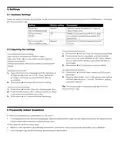


5 Settings
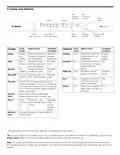
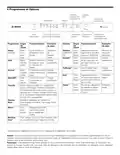
5.1 Available Settings
Below are some commonly used settings. To see all the settings refer to the full online manual or go to Dishwasher » Settings in
the Home Connect® app.
Setting
Factory setting
Description
Rinse Aid
Off/Low/Medium/High
Medium
Setting to adjust the amount of rinse aid
used in each cycle.
Intensive drying
Off/On
Off
Setting to increase drying ability for glass-
es or plastic. Increases cycle length and
temperature.
End of cycle tone
Off/Low/Medium/High
Medium
The volume of the tone signalling the end
of cycle.
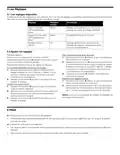
5.2 Adjusting the settings
To adjust the signal volume:
1. Press button A until the Clean and Rinse Aid lights flash.
2. Press the Start button repeatedly until the preferred
volume level has been selected. 0 (off), 1(low), 2(medi-
um), or 3(high) LEDs above cycle buttons will light up
accordingly.
First Steps to adjust any setting:
Open the door and press the ON/OFF button.
Hold down Button A for 3 seconds, until the Rinse Aid
indicator light flashes.
Release button, then follow steps below to adjust specific
setting.
3. Press button A for 3 seconds to save the setting.
To reset to factory settings:
To adjust the rinse aid:
1. Press button A until the Clean, Sanitize and Rinse Aid
lights flash.
2. Press the Start button. The 3 LEDs above cycle buttons
will blink alternatively for 1 minute. The factory settings
have been restored.
1. Press the Start button repeatedly until the right amount
of rinse aid has been set. 0 (off), 1(low), 2(medium),
or 3(high) LEDs above cycle buttons will light up
accordingly.
2. Press button A for 3 seconds to save the setting.
Tip: The simplest way to change the settings is with the
Home Connect® app.
To turn on intensive drying:
1. Press button A until the Clean and Sanitize lights flash.
2. Press the Start button until 1 LED light above the heavy
cycle button is on (intensive dry is on).
3. Press button A for 3 seconds to save the setting.
6 Frequently Asked Questions
Q: Why is food remaining on dishes after I run the cycle?
•
It is possible the dishes do not have adequate clearance between them. Also, be sure nothing is blocking the spray arms and
that the filter is clean. Select the Heavy cleaning cycle.
Q: Why does the cycle run a long time?
•
•
Sensors in the dishwasher automatically increase the cycle time to ensure a good wash when heavy soil is detected.
Incoming water may not be hot enough and dishwasher has to heat it.

| General | Details |
|---|---|
| Name | BOSCH SHP65CM5N Dishwasher |
| Make | Bosch |
| Language | English |
| Filetype | PDF (Download) |
| File size | 0.65 MB |
 (1 votes, average: 5.00 out of 5)
 Loading...

BOSCH SMV6ZCX49E-39 Dishwasher

BOSCH SMI4HVS33E Dishwasher

BOSCH SRV2HKX39G Dishwasher

BOSCH SGS4HAW40G Dishwasher

BOSCH SGH4HVX32G Dishwasher

BOSCH SMS4ECI26E Dishwasher

BOSCH SMS6EDI02G Free-Standing Dishwasher

BOSCH SMS6EDW02G Free-Standing Dishwasher

BOSCH SMV4HTX27G Dishwasher

BOSCH SMV4HCX48E Dishwasher


Miele G 7191 SCVi AD 125 Dishwasher

IKEA AA-2412057-2-1 RÅGLANDA Dishwasher

Westinghouse WSF6604XB Dishwasher

AEG FSE83847P Dishwasher

Monsher MD 6001 Dishwasher

FISHER AND PAYKEL DD60SDFTB9 Single DishDrawer Dishwasher

FISHER and PAYKEL DD24DHTI9N Tall Drawer Dishwasher

BOSCH SHX3AR Dishwasher

FISHER PAYKEL DD60DDFB9 Sanitise Dishwasher

FISHER PAYKEL DW60FC2B2 Dishwasher