
BOSCH SHPM65W55N Dishwasher









en-us Operating the Dishwasher
AquaSensor
1Operating the
r
o
s
n
eSa
u
qA
The AquaSensor is an optical
measuring device which measures
the cleanliness of the rinse water.
Dishwasher
r
e
h
s
a
w
h
s
i
D
e
h
t
g
n
i
t
a
r
e
p
O
The AquaSensor is used according
to the wash cycle. If the AquaSensor
is active, "clean# rinse water can be
transferred to the next rinse and
water consumption can be reduced
by 0.8%1-5 gal (3%6 liters). If the
rinse water is not yet clear, the water
is drained and is replaced with fresh
water. In the automatic wash cycles
the temperature and running time
can also be adjusted to the degree of
soiling.
must be opened before changing
settings and closed after changing
settings.
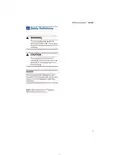
ꢀ WARNING
RISK OF INJURY!
To avoid risk of injury, always
use caution when opening the
door during or following a wash
cycle as hot water or steam
may escape. Do not fully open
the door until water noises have
stopped and steam has
subsided.
Switching the appliance on
1. Turn the water supply on fully.
2. Press the On/Off button (.
The AUTO wash cycle has been
preset as a default whenever the
appliance starts. This wash cycle
remains selected if no other wash
cycle button 0 is pressed.
Select any desired option.
Protection against
unintentional operation
Your dishwasher is equipped with a
function that helps to prevent
unintentional operation (e.g. by
children).
3. Press Start button P.
Wash cycle sequence starts.
Note: Your dishwasher is protected
against unintentional operation. If the
appliance door remains open for
more than 4 seconds after pressing
the Start button, the operation will be
paused. Close the appliance door
and press the Start button P again.
After setting the dishwasher, the
dishwasher door has to be closed
within 4 seconds, otherwise the
operation will be paused. There will
be a signal on the control panel
advising you to press the Start button
again and close the door.
This function will be activated when:
Time display
ʋ
ʋ
ʋ
ʋ
pressing Start to begin a wash
cycle
When a wash cycle is selected the
remaining wash cycle time is shown
on the display 8.
setting Delay time and pressing
Start
opening the door while Delay time
The wash cycle time is determined
during the wash cycle by the water
temperature, the amount of dishes,
as well as the degree of soiling and
may vary (depending on the selected
wash cycle).
is active
opening the door during a wash
cycle.
Note: This function cannot be
deactivated.
26

| General | Details |
|---|---|
| Name | BOSCH SHPM65W55N Dishwasher |
| Make | Bosch |
| Language | English |
| Filetype | PDF (Download) |
| File size | 2.74 MB |
 (1 votes, average: 5.00 out of 5)
 Loading...

BOSCH SMV6ZCX49E-39 Dishwasher

BOSCH SMI4HVS33E Dishwasher

BOSCH SRV2HKX39G Dishwasher

BOSCH SGS4HAW40G Dishwasher

BOSCH SGH4HVX32G Dishwasher

BOSCH SMS4ECI26E Dishwasher

BOSCH SMS6EDW02G Free-Standing Dishwasher

BOSCH SMV4HTX27G Dishwasher

BOSCH SMV4HCX48E Dishwasher

BOSCH SPV4XMX28E Dishwasher


AEG FSK93848P Dishwasher

Whirlpool WFE2B19 Dishwasher

CMA DISHMACHINES CMA-180 VL Rack Straight Dishwasher

SIEMENS SN55HS01MI Dishwasher

KitchenAid KDFE204KPS Dishwasher

caple DI631 Dishwasher

BOSCH SPI2HKS08E Dishwasher

BOSCH SMS6HVI00I Free-Standing Dishwasher

IKEA RENGOERA Dishwasher

FISHER PAYKEL DW24UT2I2 Tall Sanitize Integrated Dishwasher