
BOSCH SPV2IKX2BR Dishwasher


en
Before using for the first time, read the instruction manual and the safety information it contains.
Setting up Home Connect
Overview of water hardness settings
Setting the water softening sys-
tem
Programmes
You can find an overview of the water hardness values that can be
selected here.
A table of country-specific units can be found in the instruction
manual.
The programme data has been meas-
ured in the laboratory according to
European standard EN 60436.
The consumption figures depend on
the programme and additional func-
tion selected.
The runtime will change if the rinse
aid system is switched off or rinse aid
needs to be added.
Tip: Connect your appliance to a mobile device. You can con-
veniently change all settings using the Home Connect app.
1. Press
.
2. To open the appliance settings,
1. Install the Home Connect app on your mo-
bile device and follow the instructions.
press
flashes.
3. Press
for 3 seconds.
a
Hardness mmol/l
range
Level
LED A
LED B
LED C
repeatedly until the right
water hardness has been set.
0, 1, 2 or 3 LEDs will light up ac-
cordingly.
Soft
Medium
Hard
0 - 1.1
0
1
2
3
2. Scan the QR code with the Home Connect
app.
1.2 - 2.9
3.0 - 3.7
3.8 - 6.2
4. To save the settings, press
Programme
1) Duration [h:min]
2) Energy [kWh]
3) Water [l]
Hard
for 3 seconds.
1) 2:20
2) 1.050
3) 12.0
1) 3:35
2) 0.950
3) 10.0
1) 1:00
2) 1.070
3) 9.5
Mix 65°
Adding special salt
Eco 50°
To avoid damage to the appliance, only add special
salt to the dispenser for special salt just before the
programme starts.
1. Unscrew the lid of the dispenser for special salt
and remove.
2. On initial start-up: Fill the dispenser right up with
water.
3. Add the special salt to the
dispenser. The water in the
dispenser is displaced and
forced out. Never add de-
tergent.
Express 65° - 1h
Express 45°
PreRinse
1) 0:29 1
2) 0.650
3) 9.5
1) 0:15
2) 0.050
3) 4.0
4. Place the lid back on the dispenser and turn to
close.
1
half standard load
Adding rinse aid
1. Press the catch on the lid
2. Add rinse aid up to the
max mark.
of the dispenser for rinse
aid
and lift
.
3. Close the lid of the dispenser for rinse aid.
a The lid clicks into position.
Adding detergent
1. Add the detergent to the
dry detergent dispenser.
2. Close the lid of the deter-
gent dispenser.
a The lid clicks into position.
How to use your appliance
1. Load the tableware.
tate freely.
2. Add detergent.
3. Switch on the appliance
4. Select the programme.
5. Start the programme
6. Remove the tableware at the end of the pro-
gramme.
7. To cancel the programme, press
for
Only clean tableware that is suitable for dish-
washers. Remove large remnants of food from
the tableware. Check that the spray arms can ro-
approx. 4 seconds.
.
The programme is cancelled and ends after ap-
prox. 1 minute.
.


| General | Details |
|---|---|
| Name | BOSCH SPV2IKX2BR Dishwasher |
| Make | Bosch |
| Language | English |
| Filetype | PDF (Download) |
| File size | 0.39 MB |
 (1 votes, average: 5.00 out of 5)
 Loading...

BOSCH SMV6ZCX49E-39 Dishwasher

BOSCH SMI4HVS33E Dishwasher

BOSCH SRV2HKX39G Dishwasher

BOSCH SGS4HAW40G Dishwasher

BOSCH SGH4HVX32G Dishwasher

BOSCH SMS4ECI26E Dishwasher

BOSCH SMS6EDI02G Free-Standing Dishwasher

BOSCH SMS6EDW02G Free-Standing Dishwasher

BOSCH SMV4HTX27G Dishwasher

BOSCH SMV4HCX48E Dishwasher

BOSCH SPV2IKX2BR Dishwasher Overview
Summary of Contents
- Page 1: Before using for the first time, read the instruction manual and the safety information it contains. Overview of water hardness settings. You can find an overview of the water hardness values that can be selected here. The programme data has been measured in the laboratory according to European standard EN 60436. The consumption figures depend on the programme and additional function selected. Tip: Connect your appliance to a mobile device. You can conveniently change all settings using the Home Connect app. To avoid damage to the appliance, only add special salt to the dispenser for special salt just before the programme starts. Add rinse aid up to the max mark of the dispenser for rinse aid. Only clean tableware that is suitable for dishwashers. Remove large remnants of food from the tableware. To cancel the programme, press for approx. 4 seconds.
- Page 2: Cleaning filters After each wash check the filters for residue. Remove the filter system and scoop out any water. Clean the filter elements under running water. Re-assemble the filter system and insert it into the appliance. Cleaning spray arms Check the outlet nozzles on the spray arms for blockages. Insert the lower spray arm and ensure it clicks into position. Insert the upper spray arms and screw firmly in place. Troubleshooting Display for water supply lights up if the supply hose is kinked. Remnants of food on tableware may indicate a washing programme selected too weak. Turn on the water tap if it is turned off. Secure the cover of the wastewater pump so it clicks into position. Rust spots on cutlery may occur if cutlery is not sufficiently rust-resistant. Arrange tableware with sufficient space in between to avoid obstruction of spray arm rotation. Clean the spray arms if they are blocked. Press the main switch button for approx. 4 seconds to reset the appliance. Check the water connection for leaks after re-inserting the filter.

AEG FFB32617ZW Dishwasher

BOSCH SHE4AEM5N Dishwasher

GAGGENAU 8001221619 C Dishwasher

Whirlpool W11703656 Dishwasher

Gaggenau 9001923390_A Free Standing Dishwasher

BOSCH SMU6ZDW76S Dishwasher
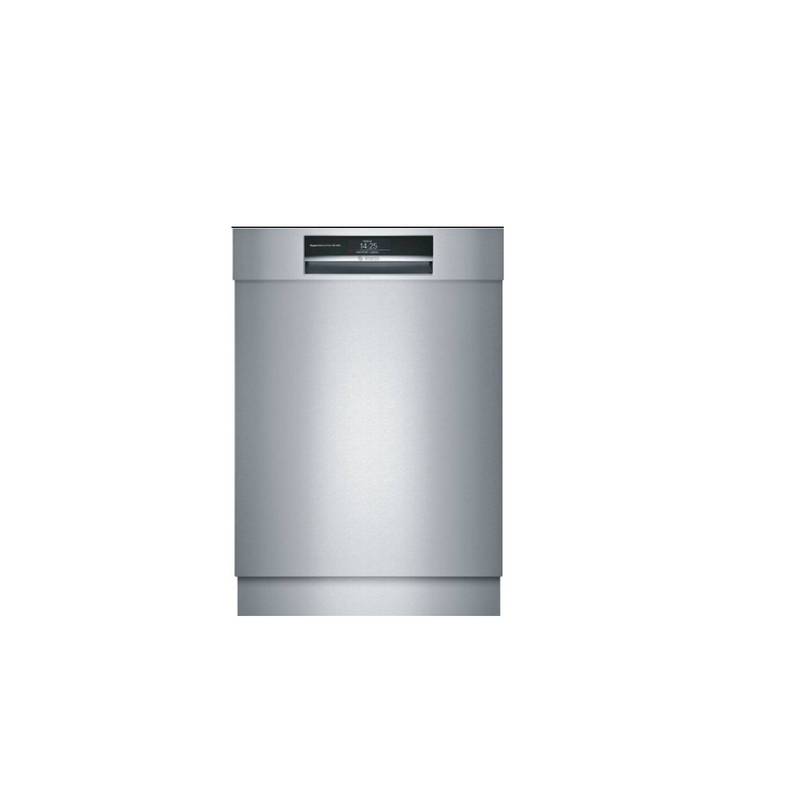
BOSCH Benchmark Series Dishwasher

ELVITA CBD6603V Dishwasher

IKEA 205.416.48 VILLBODA Integrated Dishwasher

Haier HDW15F3S1 Steam Dishwasher