
CANDY CDIH 2L952-80 Dishwasher




Before
first Use
How to Adjust User Preference Settings for DIGIT Models
During the selection of programmes, press and hold the program selection key
for 5S to enter the user setting mode.User setting mode includes Language setting,
Water Softener setting, Buzzer setting,Rinse Aid setting and Memo Mode setting.
1.The appliance is switched on.
2. Press the program selection key
display will show the current language.Press
to enter the Language setting menu, and the
to move backward and
to move forward between the 25 languages.Press the program selection key
again to save the current selection language and enter the Water Softener setting
menu.Or press the power key
selection state.
for 3S to save the settings and enter the program
3. The current water hardness level will be displayed after the display shows
SOFTENER 5S. The default level is S4. The level setting is from S1 to S6.Press the
additional function key
to set the level backward: S3-S2-S1-S2-S3-S4-S5-S6.
Press the Salt / Rinse reset key
Press the program selection key
to set the level forward S4-S5-S6-S1-S2-S3-S4.
to save the current level and enter the Buzzer
setting.Or press and hold the power key
program selection state.
for 3S to save the settings and enter the
4.The display shows BUZZER, and displays NO after 5S. The default is NO.Press the
Salt / Rinse reset key to set to NO.Press the program selection key to save
the current level and enter the Rinse Aid setting.Or press and hold the power key
for 3S to save the settings and enter the program selection status.
5.The display shows the current level of Rinse Aid after 5 seconds. The level setting
is from R1-R4, and the default is R3.Press the additional function key
level backward:R3-R2-R1-R2-R3-R4.Press the Salt / Rinse reset key
to set the
to set the
level forward:R3-R4-R1-R2-R3-R4.Press the program selection key to save the
current level and enter the Memo setting.Or press and hold the power key
to save the settings and enter the program selection state.
for 3S
6.The digital tube will scroll to display the MEMO FUNCTION, and displays NO after
5S.Press the Salt / Rinse reset key
to switch between YES and NO.Press the
program selection key to save the current level and enter the Language setting.
Press and hold the power key
selection state.
for 3S to save the settings and enter the program
27

| General | Details |
|---|---|
| Name | CANDY CDIH 2L952-80 Dishwasher |
| Make | Candy |
| Language | English |
| Filetype | PDF (Download) |
| File size | 3.55 MB |
 (1 votes, average: 5.00 out of 5)
 Loading...

CANDY CI6C4F1PMW-80 Dishwasher

Candy CI 4C6F0PA Fully Dishwasher


Miele G 7131 SCi AD 125 Edition Dishwasher

BOSCH SMU4HTW02H Dishwasher

Whirlpool WFO3O41PLXUK Thron Vaporera Dishwasher
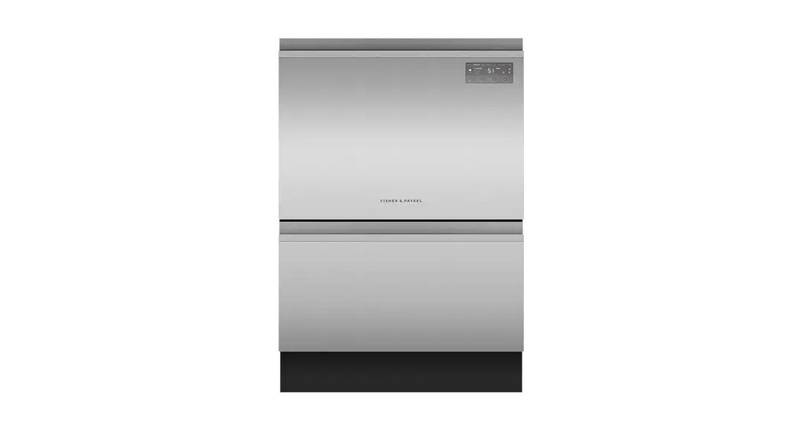
FISHER AND PAYKEL DD24DT2NX9 Contemporary Tall Dishwasher

BOSCH SMS4HTW00E Dishwasher

BOSCH SMH4ECX21E Dishwasher

FISHER and PAYKEL DW24U2I1 Dishwasher

FISHER PAYKEL DD24DV2T9N Sanitize Dishwasher

BOSCH SMS6ITW00I Dishwasher

BOSCH SPI6YMS14E Dishwasher