
Home > EQUATOR ADVANCED Appliances > EQUATOR ADVANCED Appliances WB 24 in. 14 place Dishwasher
EQUATOR ADVANCED Appliances WB 24 in. 14 place Dishwasher



Program Selection Information
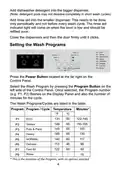
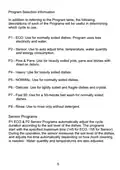
In addition to referring to the Program table, the following
descriptions of each of the Programs will be useful in determining
which cycle to use.
P1 - ECO: Use for normally soiled dishes. Program uses less
electricity and water.
P2 - Sensor: Use to auto adjust time, temperature, water quantity
and energy consumption.
P3 - Pots & Pans: Use for heavily soiled pots, pans and dishes with
dried on debris.
P4 - Heavy: Use for heavily soiled dishes.
P5 - NORMAL: Use for normally soiled dishes.
P6 - Delicate: Use for lightly soiled and fragile dishes and crystal.
P7 - Fast 50: Use for a 50-minute fast wash for normally soiled
dishes.
P8 - Rinse: Use to rinse only without detergent.
Sensor Programs
P1 ECO & P2 Sensor Programs automatically adjust the cycle
duration according to the soil level of the dishes. The programs
start with the specified maximum time (145 for ECO, 155 for Sensor).
During the operation, the sensor measures the soil level of the dishes,
and adjusts the time automatically depending on how much cleaning
is needed. Water quantity and temperatures are also adjusted
5
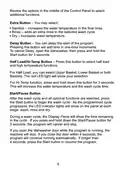
Review the options in the middle of the Control Panel to select
additional functions.
Extra Button – You may select:
·
·
·
Sanitize – increases the water temperature in the final rinse.
Rinse – adds an extra rinse to the selected wash cycle.
Dry – increases water temperature.
Delay Button – You can delay the start of the program.
Pressing this button will add time in one-hour increments.
To cancel Delay, open the dishwasher, then press and hold the
Start button for 3 seconds.
Half Load/Hi-Temp Button – Press this button to select half load
and high temperature functions.
For Half Load, you can select Upper Basket, Lower Basket or both
Baskets. The red LED light will show your selection.
For Hi-Temp function, press and hold down this button for 3 seconds.
This will increase the water temperature and the wash cycle time.
Start/Pause Button
After the wash cycle and all optional functions are selected, press
the Start button to begin the wash cycle. As the programmed cycle
progresses, the LED indicator lights will show on the panel at each
stage: wash, rinse and dry.
During a wash cycle, the Display Panel will show the time remaining
in the cycle. If you press and hold down the Start/Pause button for
3 seconds, the program will cancel and stop.
If you open the dishwasher door while the program is running, the
machine will stop. If you close the door within 4 seconds, the
program will continue running automatically. If longer than
4 seconds, press the Start button to resume the program.
6
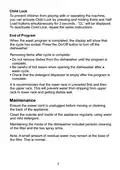
Child Lock
To prevent children from playing with or operating the machine,
you can activate Child Lock by pressing and holding Extra and Half
Load buttons simultaneously for 3 seconds. “CL” will be displayed.
To deactivate Child Lock, repeat the same instructions.
End of Program
When the wash program is completed, the display will show that
the cycle has ended. Press the On/Off button to turn off the
dishwasher.
Removing items after cycle is complete:
·
·
·
Do not remove dishes from the dishwasher until the program is
complete.
Be careful of hot steam when opening the dishwasher after a
wash cycle.
Check that the detergent dispenser is empty after the program is
complete.
It is recommended that the lower rack in unloaded first and then
the upper rack. This will prevent water from dripping from upper
rack to lower rack and getting dishes wet.
Maintenance
Ensure the power cord is unplugged before moving or cleaning
the back of the appliance.
Clean the outside and inside of the appliance regularly, using water
and mild detergent.
Maintaining the inside of the dishwasher includes periodic cleaning
of the filter and the two spray arms.
Note: A small amount of residual water may remain at the base of
the filter. This is normal.
7

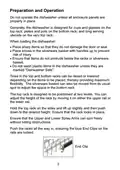
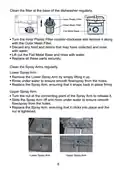
Clean the filter at the base of the dishwasher regularly:
Inner Plastic Filter
Outer Mesh Filter
Flat Metal Base
·
·
Turn the Inner Plastic Filter counter-clockwise and remove it along
with the Outer Mesh Filter.
Discard any food and debris that may have collected and rinse
with water.
·
·
Lift out the Flat Metal Base and rinse with water.
Replace all these parts securely.
Clean the Spray Arms regularly.
Lower Spray Arm:
·
·
·
Remove the Lower Spray Arm by simply lifting it up.
Rinse under water to ensure smooth flow/spray from the holes.
Replace the Spray Arm, ensuring that it snaps back in place firmly.
Upper Spray Arm:
·
·
Turn the nut at the connecting point of the Spray Arm to release it.
Slide the Spray Arm off and rinse under water to ensure smooth
flow/spray from the holes.
·
Replace the Spray Arm, ensuring that it clicks into place and the
nut is tightened.
Lower Spray Arm
Upper Spray Arm
8

| General | Details |
|---|---|
| Name | EQUATOR ADVANCED Appliances WB 24 in. 14 place Dishwasher |
| Make | EQUATOR ADVANCED Appliances |
| Language | English |
| Filetype | PDF (Download) |
| File size | 2.08 MB |
 (1 votes, average: 5.00 out of 5)
 Loading...


BOSCH SMV26DX00T Dishwasher

BOSCH SHE53C86N 500 Series Dishwasher
FISHER AND PAYKEL DD60SCTX9 7 Contemporary Tall Dishwasher
WISBERG WBDW44DB Dishwasher

SAMSUNG DW50T6060U Dishwasher

FISHER PAYKEL DD24SVT9 Dishwasher

FISHER PAYKEL DD60D2HNB9 Built-under Dishwasher

FISHER AND PAYKEL DD60ST4HZB9 Contemporary Tall Dishwasher

ZLINE Monument Series 24 Red Matte Dishwasher

BOSCH SMS2HMI04E Dishwasher