
Haier HDW13F0S1 Dishwasher







NZ AU
Daily Use
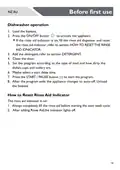
Start a Program
1. Close the door.
2. Press the ON/OFF button
.
3. Press the program button you want to select and then the required
program indicator flashes.
Additionally the display shows the program run-time.
4. If need select a start time for a delayed start, refer to the section START
A PROGRAM WITH DELAY.
5. Press the START/PAUSE button
start.
to activate the program or the delay
The program starts.The display acts now as a countdown of the
remaining run-time.
The appliance remembers the last programme you used.The
next time the appliance is switched on, the appliance pre-selects
the programme used last time.
Interrupt a Running Program
To interrupt a running program:
Press the START/PAUSE button
flashing.
Open the door.
.The displayed cycle time
to continue the program
is
To continue a paused program:
Close the door and press the button
from the point of interruption.To prevent poor wash performance, do not
leave the door open for a long time.
23

| General | Details |
|---|---|
| Name | Haier HDW13F0S1 Dishwasher |
| Make | Haier |
| Language | English |
| Filetype | PDF (Download) |
| File size | 5.91 MB |
 (1 votes, average: 5.00 out of 5)
 Loading...

Haier HDW13V1S1 Dishwasher

Haier HDW15V3S1 Satina Dishwasher

Haier HDW10F1S1 300 Series Compact Dishwasher

Haier HDW15V2B2 Dishwasher

Haier HDW13G1W Dishwasher

Haier HDW15V2S1 Dishwasher

Haier HDW13G1X Dishwasher

Haier HDW10F1S1 Compact Dishwasher

Haier HDW13F0W1 Hygiene Dishwasher

Haier HDW13F0B1 Dishwasher


GE Monogram UDT165SIVII 18 Inch Dishwasher

ASKO DFI777UXXL Dishwasher

Whirlpool WDF540PADW Dishwasher

BOSCH SMS6ZCI85M Dishwasher

Electrolux ESL2500RO Dishwasher

IKEA AA-2360858-2-1 RENGÖRA Dishwasher

GAGGENAU DF481100 Dishwasher

BOSCH SMS2IVI61E Dishwasher

SIEMENS SMS6HAW00X Dishwasher

FISHER and PAYKEL DD24DTX6I1 Tall Dishwasher