
Haier HDW13V1W1 Dishwasher
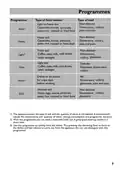











Daily Use
Please note that not all sales models comes with identical features and
options. So pictures of that chapter are sometimes different to your dish-
washer model. Explanations try only to point out basic model variants.
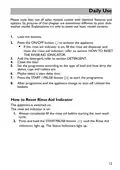
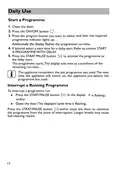
1. Load the baskets.
2. Press the ON/OFF button
to activate the appliance.
▶
If the rinse aid indicator is on, fill the rinse aid dispenser and
reset the rinse aid indicator; refer to section HOW TO RESET
THE RINSE AID IDNICATOR.
3. Add the detergent; refer to section DETERGENT.
4. Close the door.
5. Set the programme according to the type of load and how dirty the
dishes, cups and cutlery are.
6. Maybe select a start delay time.
7. Press the START / PAUSE button
to start the programme.
8.
After programme end the appliance change to auto off. Unload the
baskets.
How to Reset Rinse Aid Indicator
The appliance is switched on.
The rinse aid indicator is on:
1.
Always completely fill the rinse aid before starting the next wash
cycle.
2. Press and hold the START/PAUSE button
until the Rinse Aid
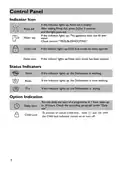
light up. The Status Indicators light up.
indicators
12

| General | Details |
|---|---|
| Name | Haier HDW13V1W1 Dishwasher |
| Make | Haier |
| Language | English |
| Filetype | PDF (Download) |
| File size | 2.45 MB |
 (1 votes, average: 5.00 out of 5)
 Loading...

Haier HDW13V1S1 Dishwasher

Haier HDW15V3S1 Satina Dishwasher

Haier HDW10F1S1 300 Series Compact Dishwasher

Haier HDW15V2B2 Dishwasher

Haier HDW13G1W Dishwasher

Haier HDW15V2S1 Dishwasher

Haier HDW13G1X Dishwasher

Haier HDW10F1S1 Compact Dishwasher

Haier HDW13F0W1 Hygiene Dishwasher

Haier HDW13F0B1 Dishwasher


BOSCH SMS2HKI03E-30 Dishwasher

Danby DDW621WDB Dishwasher

BOSCH SMV2ITX18E Dishwasher

NEFF SBV6EB800E Dishwasher

FISHER and PAYKEL DW60U4HI2 Dishwasher

FISHER PAYKEL DD60ST4HNX9 Single DishDrawer Dishwasher

Whirlpool WDT970SAKZ Dishwasher

bellini BDW96W, BDW96X Series 45cm Dishwasher

SILVERCREST SGW 860 A1 Table Top Dishwasher

BOSCH SPS6ZMI29E Free Standing Dishwasher