
ILVE E5 Dishwasher











USING YOUR DISHWASHER
Control Panel
9
11
10
12
1
2
3
4
5
6 7
6
8
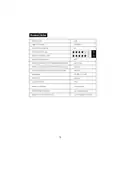
Operation (Button)
Press this button to turn on your dishwasher, the screen lights up.
1
Power
Press this button to improve the cleaning efficiency. (only Auto,
Intensive, Heavy, ECO, Glass and 90 min have this function.)
When pressing this button, corresponding indicator will be lit.
Extra
Cleaning
2
Press this button to improve the drying efficiency. (only Auto,
Intensive, Heavy, ECO, Glass and 90 min have this function.)
When pressing this button, corresponding indicator will be lit.
Extra
Drying
3
4
5
press the button to select either upper basket or lower basket
Alt
loaded. And the response indicator will light. (only Auto,
Intensive, Heavy, ECO, Glass and 90 min can be used.)
Select the appropriate washing program, the selected program
indicator will be lit.
Program
4

| General | Details |
|---|---|
| Name | ILVE E5 Dishwasher |
| Make | ILVE |
| Language | English |
| Filetype | PDF (Download) |
| File size | 5.24 MB |
 (1 votes, average: 5.00 out of 5)
 Loading...

ILVE IVFID10 Dishwasher


BOSCH SMV8ZCX00X Dishwasher

FISHER PAYKEL DD24SAX9 N Dishwasher

FISHER AND PAYKEL DD24SCTX9 N Tall Dishwasher

BOSCH SMS6ZCI12E Dishwasher

IKEA 004.756.25 DISKAD Integrated Dishwasher

FISHER AND PAYKEL DD60SDFTB9 Dishwasher

IKEA 9001774317 TORSBODA Dishwasher

BOSCH SMS6ITW00I Dishwasher

BOSCH SGV2ITX22G Dishwasher

FISHER PAYKEL DW60U6I1 Dishwasher