
Home > LG Electronics > LG Electronics LDPS6762S 23.75 in. PrintProof Smart Dishwasher
LG Electronics LDPS6762S 23.75 in. PrintProof Smart Dishwasher


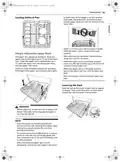


us_main.book.book Page 28 Tuesday, July 5, 2022 1:32 PM
28 OPERATION
** Option cannot be turned off
NOTE
• Actual water consumption will vary depending on soil level and hardness of water.
• The actual running time and cycle time displayed may change depending on options chosen, soil level,
water temperature, and hardness of water. Therefore, display time and actual running time can be
different.
• Options are not available for Download Cycle. The Machine Clean cycle is the default Download Cycle.
- For more information, refer to the Rinse Aid
Using the Option Setting Mode
You can set various options by using the Option
Setting Mode.
Dispenser Adjustment section.
• Clean Light
- The default ON setting keeps the green light
on until the door is opened. If the setting is
changed to OFF, the green light turns off after
90 seconds.
• Chime Sound
1
2
Ensure the appliance is off.
- You can turn on/off the volume of the button
sound or notification sound.
Press Power a and Remote Start b
simultaneously to enter the Option Setting
Mode.
- The error alert sound cannot be turned off.
• Auto Setting
- The default ON setting selects options
automatically for better washing and drying
performance.
3
Refer to the table to set up each function.
- If the setting is changed to OFF, the options
are not selected.
Function
Button
Display
Off & On
Machine
Clean
Reminder
• End Sound
Night Dry
- You can turn on/off the End sound.
L2 ~ L3 ~ L4 ~ L0
~ L1 ~ L2 ~
Rinse Aid
Level
Extra Dry
Loading the Dishwasher
Clean
Light
High
On & Off
The extra tall tub allows loading of dishes, pans, or
other utensils up to 14" high. For effective washing
performance, always follow these instructions.
Temp.
Chime
Sound
Turbo
On & Off
• Remove large particles of food debris from
plates including bones before loading.
Auto
Setting
Delicate
Heavy
On & Off
• Items with burnt on food should be soaked prior
to loading in the dishwasher.
End Sound
On & Off
• Deep pots or dishes should be placed upside
down.
NOTE
• Make sure that all items do not touch each other.
• Machine Clean Reminder
- The Machine Clean LED flashes every 30
cycles. You can activate or deactivate the LED.
• Rinse Aid Level
- You can adjust the level of rinse aid from L0 to
L4.

| General | Details |
|---|---|
| Name | LG Electronics LDPS6762S 23.75 in. PrintProof Smart Dishwasher |
| Make | LG Electronics |
| Language | English |
| Filetype | PDF (Download) |
| File size | 2.29 MB |
 (1 votes, average: 5.00 out of 5)
 Loading...

LG Electronics LDPH7972D Dishwasher

LG Electronics LDTH7972S 23.75 in. in PrintProof Smart Dishwasher
LG Electronics MFL30149780 Dishwasher

LG Electronics LDPS6762S Smart Dishwasher


BOSCH SPH4EKX24E Dishwasher

HOOVER HI 3E9E0S Dishwasher

oras Smart Electronic Dishwasher Valve

Midea MDWPF1233F W WG,MDWPF1233F W WG Dishwasher

FISHER and PAYKEL DD24DHTI9N Tall Drawer Dishwasher

eta 338290000B Dishwasher

BOSCH SMV4ECX21E-38 Dishwasher

BOSCH SMV25BX04R Dishwasher

Lockeliving 9001505619 Dishwasher

Forte F24DWS650PR Dishwasher