
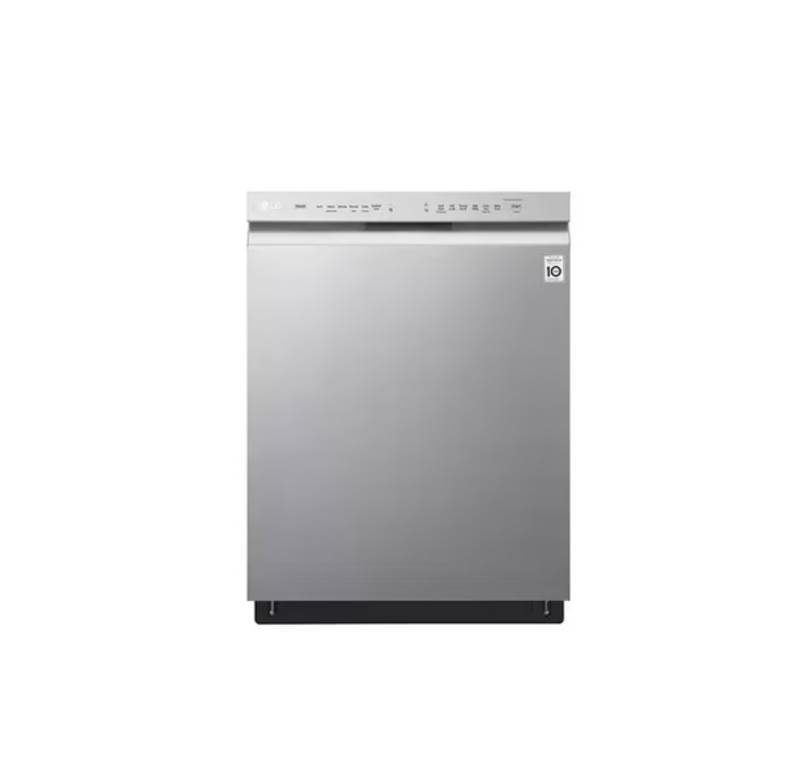
Home > LG Electronics > LG Electronics LDTH7972S 23.75 in. in PrintProof Smart Dishwasher
LG Electronics LDTH7972S 23.75 in. in PrintProof Smart Dishwasher


us_main.book.book Page 40 Wednesday, June 29, 2022 8:57 AM
40 SMART FUNCTIONS
SMART FUNCTIONS
LG ThinQ Application
NOTE
The LG ThinQ application allows you to
communicate with the appliance using a
smartphone.
• If you change your wireless router, Internet
service provider, or password, delete the
connected appliance from the LG ThinQ
application and connect it again.
LG ThinQ Application Features
• Monitoring
• This information is current at the time of
publication. The application is subject to change
for product improvement purposes without
notice to users.
- Check the current status, cycle, options,
running time and cycle end time for the
appliance on a single screen.
• Download Cycle
- You can download new and specialized cycles
that are not included in the standard cycles on
the appliance. Connect the appliance to the
app to download a variety of specialty cycles
specific to the appliance. Once cycle download
is completed in the appliance, the product
keeps the downloaded cycle until a new cycle
is downloaded.
Before Using LG ThinQ Application
1
Check the distance between the appliance
and the wireless router (Wi-Fi network).
• If the appliance is too far from the router,
the signal strength becomes weak. It may
take a long time to connect or installation
may fail.
NOTE
2
Turn off the Mobile data or Cellular Data on
your smartphone.
• Only one downloaded cycle can be stored on the
appliance at a time.
• The Machine Clean (P1) cycle is the default
downloaded cycle.
• Machine Clean Coach
- This function shows how many cycles remain
before running the Machine Clean
(Download Cycle: P1) cycle.
3
Connect your smartphone to the wireless
router.
• Smart Diagnosis
- This function provides useful information for
diagnosing and solving issues with the
appliance based on the pattern of use.
• Settings
- Set the Rinse Aid Dispenser Level, Machine
Clean Reminder, Signal Level and Clean
Indicator Light.
When the cycle is complete or the appliance
has problems, you have the option of receiving
push notifications on a smart phone.
NOTE
• To verify the Wi-Fi connection, check that the Wi-
Fi LED on the control panel is lit.
• The appliance supports 2.4 GHz Wi-Fi networks
only. To check your network frequency, contact
your Internet service provider or refer to your
wireless router manual.
• Push Alerts
- Turn on the Push Alerts to receive appliance
status notifications.
The notifications are triggered even if the LG
ThinQ application is off.
• LG ThinQ is not responsible for any network
connection problems or any faults, malfunctions,
or errors caused by network connection.
• Energy Monitoring
• If the appliance is having trouble connecting to
the Wi-Fi network, it may be too far from the
- You can use the energy monitoring function to
check the estimated power usage.

| General | Details |
|---|---|
| Name | LG Electronics LDTH7972S 23.75 in. in PrintProof Smart Dishwasher |
| Make | LG Electronics |
| Language | English |
| Filetype | PDF (Download) |
| File size | 2.35 MB |
 (1 votes, average: 5.00 out of 5)
 Loading...

LG Electronics LDPH7972D Dishwasher

LG Electronics LDPS6762S 23.75 in. PrintProof Smart Dishwasher
LG Electronics MFL30149780 Dishwasher

LG Electronics LDPS6762S Smart Dishwasher


FISHER AND PAYKEL DD24STX6I1 Dishwasher

Hisense HSCE14FS Dishwasher

CMA DISHMACHINES UC65e M3 Undercounter Dishwasher

BOSCH SMV6ZCX19E-39 Dishwasher

BOSCH SMH4EVX00E 01 Dishwasher

BOSCH SMD8TCX01E Dishwasher

FISHER PAYKEL DD24SCTB9N Sanitize Tall Dishwasher

BOSCH SMS2HKI03E-30 Dishwasher

BOSCH SMS46NB01V Free Standing Dishwasher

BOSCH B Voll-I Fully Integrated Dishwasher