
newWORLD NW60DWFSW Full Size 15 Place Dishwasher


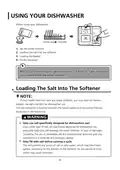

















USING YOUR DISHWASHER
Control Panel
4
6
5
7
1
2
3
8
9
Operation (Button)
1
Power
Press this button to turn on your dishwasher, the screen lights up.
Press this button to select the appropriate washing program, the
selected program indicator will be lit.
Program
2
To dry dishes more completely. (It can only be used with Intensive,
Universal, ECO, Glass, 90mins)
Extra Drying
3
4
5
When you have about or less than 6 place setting dishware to
wash, you can choose this function to save energy and water. (It
can only be used with Intensive, Universal, ECO, Glass and 90min)
Half load
Delay
Press this button to set the delayed hours for washing. You can
delay the start of washing up to 3/6/9 hours.
This option allows you to lock the buttons on the control panel
- except the Power button - so children cannot accidently start
the dishwasher by pressing the buttons on the panel.
6
7
Child lock
To lock or unlock the buttons on the control panel, press and hold
the half load button+delay star button for 3 seconds simultaneously.
To start the selected washing program or pause it when the
dishwasher is working.
Start/Pause
4

| General | Details |
|---|---|
| Name | newWORLD NW60DWFSW Full Size 15 Place Dishwasher |
| Make | newworld |
| Language | English |
| Filetype | PDF (Download) |
| File size | 6.58 MB |
 (1 votes, average: 5.00 out of 5)
 Loading...


GE APPLIANCES GD*650-670 Series Interior Dishwasher

BOSCH SHX88CL5N Dishwasher

BOSCH SMS8ZCI00X Dishwasher

Hotpoint H0I D534A S Fully Dishwasher

Haier HDW13F0B1 Hygiene Dishwasher

FORTE F18DWS450PR Dishwasher

Whirlpool WRF540CWHZ Dishwasher

FISHER PAYKEL DD60SCTW9 Tall Dishwasher

SIEMENS SR73HX76ME Dishwasher

Porter Charles DWTPC5FC Dishwasher