
newWORLD NW60DWFSW Full Size 15 Place Dishwasher



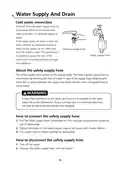
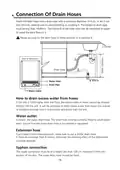


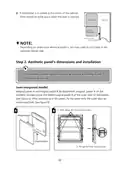
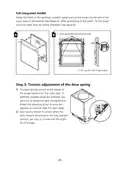
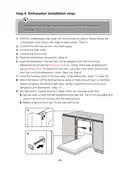














Starting A Cycle Wash
1. Draw out the lower and upper basket, load the dishes and push them back.
It is commended to load the lower basket first, then the upper one.
2. Pour in the detergent.
3. Insert the plug into the socket. The power supply refer to last page ”Product fiche”.
Make sure that the water supply is turned on to full pressure.
4. Close the door, press the Power button, to switch on the machine.
5. Choose a program, the response light will turn on. Then press the Start/Pause
button, the dishwasher will start its cycle.
Changing The Program Mid-cycle
A wash cycle can only be changed if it has been running for a short time otherwise,
the detergent may have already been released and the dishwasher may have already
drained the wash water. If this is the case, the dishwasher needs to be reset and the
detergent dispenser must be refilled. To reset the dishwasher, follow the
instructions below:
1. Press the Start/Pause button to pause the washing.
2. Press Program button for more than 3 seconds - the program will cancel.
3. Press the Program button to select the desired program.
4. Press the Start/Pause button, after 10 seconds, the dishwasher will start.
3 sec
14

| General | Details |
|---|---|
| Name | newWORLD NW60DWFSW Full Size 15 Place Dishwasher |
| Make | newworld |
| Language | English |
| Filetype | PDF (Download) |
| File size | 6.58 MB |
 (1 votes, average: 5.00 out of 5)
 Loading...


stalgast 801350V06 Dishwasher

BOSCH SBH4ECX10E Dishwasher

HOMCOM 800-190V70 Tabletop Dishwasher

LG LDFN4542S Dishwasher

caple DI631 Dishwasher

FISHER PAYKEL DD60STX6HI1 FP BI Dishwasher

Whirlpool DU850SWP Dishwasher

FISHER PAYKEL DW24UT2I2 Built Under Dishwasher

FISHER AND PAYKEL DD24DT2NX9 Drawer Dishwasher

Master Kitchen 340965 Drawer Dishwasher