
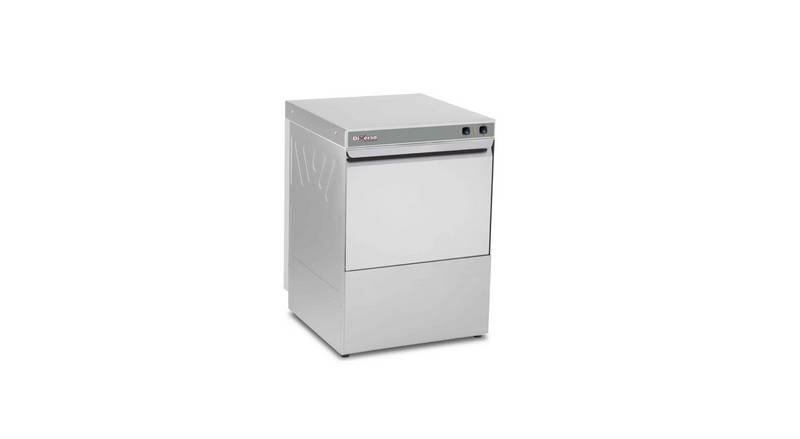
Diamond WR-LV50-MPSC Dishwasher


INSTRUCTION MANUAL FOR DISHWASHERS
UK
Chap 4 USING THE MACHINE
4.1 Key and symbols
Referring to Fig.1:
1 ON/OFF BUTTON
2 AUTO BUTTON (HOOD)
3 START BUTTON
4 POWER LED
5 BOILER HEATING UNDERWAY LED
6 TUB HEATING UNDERWAY LED
7 CYCLE UNDERWAY LED
The arrangement of buttons and leds may vary according to the machine type
4.2 Switching the dishwasher on
Referring to Fig.2:
Turn on the main power switch and open the external water tap.
Check the presence of the overflow.
Press ON/OFF (1).
The POWER led comes on and filling begins automatically.
After filling comes the heating phase; the BOILER AND TUB HEATING UNDERWAY (5.6) led
turns off when the working temperature is reached.
The optimal wash conditions have been reached.
4.3 Filling the rack
Referring to Fig.3, to ensure the correct operation of the dishwasher follow the rules described below:
Use a suitable rack, fill without overloading and without overlapping the dishes.
Always wipe the dishes before placing in the dishwasher; do not put dishes with dry or solid
residues in the washer.
Place the empty dishes in the rack facing downwards.
Place plates and the like in the sloping rack, with the inner surface facing upwards.
Place the cutlery in the cutlery basket, handle end down.
Do not place silver and stainless steel cutlery in the same cutlery basket as this will turn the silver
brown and may corrode the steel.
Wash the dishes immediately after use, in order to prevent any residue from hardening and sticking
on them.
Use only solid, dishwasher-proof dishes.
4.4 Start cycle
4.4.1 Manual start (Under-counter)
To start the programme press the START (3) button, the CYCLE UNDERWAY (7) led lights up
(Fig.5).
When the cycle is completed the CYCLE UNDERWAY (7) led goes off
For rapid drying, remove the rack from the machine as soon as the cycle finishes.
To stop a wash cycle early, press the AUTO (2) button.
4.4.2 Manual start (hood)
Lower the hood.
Press the AUTO (2) button
To start the programme press the START (3) button, the CYCLE UNDERWAY (7) led lights up
(Fig.5).
When the cycle is completed the CYCLE UNDERWAY (7) led goes off.
For rapid drying, remove the rack from the machine as soon as the cycle finishes.
To stop a wash cycle early, press the AUTO (2) button.
Page 7 of 10

| General | Details |
|---|---|
| Name | Diamond WR-LV50-MPSC Dishwasher |
| Make | DIAMOND |
| Language | English |
| Filetype | PDF (Download) |
| File size | 0.34 MB |
 (1 votes, average: 5.00 out of 5)
 Loading...

BOSCH SMS6ZCW10G Free Standing Dishwasher

BOSCH SMV4HDX52Y-39 Dishwasher

FISHER PAYKEL DD60D2HNB9 Built-under Dishwasher

saco DIF 04B1 Merlin House Dishwasher

Whirlpool WDF340PAMW 24-Inch Dishwasher

BOSCH DF480100 Dishwasher

comfee FD1201P-W Dishwasher

FISHER AND PAYKEL DW60U412 Dishwasher

BOSCH SHP87P Dishwasher

GE Appliances PTW Series Dishwasher