
FURRION CCD-0009140 18 Inch Dishwasher


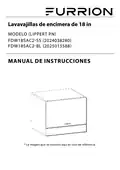




Operating Instructions
Control Panel
Fig. 12
Rinser: Rinse Aid Refill Indicator
Faucet: Display "Check Water Supply"
Lock: Child Lock Light
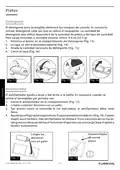
Operating the Dishwasher
1. Close the door of the dishwasher. Start the appliance by pressing
second.
for 1
2. Choose a wash program with
button. Select appropriate wash program.
3. Start the wash program by pressing
button.
4. The indicator light will flash "Eco" meaning the dishwasher is working.
Child Lock
You can secure your appliance from being unintentionally activated (e.g.
improper operation by children).
Activating the button lock: Hold down the Program button
and Start/Pause
button for 3 seconds until "Lock" is indicated on the digital display.
Deactivating the button lock: Hold down
and
for 3 seconds until the
display "Lock" LED goes out.
Delay Start
1. Start the appliance by pressing
for 1 second.
button.
button.
2. Select appropriate wash program with
3. Select Delay Start by pressing the
CCD-0009140 Rev: 03-17-25
- 13 -

| General | Details |
|---|---|
| Name | FURRION CCD-0009140 18 Inch Dishwasher |
| Make | FURRION |
| Language | English |
| Filetype | PDF (Download) |
| File size | 0.83 MB |
 (1 votes, average: 5.00 out of 5)
 Loading...

FURRION CCD-0009140 18 Inch Countertop Dishwasher


FISHER PAYKEL DD24SCTB9N Dishwasher

FISHER PAYKEL DD24DCHTX9N Sanitize Dishwasher

BOSCH SMS2HVW66G Dishwasher

FISHER AND PAYKEL DD24SI9 Dishwasher

INVENTUM IVW6008AXL Dishwasher

Haier HDW13V1B1 Dishwasher

BOSCH SPV6YMX01E Dishwasher

STIRLING STR-DWSS14 14 Place Setting Dishwasher

BOSCH 9000706944 Dishwasher

BOSCH SMH4ECX28E Dishwasher