
GRUNDIG GNFP3440X Dishwasher












Starting of the program
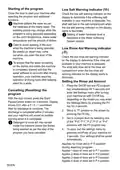
Low Salt Warning indicator (
)
Close the door to start your machine after
selecting the program and additional
functions.
Check the low salt warning indicator on the
display to determine if the softening salt
available in your machine is adequate. You
shall add salt to the salt compartment when
the low salt warning indicator on the display
starts to illuminate.
Machine softens the water as per
the hardness of the mains water. The
washing period may change while the
program is being executed depending
on the room temperature, mains water
temperature and the amount of dishes.
Setting of water hardness level is
described in the Water Softening
System section.
Care to avoid opening of the door
while the machine is being operated.
Be careful as steam may come
out when you open the door of the
machine.
Low Rinse Aid Warning indicator
( )
Check the low rinse aid warning indicator
on the display to determine if the rinse aid
available in your machine is adequate.
You shall add rinse aid to the rinse aid
compartment when the low rinse aid
warning indicator on the display starts to
illuminate.
To ensure that the water remaining
on the dishes and inside the machine
is completely drained and that the
water softener is removed after rinsing
operation, your machine resumes
operation at drying cycle after keeping
silent for a while.
Setting the Rinse aid Amount
1. Press the On/Off key and P2 program
key simultaneously for 3 seconds and
enter the Settings menu after turning
your machine on with On/Off key,
depending on the model you may enter
the Settings Menu by pressing the P3
key for 3 seconds.
Cancelling (Resetting) the
program
With the door closed, press the Start/
Pause/Cancel button for 3 seconds. Display
shows 0:01 after a 3 - 2 - 1 countdown.
Wait for discharge to complete. The
discharge is completed within 2 minutes
and your machine will sound an audible
warning when it is completed.
2. Move to “P” position on the screen by
pressing the P2 key.
3. Set to a proper level by selecting one
of the “P:0”,“P:1”,“P:2”,“P:3” or “P:4”
positions with the P3 program key.
Detergent or rinse aid may remain
inside the machine and/or the dishes
being washed as per the step of the
program you have cancelled.
4. To save, exit the settings menu by
pressing on/off key of your machine for
3 seconds. Your settings shall be saved
automatically.
Applies no rinse aid in P:0 position
during washing program.
Applies 1 dose of rinse aid in P:1 position.
Applies 2 dose of rinse aid in P:2 position.
Applies 3 dose of rinse aid in P:3 position.
Applies 4 dose of rinse aid in P:4 position.
30/EN

| General | Details |
|---|---|
| Name | GRUNDIG GNFP3440X Dishwasher |
| Make | GRUNDIG |
| Language | English |
| Filetype | PDF (Download) |
| File size | 4.83 MB |
 (1 votes, average: 5.00 out of 5)
 Loading...

GRUNDIG GR5500 Dishwasher

GRUNDIG GSV Dishwasher

GRUNDIG GSV 42840 Dishwasher

GRUNDIG GSV 428420 Dishwasher


Gaggenau DF271101F Fully Concealed Dishwasher

FISHER PAYKEL DD24DAX9N Dishwasher

Amica GSP 546 110 W Standing Dishwasher

FISHER AND PAYKEL DD60ST4NX9 Series 9 Contemporary Tall Dishwasher

BOSCH SGV4HCX40G Dishwasher

HAFELE HDW-F605B Free Standing Dishwasher

Miele PFD 400 Dishwasher

BOSCH SPV4HMX10E Dishwasher

Whirlpool W11389327B Portable Dishwasher

KitchenAid W11589937B Dishwasher