
×
- 1. Tischgeschirrspüler (User Manual → Table Top Dishwasher)
- 2. Informationen Zu Dieser Bedienungsanleitung (Bestimmungsgemäßer Gebrauch → Sicherheitshinweise → Lieferumfang → Installation)
- 3. Fehlermeldungen (Entsorgung → Technische Daten → Eu-konformitätsinformation → Ersatzteile)
- 4. Informationen Zu Dieser Bedienungsanleitung (Zeichenerklärung → Gefahr! → Warnung! → Vorsicht!)
- 5. Benutzung In Innenräumen (Bestimmungsgemäßer Gebrauch)
- 6. Sicherheitshinweise (Wichtige Sicherheitsanweisungen → Verletzungsgefahr)
- 7. Verletzungsgefahr (Stromschlaggefahr)
- 8. Explosionsgefahr! (Verbrühungsgefahr! → Vorsicht!)
- 9. Vorsicht! (Hinweis! → Möglicher Sachschaden!)
- 10. Anschluss Und Verwendung Von Zubehör (Betrieb Und Aufstellung Des Geräts → Vermeidung Extremer Bedingungen → Überladung Des Geräts)
- 11. Lieferumfang (Gefahr! → Tischgeschirrspüler → Kurzanleitung)
- 12. Geräteübersicht (Vorderseite → Sprüharm → Filtervorrichtung → Fach Für Reiniger, Hauptspülvorgang)
- 13. Anschluss Für Den Wasserablauf (Anschluss Für Den Wasserzulauf → Netzkabel (nicht Dargestellt))
- 14. Bedienfeld (Gerät Ein-/oder Ausschalten → Programmkontrollleuchten → Display → Warnleuchten)
- 15. Installation (Aufstellen Und Ausrichten)
- 16. Wasseranschluss (Hinweis! → Geräteschaden! → Installation Und Anschluss → Wasserdruck)
- 17. Wasserablauf (Schlauch Mit Dem Siphon Am Spülbecken Verbinden)
- 18. Schlauch In Ein Abflussrohr Einleiten (Anschluss Ans Stromnetz)
- 19. Gerät Vorbereiten (Tür Öffnen → Tür Schließen → Salz In Das Gerät Einfüllen)
- 20. Salzverbrauch Einstellen (Spülprogramm Starten → Salzwarnleuchte)
- 21. Klarspüler Einfüllen (Möglicher Geräteschaden → Hinweis)
- 22. Füllstandsanzeige (Dosierung Des Klarspülers Einstellen → Über Geschirrspülreiniger → Reinigerarten)
- 23. Reinigerkonzentrate (Reinigertabs → Reiniger Einfüllen)
- 24. Einräumen Des Geschirrs Und Bestecks (Allgemeines/hinweise Zum Energiesparen)
- 25. Geschirr Richtig Einräumen (Nicht Geeignetes Geschirr → Bedingt Geeignetes Geschirr → Beladebeispiel)
- 26. Abb. 15: Mit Ausgeklappter Tassenauflage (Abb. 16: Ohne Tassenablage → Tassen → Becher → Gläser)
- 27. Beladebeispiel (Spülprogramm Starten → Programm Wählen)
- 28. Reiniger (Energieverbrauch → Wasserverbrauch → Programm → Geeignet Für)
- 29. Energieverbrauch (Wasserverbrauch → Programme → Reinigen → Spülen)
- 30. Gerät Einschalten (Programm Wechseln)
- 31. Öffnen Während Des Betriebes (Timer Verwenden → Tastensperre)
- 32. Automatische Türöffnung (Ende Des Spülprogramms)
- 33. Reinigung Und Wartung (Filtersystem → Filter Reinigen)
- 34. Grobfilter Entfernen (Hauptfilter Entnehmen → Filter Reinigen → Filtersystem Wieder Einsetzen)
- 35. Gerät Reinigen (Möglicher Geräteschaden → Reinigungshinweise → Sachschaden Durch Wasseraustritt)
- 36. Entfernen Sie Den Sprüharm Zur Reinigung (Wasserzulaufilter Reinigen)
- 37. Gefrierschutz (Längere Nichtverwendung)
- 38. Gerät Transportieren (Fehlerbehebung)
- 39. Allgemeine Störungen (Mögliche Ursache → Störung → Behebung → Geräusch Störung)
- 40. Unbefriedigendes Waschergebnis (Störung → Mögliche Ursache → Behebung → Das Geschirr)
- 41. Unbefriedigendes Trocknungsergebnis (Mögliche Ursache → Störung → Behebung)
- 42. Fehlermeldungen (Mögliche Ursache → Behebung)
- 43. Entsorgung (Verpackung → Gerät)
- 44. Abgabe Von Altgeräten (Datenspeicherung Und -löschung → Entsorgungshinweise Für Altgeräte)
- 45. Technische Daten (Eu-konformitätsinformation → Ersatzteile)
- 46. Serviceinformationen (Kundenservice → Service-community → Kontaktformular → Serviceteam)
- 47. Öffnungszeiten (Rufnummer → Serviceadresse → Belgien & Luxemburg → Die Niederlande)
- 48. Impressum (Copyright → Kontakt)
- 49.
- 50. Informations Concernant La Présente Notice Dutilisation (Utilisation Conforme → Consignes De Sécurité → Installation → Démarrage Dun Programme De Lavage)
- 51. Messages Derreur (Recyclage → Caractéristiques Techniques → Information Relative À La Conformité Ue → Pièces Détachées)
- 52. Informations Concernant La Présente Notice Dutilisation (Explication Des Symboles)
- 53. Utilisation En Intérieur (Utilisation Conforme)
- 54. Consignes De Sécurité (Instructions De Sécurité Importantes → Risque De Blessure)
- 55. Risque De Blessure (Risque Délectrocution)
- 56. Avertissement (Risque D'explosion ! → L'hydrogène Gazeux Est Extrêmement Explosif ! → A T T E N T I O N ! → Risque De Brûlure !)
- 57. A T T E N T I O N ! (Avis ! → Avis !)
- 58. Raccordement De L'appareil (Utilisation Des Accessoires → Conditions D'utilisation → Capacité De L'appareil)
- 59. Contenu De L'emballage (Danger → Risque De Suffocation → Lave-vaisselle De Table → Guide De Démarrage Rapide)
- 60. Vue Densemble De Lappareil (Face Avant → Bras Daspersion → Système De Filtrage → Compartiment Pour Produit De Lavage, Programme De Lavage Principal)
- 61. Face Arrière (Panneau De Commande → Mise En Marche/arrêt De Lappareil)
- 62. Voyant Du Programme Intensif (Voyant Du Programme Universel → Voyant Du Programme Eco → Voyant De Lauto-nettoyage → Voyants Dalerte)
- 63. Installation Et Alignement
- 64. Raccordement De Larrivée Deau (Endommagement De Lappareil → Installation Et Raccordements → Raccordement Au Robinet → Conseils De Sécurité)
- 65. Raccordement De L'évacuation D'eau (Raccordement Du Tuyau Au Siphon De L'évier)
- 66. Insertion (Raccordement Au Réseau Électrique)
- 67. Préparation De Lappareil (Ouverture De La Porte → Fermeture De La Porte → Remplissage Du Réservoir De Sel)
- 68. Réglage De La Consommation De Sel (Démarrage Dun Programme De Lavage → Remplissage Du Réservoir De Sel → Consommation Deau Et Dénergie)
- 69. Fermez La Porte De Lappareil. (Verser Le Produit De Rinçage → Avis ! → Endommagement Possible De Lappareil)
- 70. Le Réservoir De Liquide De Rinçage Doit Être Rempli Lorsque Le Voyant Dalerte Manque De Liquide De Rinçage (19) Sallume.
- 71. Détergents Concentrés (Tablettes De Lavage → Remplissage Du Produit De Lavage)
- 72. Démarrage Dun Programme De Lavage (Utilisation Du Détergent → Remplissage Du Réservoir De Produit De Lavage → Prélavage)
- 73. Rangement De La Vaisselle Et Des Couverts (Remarques Et Recommandations Générales Pour Économiser Lénergie)
- 74. Vaisselle Non Adaptée (Vaisselle Adaptée Sous Conditions → Exemple De Chargement De La Vaisselle)
- 75. Tasses (Gobelet → Verres → Assiette Ovale → Petite Casserole)
- 76. Exemple De Chargement Des Couverts (Démarrage Dun Programme De Lavage → Sélection Dun Programme)
- 77. Produit De Lavage (Consommation Dénergie [kwh] → Durée Du Programme → Description Du Programme → Consommation Deau [l])
- 78. Produit De Lavage (Consommation Dénergie → Description Du Programme → Programme → Auto-nettoyage)
- 79. Mise En Marche De Lappareil (Modification Dun Programme)
- 80. Ouverture De Lappareil Pendant Un Programme De Lavage (Utilisation De La Minuterie)
- 81. Verrouillage Des Boutons (Ouverture Automatique De La Porte → Fin Du Programme)
- 82. Nettoyage Et Maintenance (Système De Filtrage → Nettoyage Du Filtre)
- 83. Nettoyage Des Filtres (Remise En Place Du Système De Filtrage)
- 84. Nettoyage De Lappareil (Dommage Possible De Lappareil → Produits Dentretien À Éviter → Instructions De Nettoyage → Précautions À Prendre)
- 85. Nettoyer Le Bras Daspersion (Nettoyer Le Filtre Darrivée Deau → Effectuer Un Programme Dauto-nettoyage → Éliminer Les Taches Ou Saletés)
- 86. Protection Contre Le Gel (Non-utilisation Prolongée)
- 87. Transport De L'appareil (Dépannage → Problèmes Techniques)
- 88. Problèmes D'ordre Général (Cause Possible → Problème → Solution → Accessoires De L'appareil)
- 89. Bruits (Résultats De Lavage Insatisfaisants → La Vaisselle Nest Pas Propre. → Les Verres Sont Tachés.)
- 90. Résultats De Lavage Insatisfaisants (Résultats De Séchage Insatisfaisants → Cause Possible → Problème → Solution)
- 91. Résultats De Séchage Insatisfaisants (Messages D'erreur)
- 92. Message (Cause Possible → Solution → Dysfonctionnement De La Communication Entre La Carte Mère Et La Carte Graphique → Le Lave-vaisselle Nest Pas Alimenté En Eau)
- 93. Recyclage (Emballage → Appareil)
- 94. Caractéristiques Techniques (Information Relative À La Conformité Ue → Pièces Détachées)
- 95. Informations Relatives Au Service Après-vente (Service-community → Formulaire De Contact → Assistance Téléphonique → Adresse Du Service Après-vente)
- 96. Horaires Douverture (Hotline Sav (belgique) → Hotline Sav (luxembourg) → Adresse Du Service Après-vente → Conditions De Garantie)
- 97. Mentions Légales (Copyright 2024 → Date : 2. Avril 2024 → Tous Droits Réservés. → La Présente Notice Dutilisation Est Protégé Par Les Droits Dauteur.)
- 98. Informatie Over Deze Gebruiksaanwijzing (Gebruiksdoel → Veiligheidsvoorschriften → Installatie → Reiniging En Onderhoud)
- 99. Foutmeldingen (Afvalverwerking → Technische Gegevens → Eu-conformiteitsinformatie → Service-informatie)
- 100. Informatie Over Deze Gebruiksaanwijzing (Betekenis Van De Symbolen → Waarschuwing Voor Gevaar Door Een Elektrische Schok → Waarschuwing Voor Acuut Levensgevaar → Ce-markering)
- 101. Gebruiksdoel
- 102. Veiligheidsvoorschriften (Belangrijke Veiligheidsvoorschriften Lees Deze Aandachtig Door En Bewaar Ze Voor Later Gebruik! → Gevaar Voor Letsel! → Gevaar Voor Letsel!)
- 103. Gevaar Voor Letsel (Gevaar Voor Een Elektrische Schok)
- 104. Explosiegevaar! (Gevaar Voor Brandwonden! → Voorzorgsmaatregelen)
- 105. Voorzichtig! (Let Op! → Let Op!)
- 106. Sluit Het Apparaat Aan Op Een Drinkwaterleiding Met Een Watertemperatuur Van Maximaal 60 C. Gebruik Uitsluitend De Meegeleverde Of In Deze G…
- 107. Inhoud (Tafelvaatwasser → Serviesrek → Bestekmand → Watertoevoerslang Met Slangaansluiting (met Waterstop))
- 108. Overzicht Van Het Apparaat (Voorkant)
- 109. Aansluiting Voor De Waterafvoer (Aansluiting Voor De Watertoevoer → Netsnoer → Bedieningspaneel → Apparaat In- Of Uitschakelen)
- 110. Controlelampjes (Display → Waarschuwingslampjes → Het Vaatwasprogramma Starten Of Onderbreken → Extra Drogen)
- 111. Installatie (Opstellen En Waterpas Zetten)
- 112. Wateraansluiting (Let Op! → Schade Aan Het Apparaat! → Aansluiten Op Drinkwater → Watertoevoerslang Aansluiten)
- 113. Waterafvoer Aansluiten (Slang Aansluiten Op De Sifon Van De Gootsteen)
- 114. Slang (Aansluiting Op Het Elektriciteitsnet)
- 115. Apparaat Voorbereiden (Deur Openen → Deur Sluiten → Zoutreservoir Vullen)
- 116. Afwasprogramma Starten (Zoutverbruik Instellen)
- 117. Glansspoelmiddel Toevoegen (Let Op! Mogelijke Beschadiging Van Het Apparaat)
- 118. Dosering Van Het Glansspoelmiddel Instellen (Informatie Over Vaatwasmiddelen → Soorten Vaatwasmiddelen)
- 119. Geconcentreerde Vaatwasmiddelen (Vaatwastabletten → Vaatwasmiddel Toevoegen)
- 120. Afwasprogramma Starten (Inruimen Van Het Serviesgoed En Het Bestek → Algemene Informatie/aanwijzingen Om Energie Te Besparen)
- 121. Ongeschikt Of Onder Voorwaarden Geschikt Serviesgoed (Inruimvoorbeeld Voor Serviesgoed → Tips Voor Het Gebruik Van De Vaatwasser)
- 122. Kopjes (Bekers → Glazen → Ovaal Bord → Bestekmand)
- 123. Inruimvoorbeeld (Afwasprogramma Starten → Programma Kiezen)
- 124. Vaatwasmid (Energieverbruik → Programma → Geschikt Voor → Duur**)
- 125. Vaatwasmid (Energieverbruik → Programma → Verbruikwaarden En Programmaduur → Looptijd)
- 126. Apparaat Inschakelen (Een Ander Programma Selecteren)
- 127. Openen Tijdens Gebruik (Timer Gebruiken → Toetsblokkering)
- 128. Deur Automatisch Openen (Einde Van Het Afwasprogramma → Gevaar Voor Brandwonden → Struikelgevaar)
- 129. Reiniging En Onderhoud (Filtersysteem → Filter Reinigen)
- 130. Filters Verwijderen En Reinigen (Filtersysteem Terugplaatsen)
- 131. Apparaat Reinigen (Let Op! Mogelijke Beschadiging Van Het Apparaat! → Let Op! Mogelijke Materiële Schade)
- 132. Reiniging Van De Sproeiarm (Watertoevoerfilter Reinigen)
- 133. Bescherming Tegen Bevriezing (Apparaat Langere Tijd Niet Gebruiken)
- 134. Apparaat Vervoeren (Verhelpen Van Storingen → Technische Storingen)
- 135. Algemene Storingen (Mogelijke Oorzaak → Storing → Oplossing → Schuim In Het Apparaat)
- 136. Geluid (Oplossing → Onbevredigend Afwasresultaat → Mogelijke Oorzaak → Storing)
- 137. Onbevredigend Afwasresultaat (Oplossing → Onbevredigend Droogresultaat → Oplossing)
- 138. Onbevredigend Droogresultaat (Verkeerd Programma Gekozen.)
- 139. Foutmeldingen (Mogelijke Oorzaak → Oplossing)
- 140. Afvalverwerking (Verpakking → Apparaat)
- 141. Technische Gegevens (Productinformatieblad → Eu-conformiteitsinformatie → Reserveonderdelen)
- 142. Service-informatie (Klantenservice → Openingstijden Klantenservice → Serviceadres)
- 143. Deze En Vele Andere Gebruiksaanwijzingen Staan Ter Beschikking Om Te Downloaden Via Het Serviceportaal Www.medionservice.com.
- 144. Información Acerca De Este Manual De Instrucciones (Uso Conforme A Lo Previsto → Indicaciones De Seguridad → Instalación → Limpieza Y Mantenimiento)
- 145. Mensajes De Fallo (Eliminación → Datos Técnicos → Información De Conformidad Ue → Piezas De Repuesto)
- 146. Información Acerca De Este Manual De Instrucciones (Explicación De Los Símbolos)
- 147. Uso En Interiores (Uso Conforme A Lo Previsto)
- 148. Indicaciones De Seguridad Importantes (Peligro De Lesiones)
- 149. Peligro De Sufrir Lesiones (Peligro De Descarga Eléctrica)
- 150. Peligro De Explosión! (Peligro De Escaldaduras! → Atención!)
- 151. Atención! (Peligro De Sufrir Lesiones Por Un Uso Inadecuado Del Aparato. → Aviso! → Posibles Daños Materiales! → Posibles Daños Materiales!)
- 152. Conexión Del Aparato (Uso De Accesorios → Condiciones De Uso → Instalación Del Aparato → Precauciones De Seguridad)
- 153. Volumen De Suministro (Peligro De Asfixia → Lavavajillas De Sobremesa → Guía Breve)
- 154. Vista General Del Aparato (Parte Delantera)
- 155. Parte Trasera (Conexión Para La Salida De Agua → Conexión Para La Entrada De Agua → Cable De Alimentación → Panel De Control)
- 156. Testigos Luminosos De Programas (Pantalla → Luces De Advertencia → Pulsación Prolongada De La Tecla → Secado Adicional)
- 157. Instalación (Colocación Y Nivelación)
- 158. Conexión De Agua (Aviso! → Daños En El Aparato! → Recomendamos Que La Instalación, Incluidas Las Conexiones De Agua Y Eléctricas, Así Como Las Reparaciones, Las Lleve A Cabo Un Profesional Cualificado. → Conecte La Manguera De Entrada De Agua En La Conexión Para La Entrada De Agua.)
- 159. Conexión De La Salida De Agua (Conectar La Manguera Con El Sifón En El Fregadero)
- 160. Dirija La Manguera A Una Tubería De Desagüe. (Conexión A La Red Eléctrica)
- 161. Preparación Del Aparato (Apertura De La Puerta → Cierre De La Puerta → Llenado De Sal Del Aparato)
- 162. Ajuste Del Consumo De Sal (Inicio Del Programa De Lavado → El Depósito De Sal → Resultados De Lavado Óptimos)
- 163. Llenado De Abrillantador (Posibles Daños En El Aparato)
- 164. Ajuste De La Dosificación De Abrillantador (Acerca De Los Detergentes Para Lavavajillas → Tipos De Detergentes)
- 165. Concentrados De Detergente (Pastillas Para Lavavajillas → Llenado De Detergente)
- 166. Añadir Detergente (Colocación De La Vajilla Y La Cubertería → Información General/indicaciones Para Ahorrar Energía)
- 167. Vajilla No Adecuada O Adecuada De Forma Condicionada (Ejemplo De Carga De Vajilla)
- 168. Tazas Pequeñas (Bandeja Ovalada → Olla Pequeña → Tazas Grandes → Vasos)
- 169. Ejemplo De Carga De Cubertería (Inicio Del Programa De Lavado → Selección Del Programa)
- 170. Detergente (Consumo Energético [kwh] → Consumo De Agua [l] → Programa → Duración**)
- 171. Detergente (Consumo Energético [kwh] → Consumo De Agua [l] → Programa → Duración**)
- 172. Encendido Del Aparato (Cambio De Programa)
- 173. Apertura (Uso Del Temporizador → Bloqueo De Teclas)
- 174. Apertura Automática De La Puerta (Fin Del Programa De Lavado)
- 175. Limpieza Y Mantenimiento (Sistema De Filtro → Limpieza Del Filtro)
- 176. Gire El Filtro Grueso (a) En Sentido Antihorario Y Extráigalo Del Filtro Principal (Saque El Filtro Principal (b) → Lave Los Filtros Con Agua Corriente Y Límpielos A Fondo Con Un Cepillo → Para Volver A Insertar El Sistema De Filtro, Proceda A La Inversa)
- 177. Limpieza Del Aparato (Posibles Daños En El Aparato → Precauciones Durante La Limpieza → Daños Materiales)
- 178. Limpieza Del Brazo Pulverizador (Limpieza Del Filtro De Entrada De Agua)
- 179. Anticongelante (Si El Aparato No Se Va A Utilizar Durante Un Periodo Prolongado)
- 180. Transporte Del Aparato (Solución De Fallos)
- 181. Averías Generales (Fallo → Solución → Espuma En El Aparato → Accesorios Del Aparato)
- 182. Ruido (Fallo → Posible Causa → Solución → Resultado De Lavado Insatisfactorio)
- 183. Resultado De Lavado Insatisfactorio (Resultado De Secado Insatisfactorio → Fallo → Posible Causa → Solución)
- 184. Resultado De Secado Insatisfactorio (La Vajilla No Se Seca. → Programa Seleccionado Incorrecto.)
- 185. Mensajes De Fallo (Posible Causa → Solución)
- 186. Eliminación (Identificación De Materiales De Embalaje Para La Clasificación De Residuos → Aparato)
- 187. Datos Técnicos (Información De Conformidad Ue → Piezas De Repuesto)
- 188. Informaciones De Asistencia Técnica (Horario → Hotline De Posventa → Dirección De Asistencia Técnica)
- 189. Aviso Legal (Copyright 2024 → Versión: 2. Abril 2024 → Reservados Todos Los Derechos. → Este Manual De Instrucciones Está Protegido Por Derechos De Autor.)
- 190. Informazioni Relative Alle Presenti Istruzioni Per Luso (Utilizzo Conforme → Indicazioni Di Sicurezza → Panoramica Dellapparecchio → Installazione)
- 191. Messaggi D'errore (Smaltimento → Dati Tecnici → Informazioni Sulla Conformità Ue → Informazioni Relative Al Servizio Di Assistenza)
- 192. Informazioni Relative Alle Presenti Istruzioni Per Luso (Spiegazione Dei Simboli)
- 193. Utilizzo In Ambienti Chiusi (Utilizzo Conforme)
- 194. Indicazioni Di Sicurezza (Importanti Istruzioni Di Sicurezza → Avvertenza! Pericolo Di Lesioni!)
- 195. Pericolo Di Lesioni! (Pericolo Di Scossa Elettrica! → Collegare Lapparecchio Esclusivamente A Una Presa Installata A Regola Darte E Sempre Accessibile. → Assicurarsi Che Il Cavo Elettrico Non Sia Danneggiato. → Posizionare Lapparecchio Esclusivamente In Un Ambiente Protetto E Asciutto.)
- 196. Avvertenza (Pericolo Di Esplosione! → Attenzione! → Pericolo Di Ustioni!)
- 197. Tensione! (Avviso! → Avviso!)
- 198. Collegare Lapparecchio A Una Conduttura Dellacqua Potabile Con Temperatura Non Superiore A 60 C. (Utilizzare Esclusivamente Gli Accessori Forniti In Dotazione Oppure Quelli Descritti Come Idonei Nelle Presenti Istruzioni Per Luso. → Utilizzare Esclusivamente Detergenti E Brillantanti Idonei Al Lavaggio In Lavastoviglie. → La Lavastoviglie È Un Apparecchio Indipendente E Non Deve Essere Posizionata In Un Mobile Da Incasso. → Non Esporre Lapparecchio A Condizioni Estreme.)
- 199. Contenuto Della Confezione (Pericolo Di Soffocamento! → Lavastoviglie Da Tavolo → Guida Rapida)
- 200. Panoramica Dellapparecchio (Lato Anteriore → Irroratore → Filtro → Scomparto Per Detersivo, Ciclo Di Lavaggio Principale)
- 201. Lato (Raccordo Per Lo Scarico Dellacqua → Raccordo Per Lafflusso Dellacqua → Cavo Di Alimentazione → Pannello Di Controllo)
- 202. Spie Di Controllo Dei Programmi (Display → Spie Di Allarme → Pressione Prolungata Del Tasto → Asciugatura Extra)
- 203. Installazione (Posizionamento E Livellamento)
- 204. Raccordo Di Afflusso Dellacqua (Avviso! → Danni Allapparecchio! → Collegare Il Tubo Di Afflusso Dellacqua → Stringere Il Raccordo Manualmente)
- 205. Collegamento Dello Scarico Dellacqua (Collegamento Del Tubo Flessibile Al Sifone Di Un Lavandino)
- 206. Inserimento Del Tubo Flessibile In Una Tubazione Di Scarico (Allacciamento Alla Rete Elettrica)
- 207. Preparazione Dellapparecchio (Apertura Dello Sportello → Chiusura Dello Sportello → Versare Il Sale Nellapparecchio)
- 208. Impostazione Del Consumo Di Sale (Avvio Di Un Programma Di Lavaggio)
- 209. Riempimento Del Contenitore Del Brillantante (Possibili Danni Allapparecchio)
- 210. Impostazione Del Dosaggio Del Brillantante (Informazioni Sui Detersivi Per Lavastoviglie → Tipi Di Detersivi)
- 211. Detersivi Concentrati (Detersivi In Pastiglie → Aggiungere Il Detersivo)
- 212. Aggiungere Il Detersivo (Inserimento Di Stoviglie E Posate → Informazioni Generali/consigli Per Risparmiare Energia)
- 213. Stoviglie Non Idonee O Non Sempre Idonee (Esempio Di Caricamento Delle Stoviglie)
- 214. Tazze (Mug → Piatto Da Portata Ovale → Pentola Piccola → Cestello Per Posate)
- 215. Esempio Di Caricamento Delle Posate (Avvio Di Un Programma Di Lavaggio → Scelta Del Programma)
- 216. Detersivo (Consumo Di Energia [kwh] → Consumo Di Acqua [l] → Programma → Ciclo)
- 217. Detersivo (Consumo Di Energia → Consumo Di Acqua → Programma → Durata)
- 218. Accensione Dellapparecchio (Cambio Programma)
- 219. Apertura (Utilizzo Del Timer → Blocco Dei Tasti)
- 220. Apertura Automatica Dello Sportello (Fine Del Programma Di Lavaggio)
- 221. Pulizia E Manutenzione (Sistema Di Filtri → Pulizia Del Filtro)
- 222. Ruotare Il Filtro A Maglie Larghe (Rimuovere Il Filtro Principale → Lavare Il Filtro → Rimontare Il Filtro)
- 223. Pulizia Dellapparecchio (Possibili Danni Allapparecchio → Possibili Danni Allapparecchio Dovuti Allumidità → Pericolo Di Danni Materiali)
- 224. Pulizia Del Filtro Di Afflusso Dellacqua
- 225. Protezione Dal Congelamento (Inutilizzo Prolungato)
- 226. Trasporto Dellapparecchio (Risoluzione Dei Problemi → Anomalie Tecniche)
- 227. Anomalie Generali (Possibile Causa → Anomalia → Soluzione)
- 228. Rumori (Possibile Causa → Soluzione → Risultati Di Lavaggio Non Soddisfacenti → Anomalia)
- 229. Risultati Di Lavaggio Non Soddisfacenti (Risultato Di Asciugatura Non Soddisfacente → Anomalia → Possibile Causa → Soluzione)
- 230. Messaggi D'errore (Possibile Causa → Soluzione)
- 231. Smaltimento (Imballaggio → Etichettatura Dei Materiali Di Imballaggio Per La Separazione Dei Rifiuti → Apparecchio)
- 232. Dati Tecnici (Scheda Tecnica Del Prodotto → Informazioni Sulla Conformità Ue → Ricambi)
- 233. Informazioni Relative Al Servizio Di Assistenza (Assistenza Post-vendita → Orari Di Apertura → Indirizzo Del Servizio Di Assistenza → Condizioni Di Garanzia)
- 234. Copyright Information (Customer Service Contact)
- 235.
- 236. Information About This User Manual (Proper Use → Safety Instructions → Package Contents → Installation)
- 237. Error Messages (Disposal → Technical Specifications → Eu Declaration Of Conformity → Spare Parts)
- 238. Information About This User Manual (Explanation Of Symbols)
- 239. Proper Use
- 240. Safety Instructions (Important Safety Instructions → Risk Of Injury)
- 241. Risk Of Injury Due To Sharp Objects (Risk Of Electric Shock Due To Live Parts → Risk Of Explosion)
- 242. Caution! Risk Of Scalding! (Caution! Risk Of Injury! → Notice! Possible Material Damage!)
- 243. Installation Requirements (Usage Guidelines → Appliance Specifications → Safety Precautions)
- 244. Package Contents (Risk Of Choking And Suffocation! → If Necessary, Place The Appliance On An Underlay That Is Insensitive To Heat And Moisture. → Check The Package Contents To Ensure That All Items Are Included And In Perfect Condition. → A Test Cycle With Water Was Run After Production Of The Appliance.)
- 245. Appliance Overview (Front)
- 246. Connection For Water Outlet (Connection For Water Supply → Mains Cable (not Shown))
- 247. Control Panel (Program Indicator Lights → Display → Warning Lights → Press And Hold The Button)
- 248. Installation (Set-up And Levelling)
- 249. Water Connection (Connecting The Water Outlet)
- 250. Connecting The Hose With The Siphon On The Sink
- 251. Feeding The Hose Into A Drain Pipe (Connecting To Power Supply)
- 252. Preparations For Use (Opening The Door → Closing The Door → Adding Salt To The Appliance)
- 253. Setting Salt Consumption
- 254. Adding Rinse Aid (Risk Of Damage To The Appliance)
- 255. Setting The Rinse Aid Dosing (About Dishwasher Detergents → Types Of Detergent)
- 256. Detergent Concentrates (Detergent Tabs → Adding Detergent)
- 257. Arranging The Dishes And Cutlery (General Information And Tips On Energy Saving)
- 258. To Save Energy And Water It Is Best To Run A Cycle When Your Dishwasher Is Full. (Unsuitable Or Partially Suitable Dishes → Dish Loading Example)
- 259. Cups (Mugs → Glasses → Melamine Bowl → Soup Bowls)
- 260. Cutlery (Starting The Wash Program → Selecting The Program)
- 261. Detergent (Energy Consumption [kwh] → Water Consumption [litres] → Program → Runtime**)
- 262. Detergent (Energy Consumption [kwh] → Water Consumption [litres] → Program → Runtime**)
- 263. Switching On The Appliance (Changing The Program)
- 264. Opening (Using The Timer → Button Lock)
- 265. Automatic Door Opening (End Of The Wash Program)
- 266. Cleaning And Maintenance (Filter System → Cleaning The Filter)
- 267. Turn The Coarse Filter Anti-clockwise And Pull It Out Of The Main Filter. (Rinse The Filters Under Running Water And Clean Them Thoroughly With A Brush. → Proceed In The Reverse Order To Refit The Filter System.)
- 268. Cleaning The Appliance (Notice! → Possibility Of Damage To The Appliance! → Possible Material Damage)
- 269. Cleaning The Spray Arm (Cleaning The Water Inlet Filter)
- 270. Antifreeze Protection (Longer Periods Without Use)
- 271. Moving The Appliance (Troubleshooting)
- 272. General Faults (Possible Cause → Fault → Solution → Noise)
- 273. Unsatisfactory Wash Result (Possible Cause → Fault → Solution → The Detergent)
- 274. Unsatisfactory Drying Results (Possible Cause → Fault → Solution)
- 275. Error Messages (Possible Cause → Solution)
- 276. Disposal (Packaging → Appliance)
- 277. Technical Specifications (Product Data Sheet → Eu Declaration Of Conformity)
- 278. Spare Parts (Service Information)
- 279. Legal Notice
- 280. Prodo
×
medion MD 37496 Table Top Dishwasher








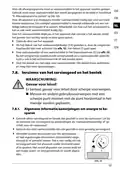


















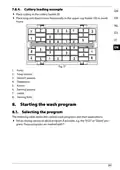








.. Switching on the appliance
To start the appliance, proceed as follows:
Add the detergent, rinse aid and possibly salt, depending on the desired pro-
gram.
Insert the dish rack and cutlery basket (8/9) (see section “7.8. Arranging the dish-
es and cutlery”on page 258) and push the dish rack into the dishwasher.
Plug the mains plug (14) into the socket. Turn on the water supply fully.
Press the
button (15) to switch on the appliance.
An acoustic signal will sound.
Press the program selection button P (25) several times to select the desired pro-
gram.
The control light for the selected program lights up.
Press the button (20) to start the program.
An acoustic signal will sound.
If you press the button (20) while the program is running, the pro-
gram is interrupted. The appliance sounds an acoustic signal every min-
ute.
Press the
button (20) again to continue the program. The program continues
after approx. 5-10 seconds.
.. Changing the program
You can change the program if the appliance has been operating for a short time.
If the machine has already been running for a longer time, detergent and possibly
rinse aid will have to be replenished.
Press the
button (20) to interrupt the program.
Press the P (25) button for approx. 3 seconds until the program changes.
Use the program selection button P to select another program.
Press the
button again to start the program.
264

| General | Details |
|---|---|
| Name | medion MD 37496 Table Top Dishwasher |
| Make | MEDION |
| Language | English |
| Filetype | PDF (Download) |
| File size | 8.79 MB |
 (1 votes, average: 5.00 out of 5)
 Loading...

medion DWT20 mini Dishwasher


Westinghouse WSF6608XB Dishwasher

CMA DISHMACHINES CMA-180 Dishwasher

BOSCH SHP78DM5N Pocket Handle Dishwasher

Haier HDW13V1S1 Dishwasher

JennAir Dishwasher

Hotpoint 869991662940 Dishwasher

ATAG VA7213SMN Dishwasher

FISHER PAYKEL DD24SAX9 N Dishwasher
FISHER PAYKEL DD24DTI9 N Tall Dishwasher

FISHER PAYKEL DD60STI9 Integrated Single Dishwasher
Table of Contents
- 1. Tischgeschirrspüler - User Manual →
- 2. Informationen Zu Dieser Bedienungsanleitung - Bestimmungsgem... →
- 3. Fehlermeldungen - Entsorgung →
- 4. Informationen Zu Dieser Bedienungsanleitung - Zeichenerkläru... →
- 5. Benutzung In Innenräumen - Bestimmungsgemäßer Gebrauch →
- 6. Sicherheitshinweise - Wichtige Sicherheitsanweisung... →
- 7. Verletzungsgefahr - Stromschlaggefahr →
- 8. Explosionsgefahr! - Verbrühungsgefahr! →
- 9. Vorsicht! - Hinweis! →
- 10. Anschluss Und Verwendung Von Zubehör - Betrieb Und Aufstellu... →
- 11. Lieferumfang - Gefahr! →
- 12. Geräteübersicht - Vorderseite →
- 13. Anschluss Für Den Wasserablauf - Anschluss Für Den Wasserzul... →
- 14. Bedienfeld - Gerät Ein-/oder Ausschalten →
- 15. Installation - Aufstellen Und Ausrichten →
- 16. Wasseranschluss - Hinweis! →
- 17. Wasserablauf - Schlauch Mit Dem Siphon Am Spülbecken Verbind... →
- 18. Schlauch In Ein Abflussrohr Einleiten - Anschluss Ans Stromn... →
- 19. Gerät Vorbereiten - Tür Öffnen →
- 20. Salzverbrauch Einstellen - Spülprogramm Starten →
- 21. Klarspüler Einfüllen - Möglicher Geräteschaden →
- 22. Füllstandsanzeige - Dosierung Des Klarspülers Einstellen →
- 23. Reinigerkonzentrate - Reinigertabs →
- 24. Einräumen Des Geschirrs Und Bestecks - Allgemeines/hinweise ... →
- 25. Geschirr Richtig Einräumen - Nicht Geeignetes Geschirr →
- 26. Abb. 15: Mit Ausgeklappter Tassenauflage - Abb. 16: Ohne Tas... →
- 27. Beladebeispiel - Spülprogramm Starten →
- 28. Reiniger - Energieverbrauch →
- 29. Energieverbrauch - Wasserverbrauch →
- 30. Gerät Einschalten - Programm Wechseln →
- 31. Öffnen Während Des Betriebes - Timer Verwenden →
- 32. Automatische Türöffnung - Ende Des Spülprogramms →
- 33. Reinigung Und Wartung - Filtersystem →
- 34. Grobfilter Entfernen - Hauptfilter Entnehmen →
- 35. Gerät Reinigen - Möglicher Geräteschaden →
- 36. Entfernen Sie Den Sprüharm Zur Reinigung - Wasserzulaufilter... →
- 37. Gefrierschutz - Längere Nichtverwendung →
- 38. Gerät Transportieren - Fehlerbehebung →
- 39. Allgemeine Störungen - Mögliche Ursache →
- 40. Unbefriedigendes Waschergebnis - Störung →
- 41. Unbefriedigendes Trocknungsergebnis - Mögliche Ursache →
- 42. Fehlermeldungen - Mögliche Ursache →
- 43. Entsorgung - Verpackung →
- 44. Abgabe Von Altgeräten - Datenspeicherung Und -löschung →
- 45. Technische Daten - Eu-konformitätsinfor... →
- 46. Serviceinformationen - Kundenservice →
- 47. Öffnungszeiten - Rufnummer →
- 48. Impressum - Copyright →
- 49. Page 49 →
- 50. Informations Concernant La Présente Notice Dutilisation - Ut... →
- 51. Messages Derreur - Recyclage →
- 52. Informations Concernant La Présente Notice Dutilisation - Ex... →
- 53. Utilisation En Intérieur - Utilisation Conforme →
- 54. Consignes De Sécurité - Instructions De Sécurité Importantes →
- 55. Risque De Blessure - Risque Délectrocution →
- 56. Avertissement - Risque D'explosion ! →
- 57. A T T E N T I O N ! - Avis ! →
- 58. Raccordement De L'appareil - Utilisation Des Accessoires →
- 59. Contenu De L'emballage - Danger →
- 60. Vue Densemble De Lappareil - Face Avant →
- 61. Face Arrière - Panneau De Commande →
- 62. Voyant Du Programme Intensif - Voyant Du Programme Universel →
- 63. Installation Et Alignement →
- 64. Raccordement De Larrivée Deau - Endommagement De Lappareil →
- 65. Raccordement De L'évacuation D'eau - Raccordement Du Tuyau A... →
- 66. Insertion - Raccordement Au Réseau Électrique →
- 67. Préparation De Lappareil - Ouverture De La Porte →
- 68. Réglage De La Consommation De Sel - Démarrage Dun Programme ... →
- 69. Fermez La Porte De Lappareil. - Verser Le Produit De Rinçage →
- 70. Le Réservoir De Liquide De Rinçage Doit Être Rempli Lorsque ... →
- 71. Détergents Concentrés - Tablettes De Lavage →
- 72. Démarrage Dun Programme De Lavage - Utilisation Du Détergent →
- 73. Rangement De La Vaisselle Et Des Couverts - Remarques Et Rec... →
- 74. Vaisselle Non Adaptée - Vaisselle Adaptée Sous Conditions →
- 75. Tasses - Gobelet →
- 76. Exemple De Chargement Des Couverts - Démarrage Dun Programme... →
- 77. Produit De Lavage - Consommation Dénergie [kwh] →
- 78. Produit De Lavage - Consommation Dénergie →
- 79. Mise En Marche De Lappareil - Modification Dun Programme →
- 80. Ouverture De Lappareil Pendant Un Programme De Lavage - Util... →
- 81. Verrouillage Des Boutons - Ouverture Automatique De La Porte →
- 82. Nettoyage Et Maintenance - Système De Filtrage →
- 83. Nettoyage Des Filtres - Remise En Place Du Système De Filtra... →
- 84. Nettoyage De Lappareil - Dommage Possible De Lappareil →
- 85. Nettoyer Le Bras Daspersion - Nettoyer Le Filtre Darrivée De... →
- 86. Protection Contre Le Gel - Non-utilisation Prolongée →
- 87. Transport De L'appareil - Dépannage →
- 88. Problèmes D'ordre Général - Cause Possible →
- 89. Bruits - Résultats De Lavage Insatisfaisants →
- 90. Résultats De Lavage Insatisfaisants - Résultats De Séchage I... →
- 91. Résultats De Séchage Insatisfaisants - Messages D'erreur →
- 92. Message - Cause Possible →
- 93. Recyclage - Emballage →
- 94. Caractéristiques Techniques - Information Relative À La Conf... →
- 95. Informations Relatives Au Service Après-vente - Service-comm... →
- 96. Horaires Douverture - Hotline Sav (belgique) →
- 97. Mentions Légales - Copyright 2024 →
- 98. Informatie Over Deze Gebruiksaanwijzing - Gebruiksdoel →
- 99. Foutmeldingen - Afvalverwerking →
- 100. Informatie Over Deze Gebruiksaanwijzing - Betekenis Van De S... →
- 101. Gebruiksdoel →
- 102. Veiligheidsvoorschriften - Belangrijke Veiligheidsvoorschrif... →
- 103. Gevaar Voor Letsel - Gevaar Voor Een Elektrische Schok →
- 104. Explosiegevaar! - Gevaar Voor Brandwonden! →
- 105. Voorzichtig! - Let Op! →
- 106. Sluit Het Apparaat Aan Op Een Drinkwaterleiding Met Een Wate... →
- 107. Inhoud - Tafelvaatwasser →
- 108. Overzicht Van Het Apparaat - Voorkant →
- 109. Aansluiting Voor De Waterafvoer - Aansluiting Voor De Watert... →
- 110. Controlelampjes - Display →
- 111. Installatie - Opstellen En Waterpas Zetten →
- 112. Wateraansluiting - Let Op! →
- 113. Waterafvoer Aansluiten - Slang Aansluiten Op De Sifon Van De... →
- 114. Slang - Aansluiting Op Het Elektriciteitsnet →
- 115. Apparaat Voorbereiden - Deur Openen →
- 116. Afwasprogramma Starten - Zoutverbruik Instellen →
- 117. Glansspoelmiddel Toevoegen - Let Op! Mogelijke Beschadiging ... →
- 118. Dosering Van Het Glansspoelmiddel Instellen - Informatie Ove... →
- 119. Geconcentreerde Vaatwasmiddelen - Vaatwastabletten →
- 120. Afwasprogramma Starten - Inruimen Van Het Serviesgoed En Het... →
- 121. Ongeschikt Of Onder Voorwaarden Geschikt Serviesgoed - Inrui... →
- 122. Kopjes - Bekers →
- 123. Inruimvoorbeeld - Afwasprogramma Starten →
- 124. Vaatwasmid - Energieverbruik →
- 125. Vaatwasmid - Energieverbruik →
- 126. Apparaat Inschakelen - Een Ander Programma Selecteren →
- 127. Openen Tijdens Gebruik - Timer Gebruiken →
- 128. Deur Automatisch Openen - Einde Van Het Afwasprogramma →
- 129. Reiniging En Onderhoud - Filtersysteem →
- 130. Filters Verwijderen En Reinigen - Filtersysteem Terugplaatse... →
- 131. Apparaat Reinigen - Let Op! Mogelijke Beschadiging Van Het A... →
- 132. Reiniging Van De Sproeiarm - Watertoevoerfilter Reinigen →
- 133. Bescherming Tegen Bevriezing - Apparaat Langere Tijd Niet Ge... →
- 134. Apparaat Vervoeren - Verhelpen Van Storingen →
- 135. Algemene Storingen - Mogelijke Oorzaak →
- 136. Geluid - Oplossing →
- 137. Onbevredigend Afwasresultaat - Oplossing →
- 138. Onbevredigend Droogresultaat - Verkeerd Programma Gekozen. →
- 139. Foutmeldingen - Mogelijke Oorzaak →
- 140. Afvalverwerking - Verpakking →
- 141. Technische Gegevens - Productinformatiebla... →
- 142. Service-informatie - Klantenservice →
- 143. Deze En Vele Andere Gebruiksaanwijzingen Staan Ter Beschikki... →
- 144. Información Acerca De Este Manual De Instrucciones - Uso Con... →
- 145. Mensajes De Fallo - Eliminación →
- 146. Información Acerca De Este Manual De Instrucciones - Explica... →
- 147. Uso En Interiores - Uso Conforme A Lo Previsto →
- 148. Indicaciones De Seguridad Importantes - Peligro De Lesiones →
- 149. Peligro De Sufrir Lesiones - Peligro De Descarga Eléctrica →
- 150. Peligro De Explosión! - Peligro De Escaldaduras! →
- 151. Atención! - Peligro De Sufrir Lesiones Por Un Uso Inadecuado... →
- 152. Conexión Del Aparato - Uso De Accesorios →
- 153. Volumen De Suministro - Peligro De Asfixia →
- 154. Vista General Del Aparato - Parte Delantera →
- 155. Parte Trasera - Conexión Para La Salida De Agua →
- 156. Testigos Luminosos De Programas - Pantalla →
- 157. Instalación - Colocación Y Nivelación →
- 158. Conexión De Agua - Aviso! →
- 159. Conexión De La Salida De Agua - Conectar La Manguera Con El ... →
- 160. Dirija La Manguera A Una Tubería De Desagüe. - Conexión A La... →
- 161. Preparación Del Aparato - Apertura De La Puerta →
- 162. Ajuste Del Consumo De Sal - Inicio Del Programa De Lavado →
- 163. Llenado De Abrillantador - Posibles Daños En El Aparato →
- 164. Ajuste De La Dosificación De Abrillantador - Acerca De Los D... →
- 165. Concentrados De Detergente - Pastillas Para Lavavajillas →
- 166. Añadir Detergente - Colocación De La Vajilla Y La Cubertería →
- 167. Vajilla No Adecuada O Adecuada De Forma Condicionada - Ejemp... →
- 168. Tazas Pequeñas - Bandeja Ovalada →
- 169. Ejemplo De Carga De Cubertería - Inicio Del Programa De Lava... →
- 170. Detergente - Consumo Energético [kwh] →
- 171. Detergente - Consumo Energético [kwh] →
- 172. Encendido Del Aparato - Cambio De Programa →
- 173. Apertura - Uso Del Temporizador →
- 174. Apertura Automática De La Puerta - Fin Del Programa De Lavad... →
- 175. Limpieza Y Mantenimiento - Sistema De Filtro →
- 176. Gire El Filtro Grueso (a) En Sentido Antihorario Y Extráigal... →
- 177. Limpieza Del Aparato - Posibles Daños En El Aparato →
- 178. Limpieza Del Brazo Pulverizador - Limpieza Del Filtro De Ent... →
- 179. Anticongelante - Si El Aparato No Se Va A Utilizar Durante U... →
- 180. Transporte Del Aparato - Solución De Fallos →
- 181. Averías Generales - Fallo →
- 182. Ruido - Fallo →
- 183. Resultado De Lavado Insatisfactorio - Resultado De Secado In... →
- 184. Resultado De Secado Insatisfactorio - La Vajilla No Se Seca. →
- 185. Mensajes De Fallo - Posible Causa →
- 186. Eliminación - Identificación De Materiales De Embalaje Para ... →
- 187. Datos Técnicos - Información De Conformidad Ue →
- 188. Informaciones De Asistencia Técnica - Horario →
- 189. Aviso Legal - Copyright 2024 →
- 190. Informazioni Relative Alle Presenti Istruzioni Per Luso - Ut... →
- 191. Messaggi D'errore - Smaltimento →
- 192. Informazioni Relative Alle Presenti Istruzioni Per Luso - Sp... →
- 193. Utilizzo In Ambienti Chiusi - Utilizzo Conforme →
- 194. Indicazioni Di Sicurezza - Importanti Istruzioni Di Sicurezz... →
- 195. Pericolo Di Lesioni! - Pericolo Di Scossa Elettrica! →
- 196. Avvertenza - Pericolo Di Esplosione! →
- 197. Tensione! - Avviso! →
- 198. Collegare Lapparecchio A Una Conduttura Dellacqua Potabile C... →
- 199. Contenuto Della Confezione - Pericolo Di Soffocamento! →
- 200. Panoramica Dellapparecchio - Lato Anteriore →
- 201. Lato - Raccordo Per Lo Scarico Dellacqua →
- 202. Spie Di Controllo Dei Programmi - Display →
- 203. Installazione - Posizionamento E Livellamento →
- 204. Raccordo Di Afflusso Dellacqua - Avviso! →
- 205. Collegamento Dello Scarico Dellacqua - Collegamento Del Tubo... →
- 206. Inserimento Del Tubo Flessibile In Una Tubazione Di Scarico ... →
- 207. Preparazione Dellapparecchio - Apertura Dello Sportello →
- 208. Impostazione Del Consumo Di Sale - Avvio Di Un Programma Di ... →
- 209. Riempimento Del Contenitore Del Brillantante - Possibili Dan... →
- 210. Impostazione Del Dosaggio Del Brillantante - Informazioni Su... →
- 211. Detersivi Concentrati - Detersivi In Pastiglie →
- 212. Aggiungere Il Detersivo - Inserimento Di Stoviglie E Posate →
- 213. Stoviglie Non Idonee O Non Sempre Idonee - Esempio Di Carica... →
- 214. Tazze - Mug →
- 215. Esempio Di Caricamento Delle Posate - Avvio Di Un Programma ... →
- 216. Detersivo - Consumo Di Energia [kwh] →
- 217. Detersivo - Consumo Di Energia →
- 218. Accensione Dellapparecchio - Cambio Programma →
- 219. Apertura - Utilizzo Del Timer →
- 220. Apertura Automatica Dello Sportello - Fine Del Programma Di ... →
- 221. Pulizia E Manutenzione - Sistema Di Filtri →
- 222. Ruotare Il Filtro A Maglie Larghe - Rimuovere Il Filtro Prin... →
- 223. Pulizia Dellapparecchio - Possibili Danni Allapparecchio →
- 224. Pulizia Del Filtro Di Afflusso Dellacqua →
- 225. Protezione Dal Congelamento - Inutilizzo Prolungato →
- 226. Trasporto Dellapparecchio - Risoluzione Dei Problemi →
- 227. Anomalie Generali - Possibile Causa →
- 228. Rumori - Possibile Causa →
- 229. Risultati Di Lavaggio Non Soddisfacenti - Risultato Di Asciu... →
- 230. Messaggi D'errore - Possibile Causa →
- 231. Smaltimento - Imballaggio →
- 232. Dati Tecnici - Scheda Tecnica Del Prodotto →
- 233. Informazioni Relative Al Servizio Di Assistenza - Assistenza... →
- 234. Copyright Information - Customer Service Contact →
- 235. Page 235 →
- 236. Information About This User Manual - Proper Use →
- 237. Error Messages - Disposal →
- 238. Information About This User Manual - Explanation Of Symbols →
- 239. Proper Use →
- 240. Safety Instructions - Important Safety Instructions →
- 241. Risk Of Injury Due To Sharp Objects - Risk Of Electric Shock... →
- 242. Caution! Risk Of Scalding! - Caution! Risk Of Injury! →
- 243. Installation Requirements - Usage Guidelines →
- 244. Package Contents - Risk Of Choking And Suffocation! →
- 245. Appliance Overview - Front →
- 246. Connection For Water Outlet - Connection For Water Supply →
- 247. Control Panel - Program Indicator Lights →
- 248. Installation - Set-up And Levelling →
- 249. Water Connection - Connecting The Water Outlet →
- 250. Connecting The Hose With The Siphon On The Sink →
- 251. Feeding The Hose Into A Drain Pipe - Connecting To Power Sup... →
- 252. Preparations For Use - Opening The Door →
- 253. Setting Salt Consumption →
- 254. Adding Rinse Aid - Risk Of Damage To The Appliance →
- 255. Setting The Rinse Aid Dosing - About Dishwasher Detergents →
- 256. Detergent Concentrates - Detergent Tabs →
- 257. Arranging The Dishes And Cutlery - General Information And T... →
- 258. To Save Energy And Water It Is Best To Run A Cycle When Your... →
- 259. Cups - Mugs →
- 260. Cutlery - Starting The Wash Program →
- 261. Detergent - Energy Consumption [kwh] →
- 262. Detergent - Energy Consumption [kwh] →
- 263. Switching On The Appliance - Changing The Program →
- 264. Opening - Using The Timer →
- 265. Automatic Door Opening - End Of The Wash Program →
- 266. Cleaning And Maintenance - Filter System →
- 267. Turn The Coarse Filter Anti-clockwise And Pull It Out Of The... →
- 268. Cleaning The Appliance - Notice! →
- 269. Cleaning The Spray Arm - Cleaning The Water Inlet Filter →
- 270. Antifreeze Protection - Longer Periods Without Use →
- 271. Moving The Appliance - Troubleshooting →
- 272. General Faults - Possible Cause →
- 273. Unsatisfactory Wash Result - Possible Cause →
- 274. Unsatisfactory Drying Results - Possible Cause →
- 275. Error Messages - Possible Cause →
- 276. Disposal - Packaging →
- 277. Technical Specifications - Product Data Sheet →
- 278. Spare Parts - Service Information →
- 279. Legal Notice →
- 280. Prodo →