
Miele G 5051 Dishwasher












Program options
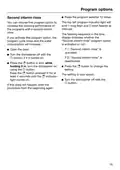
Press the Program button 19 times.
Factory default settings
The top left program indicator light will
emit 1 long flash and 9 short flash at
intervals.
If you have altered any settings, you
can reset them back to the factory
default settings.
The flashing sequence in the time
display indicates whether the setting
deviates from the factory default
setting:
Open the door.
Turn the dishwasher off with the
button, if it is turned on.
Press the button in and, while
holding it in, turn the dishwasher on
using the button.
Keep the button pressed in for at
least 4 seconds until the indicator
light comes on.
- : all values are factory default
settings.
- : at least one setting has been
changed.
To reset the dishwasher to the factory
default settings, press the button.
If this does not happen, start the
procedure from the beginning again.
The setting is now saved.
Turn the dishwasher off with the
button.
56

| General | Details |
|---|---|
| Name | Miele G 5051 Dishwasher |
| Make | Miele |
| Language | English |
| Filetype | PDF (Download) |
| File size | 2.18 MB |
 (1 votes, average: 5.00 out of 5)
 Loading...

Miele PFD 103 SCi XXL XXL Dishwasher

Miele PFD 101 i Dishwasher

Miele AK-CC 550A APFD 102 Dishwasher

Miele PFD 102 APFD 102 Dishwasher

Miele 11 836 740 Dishwasher

Miele PFD 401 U Commercial Dishwasher

Miele PLW 8683 Laboratory Dishwasher

Miele PFD 100 SmartBiz Free-Standing Dishwasher

Miele 12 668 930 Dishwasher

Miele PFD 102 i Dishwasher


RAZORRI Comodo CDW04A Countertop Dishwasher Machine

ZLINE Classic Dishwasher

FISHER AND PAYKEL DD24DT2NX9 Drawer Dishwasher

IKEA PROFFSIG Dishwasher

beko 943711 Dishwasher

SIEMENS SN55ZS02BD Dishwasher

BOSCH SMS4HMI00G Free-Standing Dishwasher

LG LDT7808BD Dishwasher

BOSCH SMV4HTX27G-55 Fully Integrated Dishwasher

FISHER AND PAYKEL DD24ST4NX9 Single DishDrawer Dishwasher