
Privileg 542300 Dishwasher


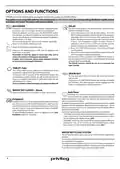



OPTIONS AND FUNCTIONS
OPTIONS can be selected directly by pressing the corresponding button (see CONTROL PANEL).
If an option is not compatible with the selected program see PROGRAMS TABLE, the corresponding LED flashes rapidly 3 times
and beeps will sound. The option will not be enabled.
MULTIZONE
DELAY
If there are not many dishes to be washed, a half loading may
be used in order to save water, electricity and detergent.
Select the program and then press the MULTIZONE button:
the indicator over the button lights up and the symbol of the
chosen rack will appear on the display. By default the appliance
washes dishes in all racks.
The start of the program may be delayed for a period of time
between 0:30 and 24 hours.
1. Select the program and any desired options. Press the
DELAY button (repeatedly) to delay the start of the program.
Adjustable from 0:30 to 24 hours. With each press of the
button, the delay start increases by: 0:30 if selection below
4 hours, 1:00 if selection is below 12 hours, 4 hours if
selection is above 12 hours. If 24 hours reached, and the
button is pressed, the delayed start is deactivated.
2. Press the START/PAUSE button: the timer will begin
counting down;
3. Once this time has elapsed, the indicator light switches off
and the program begins automatically.
If at the time of the countdown the START/PAUSE button is
pressed again the DELAY option is cancelled and the selected
program starts automatically.
To wash only the specific rack, press this button repeatedly:
shown on the display (only lower rack)
shown on the display (only upper rack)
shown on the display (option is OFF and the appliance will
wash dishes in all racks).
Remember to load the upper or lower rack only, and to
reduce the amount of detergent accordingly.
If upper rack is removed, please apply detergent directly
to tub instead of detergent dispenser.
The DELAY function cannot be set once a program has
been started.
TABLET (Tab)
This setting allows you to optimize the performance of the
program according to the type of detergent used.
A long press (for 3 seconds) of the MULTIZONE button (the
corresponding symbol will light up), will activate the function
if you use combined detergents in tablet form (rinse aid, salt
and detergent in 1 dose).
DRAIN OUT
To stop and cancel the active cycle, the Drain Out function
can be used.
A long press of START/PAUSE button, will activate the DRAIN
OUT function. The active program will be stopped and the
water in the dishwasher will be drained out.
If you use powder or liquid detergent, this option should be off.
WATER TAP CLOSED – Alarm
Flashes when there is no inlet water or water tap is closed.
Auto Door
Auto Door is a convection drying system which automatically
opens the door during/after drying phase to ensure exceptional
drying performance every day. Door opens at the temperature that is
safe to your kitchen furniture.
As additional steam protection, special designed protection foil is added
together with the dishwasher (depending on the model type - can be
the need to buy it). To see how to mount protection foil please refer to
(INSTALLATION GUIDE).
PUSH&GO
Push&Go button is an easily distinguishable button that allows
you direct access to the Push&GO program, a wash and dry
cycle that ensures great cleaning performance in a short time.
You don’t have to worry which program to choose, Push&GO
cycle will do the work for you.
Auto Door functionality could be disabled by the user as follows:
• To DISABLE: Switch On, then switch Off. Keep the P button pressed for
5 sec., at the end of 5 sec the dishwasher plays a short beep. Switch
On the machine, the display shows„oOF”.
To select Push&GO program, switch on appliance, press only
Push&GO button for 3 seconds.
• To ENABLE: Switch On, then switch Off the machine. Keep the P button
pressed for 5 sec., at the end of 5 sec the dishwasher plays a short
beep. Switch On the machine, the display shows„oOn”.
WATER RECYCLING SYSTEM
This dishwasher allows you to save up to 3 litres of water using the Eco
program.
Saved water is filtered and stored in a dedicated tank and will be reused
for subsequent Eco program.
For hygienic reasons, if the Eco cycle is not used for three or more days it
is strongly recommended to perform cleaning cycle of the dishwasher.
It can be done using Self-Clean cycle (see program table).
4

| General | Details |
|---|---|
| Name | Privileg 542300 Dishwasher |
| Make | Privileg |
| Language | English |
| Filetype | PDF (Download) |
| File size | 4.45 MB |
 (1 votes, average: 5.00 out of 5)
 Loading...

Privileg RSBC 3M19 Dishwasher


Whirlpool Thron Dishwasher

BOSCH SPI6ZMS01D Undercounter Dishwasher

AEG FSK73767P Dishwasher

BUFFALO DK775 Dishwasher

FRIGIDAIRE FDSR4501AP 24 Panel Ready Dishwasher

IKEA 304.756.24 FINPUTSAD Integrated Dishwasher

Midea MDF18A1A Series Dishwasher

BOSCH SMV4ECX23E Fully Dishwasher

BOSCH SMD6YCX01G Dishwasher

JENN-AIR JDAF5924RM Dishwasher