
ASKO D5636XXL Dishwasher
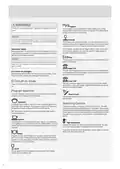
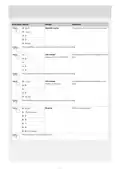
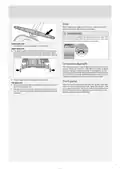
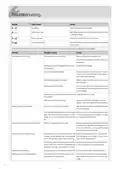


Button press Options
(Off)
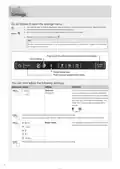
Settings
Description
Operation volume
This sound is used to confirm each button press.
(Low)
(High)
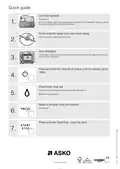
Press Start/Stop to save the setting value and continue to the next setting.
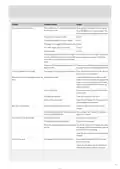
LCD contrast
For adjusting the contrast of the display on the front
door.
(Display on the front of the door)
Press Start/Stop to save the setting value and continue to the next setting.
LCD contrast
For adjusting the contrast of the display on the
panel.
(Low)
(Display on the panel)
(High)
Press Start/Stop to save the setting value and continue to the next setting.
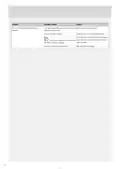
Rinse aid
Rinse aid dosage setting.
(Off)
(Low dosage)
(High dosage)
Press Start/Stop to exit the settings menu.
11

| General | Details |
|---|---|
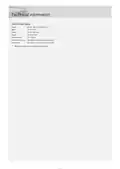
| Name | ASKO D5636XXL Dishwasher |
| Make | ASKO |
| Language | English |
| Filetype | PDF (Download) |
| File size | 3.19 MB |
 (1 votes, average: 5.00 out of 5)
 Loading...

ASKO DSD5444D Dishwasher

ASKO DFI8557MMXXL Dishwasher

ASKO DBI565IXXLS Logic Series 24 Dishwasher

ASKO DFI766UXXL.AU Dishwasher

ASKO DFI5558MKXXL Dishwasher

ASKO DFI777UXXL Dishwasher

ASKO DFI544D Dishwasher

ASKO DFI7602MMXXL Dishwasher

ASKO DBI343ID.W.AU Dishwasher

ASKO D5233 Dishwasher


HEINNER HDW-BI6006IE++ Free Standing Dishwasher

BOSCH SMS6ZDI11E-38 Dishwasher

seasons SDW2FCMB Front Dishwasher

BOSCH SMS68L08GC Active Water Dishwasher

SIEMENS SX63HX00BN Dishwasher

BOSCH SMS4HDW52G Dishwasher

BOSCH SMS2ITI04E 60 cm Free-standing Dishwasher

FISHER PAYKEL DD24SCTW9 N Single DishDrawer Dishwasher

Miele G 7197 SCVi XXL AD 125 Fully Integrated Dishwasher

gorenje GV673B66 Dishwasher