
CDA CDI6132 Dishwasher






If the hardness of the water you use is above 90dF or if you are using
well water; you are recommended to use filter and water refinement
devices.
Please note: The level of water hardness is preset to level 3.
1. Press and hold down the ‘Programme Selection’ button.
2. Press the ‘On/Off’ to switch on the dishwasher.
3. Keep the ‘Programme Selection’ button pressed until ‘SL’ shows
on the display and then disappears.
4. After the ‘SL’ disappears, the machine displays the last water
hardness setting entered.
5. To adjust the level, press the ‘Programme selection’ button
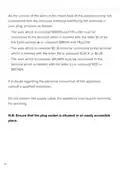
until the required level is selected. The programme display will
illuminate with certain figures as in the table of water hardness
settings below.
6. To store the selected water hardness level, press the ‘Power’
button.
Rinse aid
Rinse aid helps to ensure better quality wash results and increased
drying performance.
To fill the rinse aid compartment, open the rinse aid compartment lid.
Fill the compartment with rinse aid to the MAX level and then close
the lid. Be careful not to overfill the rinse aid compartment and ensure
that you wipe up any spillages.
15

| General | Details |
|---|---|
| Name | CDA CDI6132 Dishwasher |
| Make | CDA |
| Language | English |
| Filetype | PDF (Download) |
| File size | 0.46 MB |
 (1 votes, average: 5.00 out of 5)
 Loading...


Electrolux ESS87300UX Dishwasher

Miele G7130au Dishwasher

SIEMENS SN93E805CE Fully Integrated Dishwasher

Hotpoint H7F HP33 UK Dishwasher

Wexiodisk WD-ACS 47D Cutlery Dishwasher

FRIGIDAIRE FGHD2455LF Dishwasher

BOSCH SMV6ZCX19E-39 Dishwasher

IKEA SODERBODA Dishwasher

aspes AJI12600E Dishwasher

BOSCH SGS4HAW40G Dishwasher