
CDA CDI6132 Dishwasher


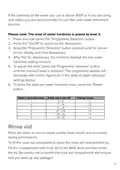




In order to change the rinse aid level,
follow the steps below before turning
on the machine:
1. Press and hold down the ‘Programme
selection’ button
2. Press the ‘On/Off’ button to switch on
the dishwasher
3. Keep the programme selection button
pressed until “rA” shows on the
display and then disappears
4. To adjust the level, press the
programme selection button until the required level is shown on
the display, as listed in the table on below.
5. To store the selected rinse aid level, press the ‘On/Off’ button.
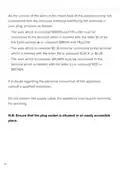
Level
Brightener Dose
Rinse-aid not dispensed
1 dose is dispensed
Indicator
1
2
3
4
5
r1 is shown the on display.
r2 is shown the on display.
r3 is shown the on display.
r4 is shown the on display.
r5 is shown the on display.
2 doses are dispensed
3 doses are dispensed
4 doses are dispensed
If the dishes are not drying properly or are spotted with food
debris, dirt etc., increase the rinse aid level. If blue stains appear
on your dishes, decrease the rinse aid level.
Always refill the rinse aid when the rinse aid indicator light on the
control panel is illuminated.
16

| General | Details |
|---|---|
| Name | CDA CDI6132 Dishwasher |
| Make | CDA |
| Language | English |
| Filetype | PDF (Download) |
| File size | 0.46 MB |
 (1 votes, average: 5.00 out of 5)
 Loading...


respekta GSP60V Dishwasher

FISHER AND PAYKEL DW24UNT2X2 Dishwasher

seasons SDW2FCMB Front Dishwasher

BOSCH SMV4HTX27G Dishwasher

FISHER PAYKEL DW60FC2X1 15 Places Setting Dishwasher

Electrolux EEC67310L Comfortlift Airdry Total Dishwasher
BOSCH SMI4EVS08E Dishwasher

SIEMENS SN23EW01ME Dishwasher

BOSCH SMS4EKW06G Dishwasher

BOSCH SMH6YCX02E Dishwasher