
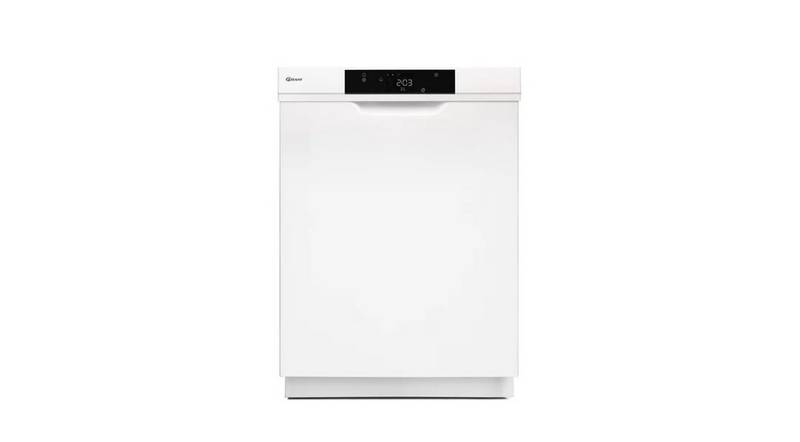
GRAM DS 4010 Dishwasher




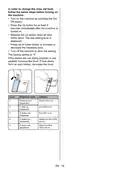





In order to change the rinse aid level,
follow the below steps before turning on
the machine:
• Turn on the machine by pressing the On/
Off button.
• Press the Up button for at least 5
seconds immediately after the machine is
turned on.
• Release the Up button when all leds
blinks twice. The last setting level is
displayed.
• Press Up or Down button to increase or
decrease the hardness level.
• Turn off the machine to save the setting.
The factory setting is “4”.
If the dishes are not drying properly or are
spotted, increase the level. If blue stains
form on your dishes, decrease the level.
Level
Brightener Dose
Indicator
1
Rinse-aid not
dispensed
Wash LED is on.
2
3
4
5
1 dose is
dispensed
Dry LED is on.
End LED is on.
2 doses are
dispensed
3 doses are
dispensed
Wash and Dry LEDs
are on.
4 doses are
dispensed
Wash and End
LEDs are on.
EN - 18

| General | Details |
|---|---|
| Name | GRAM DS 4010 Dishwasher |
| Make | GRAM |
| Language | English |
| Filetype | PDF (Download) |
| File size | 2.77 MB |
 (1 votes, average: 5.00 out of 5)
 Loading...

FISHER AND PAYKEL DD60SDFTB9 Single DishDrawer Dishwasher

BOSCH SMS2HKI04E Dishwasher

FISHER PAYKEL DD24SCTX9N Dishwasher

svan SJ13601EDX Dishwasher

FISHER PAYKEL DW60UN4X2 Built-under Dishwasher

IKEA VILLBODA Dishwasher

Haier HDW15V2S2 Dishwasher

Thermador DWHD660EFM Dishwasher

KitchenAid W11651305A Dishwasher

BOSCH SPH4EMX28E 4 Dishwasher