
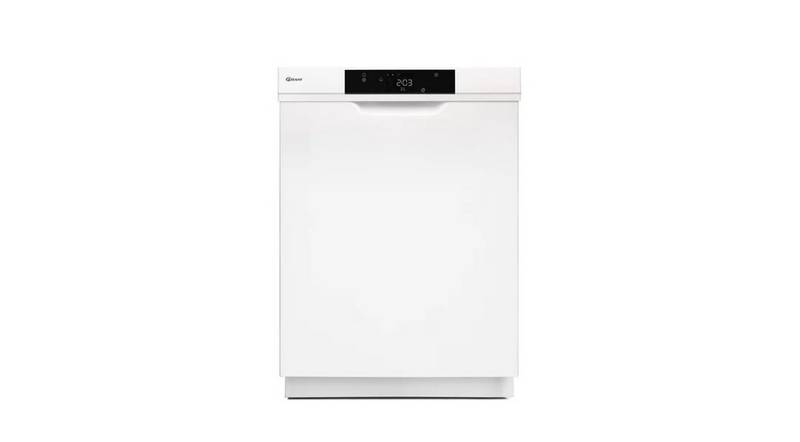
GRAM DS 4010 Dishwasher



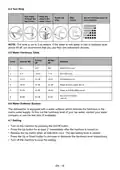






4.4 Test Strip
Run water
through the
tap (1min.)
Keep the
strip in the
water (1sec)
Shake the
strip.
Wait
(1min.)
Set the hardness level of
your machine.
1
2
3
4
5
6
1
1
second
munite
1
munite
NOTE: The level is set to 3 as default. If the water is well water or has a hardness level
above 90 dF, we recommend that you use filter and refinement devices.
4.5 Water Hardness Table
French
dF
British
dE
Level
German dH
Indicator
1
2
3
4
5
0-5
0-9
0-6
Wash LED is on.
6-11
10-20
21-30
31-40
41-60
7-14
Dry LED is on.
12-17
18-22
23-34
15-21
22-28
29-42
End button is on.
Wash and Dry LEDs are on.
Wash and End LEDs are on.
Dry and End LEDs
are on.
6
35-50
61-90
43-63
4.6 Water Softener System
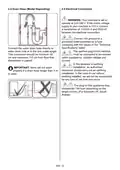
The dishwasher is equipped with a water softener which reduces the hardness in the
mains water supply. To find out the hardness level of your tap water, contact your water
company or use the test strip (if available).
4.7 Setting
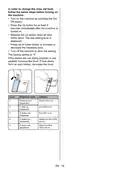
• Turn on the machine by pressing the On/Off button.
• Press the Up button for at least 3” immediately after the machine is turned on.
• Release the Up button when all leds blink once. The last setting level is viewed.
• Press the Up or Down button to increase or decrease the hardness level respectively.
• Turn off the machine to save the setting.
EN - 16

| General | Details |
|---|---|
| Name | GRAM DS 4010 Dishwasher |
| Make | GRAM |
| Language | English |
| Filetype | PDF (Download) |
| File size | 2.77 MB |
 (1 votes, average: 5.00 out of 5)
 Loading...

BOSCH SHE3AEM5N Dishwasher

BOSCH SHE3AR76UC Ascenta 24 Front Dishwasher

FISHER and PAYKEL DD60DHI9 Dishwasher

IKEA VÅGLIG Kitchen Door Dishwasher

BOSCH SMH4ECX14E Dishwasher

BOSCH SMH8ZCX10R Dishwasher

IKEA 004.756.25 DISKAD Integrated Dishwasher

FISHER AND PAYKEL DD24DTX6HI1 Integrated Drawer Dishwasher

FISHER PAYKEL DD24SDFTX9 N Tall Single DishDrawer Dishwasher

CAFE CDD220P4WW2 Smart Drawer Dishwasher