
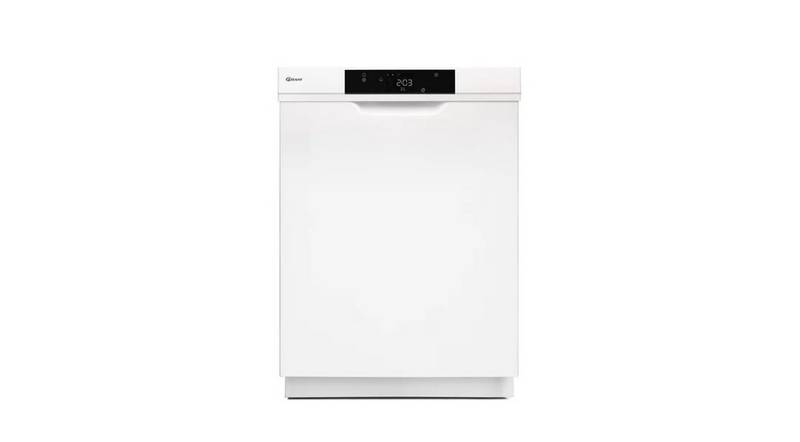
GRAM DS 4010 Dishwasher
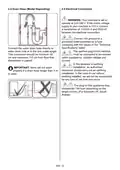



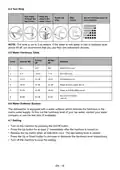






10. Rinse Aid Missing Warning Indicator
7.2. Cancelling a Programme
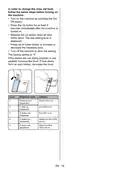
Check the rinse aid missing warning
indicator light on the display to have an
idea whether the amount of the rinse aid in
your machine is enough. When the rinse
aid missing warning indicator is lit, fill the
rinse aid compartment.
Follow the steps below to cancel a
programme while in operation.
Press and hold the Start/
Pause button for 3 seconds.
While the programme is
cancelling, the End led will
blink. The water discharge
process will start and continue
for 30 seconds.
7.1. Changing a Programme
Follow the steps below to change a
programme while in operation.
Press the Start/Pause
button.
When the programme is
cancelled, the End light will
illuminate.
After the programme stops,
select a new programme
using the Programme
Selection Up/Down buttons.
Press the Start/Pause button
to start the newly selected
programme.
The new programme will
resume the course of the old
programme.
EN - 26

| General | Details |
|---|---|
| Name | GRAM DS 4010 Dishwasher |
| Make | GRAM |
| Language | English |
| Filetype | PDF (Download) |
| File size | 2.77 MB |
 (1 votes, average: 5.00 out of 5)
 Loading...

Whirlpool 859991663300 Dishwasher

BOSCH SBD6YCX02E-46 Dishwasher

FISHER AND PAYKEL DW60UZT4B2 Contemporary Tall Built Under Dishwasher

FISHER AND PAYKEL DD60ST4NX9 Dishwasher

Hotpoint HDA2100HCC Dishwasher

Westinghouse WSF6604XB Dishwasher

BOSCH SME26EX00E Dishwasher

BOSCH SMS4HVI00E Dishwasher

ggmgastro GLOZ50 Undercounter Dishwasher

HIGH ONE W701T Dishwasher