
MORRIS TTS-55065D Tabletop Dishwasher
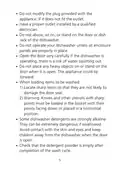
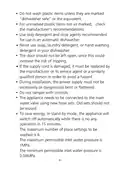
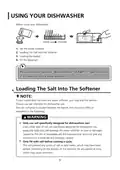













1. Press the Start/Pause button to pause the washing.
2. Press Program button for more than 3 seconds the machine will be in
program selection mode.
3. Press the Program button to select the desired program.
4. Press the Start/Pause button, after 1 seconds, the dishwasher will start.
3 sec
Forget To Add A Dish?
A forgotten dish can be added any time before the detergent dispenser opens. If
this is the case, follow the instructions below:
1. Press the Start/Pause button to pause the washing.
2. Wait 5 seconds then open the door.
3. Add the forgotten dishes.
4. Close the door.
5. Press the Start/Pause button , the dishwasher will start.
After 5 sec
WARNING
It is dangerous to open the door
mid-cycle, as hot steam may
scald you.
Auto Open
After washing, the door will open automatically to achieve
better drying effect.
NOTE:
The dishwasher door must not be blocked when set to
open automatically.
This can disrupt door lock functionality.
16

| General | Details |
|---|---|
| Name | MORRIS TTS-55065D Tabletop Dishwasher |
| Make | MORRIS |
| Language | English |
| Filetype | PDF (Download) |
| File size | 1.88 MB |
 (1 votes, average: 5.00 out of 5)
 Loading...


FISHER PAYKEL DD60DDFB9 Double Dishwasher

FISHER AND PAYKEL ADDD24DTNX Tall 24 Dishwasher

Monsher MD 6001 Dishwasher

BOSCH SHE4AEM6N 100 Series Black Full Console Dishwasher

FORNO WQP12-6502 Pozzo Dishwasher

Cecotec Bolero Aguazero 6200 Dark D Dishwasher

FISHER PAYKEL DD60D4HZB9 Built Under Dishwasher

Rubicum DRYSTACK Multistage Dishwasher

LG LD-2130-1-W-S-M-H Dishwasher

AEG FSE73507P Dishwasher