
ARTUSI ADW5008X Dishwasher


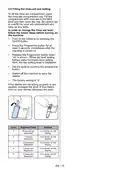


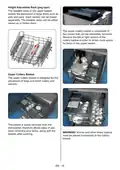
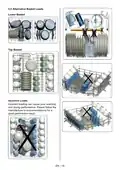


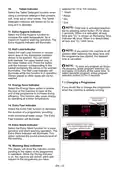






3. Delay Button
You can delay the start time of the
7 THE CONTROL PANEL
programme for 1-2...24 hours by pressing
the delay button (3) before the programme
starts. The delay indicator (3.1) will be on. If
you want to change the delay time,first
press the Start/Pause button and then the
delay button to select a new delay time. To
activate the new delay time, press the Start/
Pause button. To cancel the delay, you need
to switch to 0 hour by using the delay when
the machine is paused.
1
8
9
16
11 12 10
5
2
3
6
7
3.1
4
13 14 15
2.1
1. On/Off Button
4. Remaining Time Indicator Programme
flow can be monitored via
the Wash,Rinse, Dry, End indicators and
Remaining Time Indicator.
2. Program Selection Button
2.1. Program Indicators
3. Delay Button
3.1. Delay Indicator
4. Remaining Time Indicator
5. Start/Pause Button
6. Options Button
5. Start/Pause Button
Press the Start/Pause button to start the
programme. The wash lamp turns on and
the Remaining Time Indicator shows the
programme duration. It also indicates the
remaining time during the programme flow.
If you open the door of your machine when
the programme is running the duration of the
programme pauses,and related washing
step indicator blinks.
7. Select Button
8. Child Lock Indicator
9. Rinse Aid Indicator
10. Tablet Indicator
11. Extra Hygiene Indicator
12. Half Load Indicators
13. Energy Save Indicator
14. Extra Fast Indicator
15. Extra Silent Indicator
16. Washing Step Indicators
a- Washing Step Indicator
b- Rinse Step Indicator
6. Options Button
Options can be selected by pressing the
Options button repeatedly. The chosen opti-
on will be indicated by a blinking LED.
7. Select Button
Select the option by pressing the Select
button. The LED for the chosen option will
then remain lit.
c- Drying Step Indicator
d- End Step Indicator
8. Child Lock Indicator:
Child lock is activated/deactivated by pres-
sing select button (7) for about 3
seconds.When it is activated, all leds blink
and “CL”is shown on Remaning Time
Indicator (4)once. When it is deactivated, all
lamps and“CL” blink twice. Child Lock
indicator illumi-nates while the Child Lock is
active.
1. On/Off Button
Turn the machine on by pressing the
On/Off button.
2. Program Selection Button
Select a suitable programme by pressing
the Programme button. The selected
program indicator (2.1) will be on. For the
details of the programs refer to section
Program Table.
9. Rinse Aid Indicator
When the rinse aid level is low, the rinse aid
lack warning indicator turns on and you
should fill the rinse aid chamber.
EN - 21

| General | Details |
|---|---|
| Name | ARTUSI ADW5008X Dishwasher |
| Make | ARTUSI |
| Language | English |
| Filetype | PDF (Download) |
| File size | 2.07 MB |
 (1 votes, average: 5.00 out of 5)
 Loading...

ARTUSI ADW4001X Dishwasher

ARTUSI ADWFI700 Dishwasher

ARTUSI ADW5001X Dishwasher


beko DDS25842X Dishwasher

Miele 11836720-001-02 Dishwasher

FISHER PAYKEL DD60ST4NX9 Dishwasher

BOSH SBH4HVX00E Fully Integrated Dishwasher

COVE DW2451 Dishwasher

Miele G7316SCUSS Dishwasher

BOSCH 9000560760 Undercounter Dishwasher

BOSCH SMV4HTX00E Dishwasher

TECO TDW09WAM Dishwasher

BOSCH SHP865ZD5N Pocket Handle Dishwasher