
BUFFALO DK775 Digital Pass Through Dishwasher












Preparation for Use
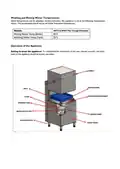
At initial start up of the appliance, wait for the supplied water to warmup. After the water temperature reaches‘Factory
Settings’ warning sound will ring. Appliance is designed to function efficiently when proper temperatures are reached.
If the temperatures are decreased, wait for the appliance to reach temperature before starting a new wash cycle.
Wash Programs
Starting a Wash Cycle
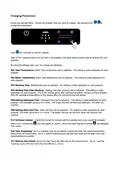
Open the hood, place the first basket inside the machine, check that the arms rotate freely.
Select the appropriate Washing program depending on type of dishes and degree of soiling with program selection
buttons
.
The washing process is started by pressing the washing start button
. The program time will start counting down on
the LCD display. When the washing program is finished, the machine starts rinsing. If the cabinet door is opened during
the washing process (if no button is pressed), the washing machine process will stop. When the door is closed again,
the program will continue from where it left off. When the washing process is finished, the machine beeps.

| General | Details |
|---|---|
| Name | BUFFALO DK775 Digital Pass Through Dishwasher |
| Make | BUFFALO |
| Language | English |
| Filetype | PDF (Download) |
| File size | 0.46 MB |
 (1 votes, average: 5.00 out of 5)
 Loading...

BUFFALO DK775,DN975 Dishwasher

BUFFALO DK775 Dishwasher


BOSCH SHX78B75UC 24 Bar Handle Dishwasher

HEINNER HG-150SS Free Standing Dishwasher

BLAUPUNKT 5VF421AU Fully Integrated Dishwasher

BLAUPUNKT 5VF4X00BXB Dishwasher

ILVE E5 Dishwasher

FISHER and PAYKEL DD24DI9 N Saitize Dishwasher

IKEA FROSLUNDA Dishwasher

BOSCH SMV4HDX53E Serie 4 Total Integrated 6cm Dishwasher

FISHER PAYKEL DD24DHTI9 N Integrated Double Dishwasher

FISHER PAYKEL DD60D4NB9 Dishwasher