
Honeywell HDS18SS Dishwasher









Getting Started
01 Load the dishwasher. (See Dish Preparation and Loading sections)
02 Add detergent. (See Filling the Detergent Dispenser)
03 Add rinse aid. (See Filling the Rinse Aid Dispenser)
04 Select desired CYCLE. (See Cycle Chart)
05 Select desired OPTIONS (See Control Panel). The indicator light above the pad will
glow when selected.
06 Run the hot water faucet nearest the dishwasher until the water is hot, then turn it
off.
07 To start, press Start/Cancel. (See Control Panel) Then close door.
NOTE This model is embedded operation, all buttons can only be operated in the
open state.
Wash Cycle Selections
Cycle times are approximate and will vary with the options selected. Hot water is
necessary to activate the detergent and melt fatty food soils. An automatic sensor
will check the incoming water temperature. If it is not at the appropriate temperature
the timer will delay the cycle to allow automatic water heating during the main wash.
When the HI-TEMP wash is selected an even higher temperature will be assured to
handle heavier soil loads.
6

4 OPERATING INSTRUCTIONS
Control Panel
Wash Cycle Selections
Status Indicators
Start/Cancel
Delay
Display Window
Options
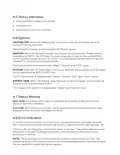
4.1 Start/Cancel
Open the door to select the desired cycle and options, touch the Start/Cancel button
and close the door within 4 seconds to start the cycle or begin the delay countdown.
To cancel and reset the program during the cycle, open the door, and touch Start/
Cancel for 3 seconds. Close the door and dishwasher will start a 60 second drain.
4.2 Wash Cycle Selections
PROGRAM BUTTONS Touch to select the program, corresponding indicator will be
lightened.
HEAVY This cycle is for hard-to-clean, heavily soiled dishes, pots, pans, and dishes.
NORMAL This is standard program. It is for regularly soiled dinner dishes or
silverware.
ECO It is suitable to clean normally soiled tableware and it is the most effcient
program in terms of it’s combined energy and water consumption for that type of
tableware.
GLASS For lightly soiled loads, such as glasses, crystal and fine china.
RAPID A shorter wash for lightly soiled loads that do not need drying.
RINSE Use for rinsing dishes, glasses and silverware that will not be washed right
away.
4.3 Delay
To delay the start of a selected cycle, press the Delay Start pad until the desired delay
time shows in the LED display. You can delay the start for 1 to 24 hours. To cancel the
delay start option before the delay period is over, press the Start/Cancel pad for 3-5
seconds.
4.4 Display Window
This displays the remained hours and minutes of the running cycle, delay hours and
error codes etc.
7

| General | Details |
|---|---|
| Name | Honeywell HDS18SS Dishwasher |
| Make | Honeywell |
| Language | English |
| Filetype | PDF (Download) |
| File size | 0.18 MB |
 (1 votes, average: 5.00 out of 5)
 Loading...

Honeywell HCTDS1W Dishwasher


BOSCH SMS4HMC65M Dishwasher

BOSCH SMS4HMB62T Free Standing Dishwasher

FRIGIDAIRE FDSP4401SS Dishwasher

ASKO DBI565IXXLS Logic Series 24 Dishwasher

INVENTUM VVW6030AS dishwasher

TOMADO TDW6001B Dishwasher

FISHER AND PAYKEL DW24U6I1 Dishwasher

SIEMENS SN23EW14AE Dishwasher

INSIGNIA NS-DWH2SS8 Dishwasher

FISHER PAYKEL DD60DDFX9 Dishwasher