
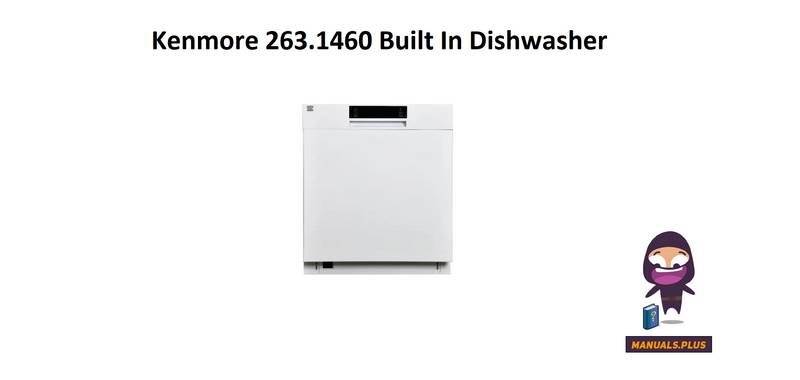
Kenmore 263.1460 Dishwasher













10. Half Load Option Indicators
NOTE: To save any cycle as the favorite, press
the Cycles (2) and Delay Hours (3) buttons
simultaneously. To select the favorite cycle, press
the Cycles (2) button for 3 seconds.
There is a half load option with three modes.
Use the half load feature to direct cleaning to
the desired rack when the dishwasher is not fully
loaded. When the half load option is selected
by pressing option select button, the indicator(s)
on the control panel will illuminate according to
the selections. Press option confirm button after
each half load mode selection. If the upper half
load and lower half load indicators are selected
together, this will shorten the length of cycle and
reduce energy and water consumption.
Cancelling a Cycle
If you would like to cancel a cycle when it is
running. Press the Start/Pause button for 3
seconds. During cancellation, the End indicator
blinks. The machine discharges the water inside
it in about 30 seconds. When the End indicator
turns on, switch your machine off by pressing the
Power button.
11. Extra Dry Option Indicator
Select the Extra Drying function to add extra
drying steps to a cycle in order to obtain drier
dishes. This option increases water temperature
of the final rinse step and drying step duration.
Switching the Machine Off
Switch your machine off with the Power button
after the cycle has ended and the End indicator
turns on.
12. Accela Wash Option Indicator
NOTE: At the end of a cycle, the door can be
left open to aid the drying process.
Select the Accela Wash option to help decrease
the duration of a cycle by raising water
temperature and pressure.
NOTE: If the door of machine is opened or
power is cut off during washing, the cycle will
continue when the door is closed or the power is
restored.
13. Quiet Wash Option Indicator
Select the Quiet Wash option to help reduce
the sound level of the washing operation by
lowering the pressure level of the water.
Chime Level Control
To change the chime level, follow the below
steps:
1. Press Option Select (6) and Option Confirm
(7) buttons simultaneously for 3 seconds.
2. When sound setting is recognized, the chime
gives a long sound and the machine will
display the last set level, from “S0” to “S3”.
14. Rinse Aid Indicator
When the rinse aid level is low, the rinse aid
indicator turns on, advising that the rinse aid
compartment needs to be filled.
15. Washing Cycle Progress Indicators
The display will show the symbols for washing,
drying, and end of cycle corresponding to the
current cycle status.
3. To decrease chime level, press Option
Confirm button (7). To increase chime level,
press Option Select button (6).
4. To save the selected chime level, turn off the
machine.
“S0” level means the chime is turned off.
Factory setting is “S3”.
16. Sanitized Indicator
If the cycle selected with the Sani Rinse option
(except Express cycle) is successfully sanitized,
sanitized indicator lights up at the end of the
cycle.
NOTE: Control lock is activated/deactivated
by pressing the Option Confirm Button (7) for
about 3 seconds. When it is activated, all leds
blink and “CL” is shown on the Remaining Time
Indicator (4).
USA - CAN - 25

| General | Details |
|---|---|
| Name | Kenmore 263.1460 Dishwasher |
| Make | Kenmore |
| Language | English |
| Filetype | PDF (Download) |
| File size | 4.66 MB |
 (1 votes, average: 5.00 out of 5)
 Loading...

Kenmore 14041 Automatic Dishwasher

Kenmore 665.15822000 Undercounter Dishwasher

Kenmore 665.1605 Ultra Wash Dishwasher

Kenmore 665.15632 Ultra Wash Dishwasher

Kenmore 665.15624000 Undercounter Dishwasher

Kenmore 665.15824000 Undercounter Dishwasher

Kenmore 587.141500 Dishwasher

Kenmore W10898468B Ultra WashTMHE Dishwasher

FISHER AND PAYKEL DD24SAX9 N Dish Drawer Dishwasher

ASKO D5536XLFI Dishwasher

BOSCH SMS6ITW00I 13 Place Settings Free-standing Dishwasher

BOSCH SMS6ZCW10E Dishwasher

FISHER PAYKEL DD24SI9N Dishwasher

BOSCH SGV4HAX40G Dishwasher

SAMSUNG DW60R2014 Wide 12 Place Dishwasher

SIEMENS SN63EX02CE Dishwasher

SIEMENS SX73HX10VG Dishwasher

Comfee CDC17P0ABB Mini lite Dishwasher