
SAMSUNG DW80B70 Smart Dishwasher




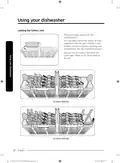





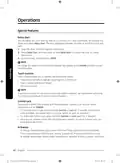


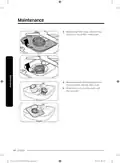
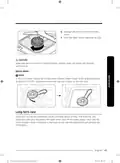
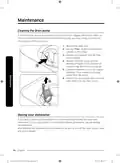


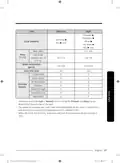






To remove the 3rd Rack
1. Stand facing the dishwasher, and then
pull the 3rd rack out so that the handles
at the ends of the rack supports (dark
grey in the illustration) are even with
the end of the rack.
2. With your right thumb, find the small
indentation on the inside of the left
rack support that houses the tab for the
handle lock.
3. Push the handle lock tab in (i.e. to your
left) with the tip of your thumb, and
then pull the handle towards you until
it disengages from the support.
4. Repeat this process with the right
handle using your left thumb.
5. When the handles are removed, remove
the 3rd rack from the dishwasher.
6. Reverse the order of removal to
re-insert the 3rd rack.
CAUTION
Make sure the hook-shaped part of the
handle faces downward and the handle
lock (circled) re-engages when reinserting
the handle into the rail.
English 17
North America_DW7000B_WEB_DW0005_English.indd 17
2023-07-04 6:22:04

| General | Details |
|---|---|
| Name | SAMSUNG DW80B70 Smart Dishwasher |
| Make | Samsung |
| Language | English |
| Filetype | PDF (Download) |
| File size | 3.54 MB |
 (1 votes, average: 5.00 out of 5)
 Loading...

SAMSUNG DW80N3030UW Front Dishwasher

SAMSUNG DW90F89 Dishwasher

SAMSUNG DW80BB70 Dishwasher

SAMSUNG DW50T6060U Dishwasher

SAMSUNG DW80BB70 Series Dishwasher

SAMSUNG DW80CB5450 Dishwasher

Samsung DW60M5062 Dishwasher

Samsung DW60 7 Series Dishwasher

SAMSUNG DW9000F Dishwasher

SAMSUNG DW60R2014 Wide 12 Place Dishwasher


BOSCH 100 Series Dishwasher

Whirlpool W11389327B Portable Dishwasher

nelson AD40 Commercial Dishwasher

BOSCH SHX53CM5N 300 Series Dishwasher

FISHER PAYKEL DD60SLI9 Sanitise Integrated Single DishDrawer Dishwasher

Kenmore 665.1605 Ultra Wash Dishwasher
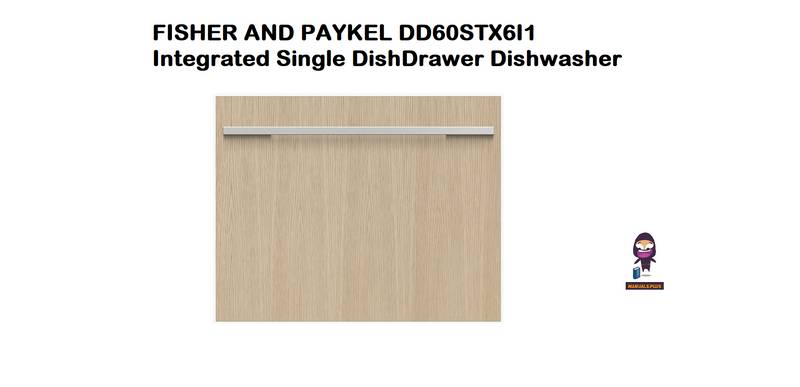
FISHER AND PAYKEL DD60STX6I1 Integrated Single DishDrawer Dishwasher

SIEMENS SE61HX02AG Dishwasher

FISHER and PAYKEL DW60UZ6B Built Under Dishwasher

GAGGENAU DF211701 200 Series 24 Dishwasher