
Thermador DWHD640EFP Dishwasher









Basic Operationꢀen-us
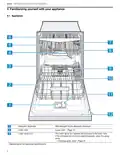
Upper rack
11.2ꢀSwitching on the appliance
▶ Touch
with a short 1 second touch.
The cycle last selected and the option last selected will
be set by default.
The buttons on the appliance are touch sensitive and
only require a quick, gentle touch.
Note: If you do not perform any actions on the appliance
for 10 minutes, it will automatically switch off. This feature
cannot be deactivated.
11.3ꢀSetting the time delay
You can delay the start of the wash cycle via the
Home Connect® app.
▶ Open the Home Connect® app and select the
appliance.
In the settings, you can use the time delay function to
delay the start of the wash cycle.
Third rack
11.4ꢀStarting the wash cycle
▶ Press
.
a The wash cycle has ended when the display shows
"00h:00m".
Notes
¡ If you want to add more dishware while the appliance is
running, do not use the collecting tray as a handle for
the upper rack. You might touch the partially dissolved
tablet.
¡ You can only change a cycle in progress if you can
cancel it first.
¡ To save energy, the appliance switches off
automatically 10 minutes after the end of the wash
cycle. If you open the appliance door immediately after
the wash cycle has ended, the appliance will switch off
after 4 seconds.
B
p
11ꢀBasic Operation
B
p
11.1ꢀProtection against unintentional
operation
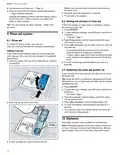
11.5ꢀInterrupting the wash cycle
1. Press On/Off.
Your dishwasher has a built in feature to help prevent
unintentional operation, e.g. by children. After starting the
appliance, the door has to be closed within 4 seconds,
otherwise the operation will be paused. If this occurs,
follow the steps below to restart your dishwasher.
The program is saved and the appliance switches off.
2. Press On/Off.
3. Press
to resume the wash cycle.
▶ Press
and close the door.
11.6ꢀTerminating the wash cycle
a The wash cycle will resume.
To end a cycle early or to switch from one that has already
started, you will need to cancel it first.
Note
Unintentional operation is activated when:
¡ Pressing Start to begin a wash cycle
¡ Setting Delay time and pressing Start
¡ Opening the door while Delay time is active
¡ Opening the door during a wash cycle.
¡ This feature cannot be deactivated.
1. Open the appliance door.
2. Press
for approx. 4 seconds.
3. Close the appliance door.
a All displays light up.
a As soon as the displays are off, the display shows
"00h:01m" and the residual water is pumped out.
a The cycle is cancelled and ends after approx. 1 minute.
17

| General | Details |
|---|---|
| Name | Thermador DWHD640EFP Dishwasher |
| Make | Thermador |
| Language | English |
| Filetype | PDF (Download) |
| File size | 2.31 MB |
 (1 votes, average: 5.00 out of 5)
 Loading...

Thermador DWHD660EFP Sapphire Dishwasher

Thermador DWHD660EFM Dishwasher

Thermador Dishwasher : for DWHD650W and More

Thermador DWHD640EFM Dishwasher


BOSCH SHE4AEM6N 100 Series Black Full Console Dishwasher

BOSCH GV642 A Fully Integrated Dishwasher

FORZA FD24DI Dishwasher

Miele PFD 100 Smart Biz Free Standing Dishwasher

BOSCH SMS6ZDW48G Dishwasher

FISHER PAYKEL DD60D2HNB9 Built Under Double Dishwasher

VIKING VDWU724SS Dishwasher

Hotpoint H7F HS41 UK Full Size Dishwasher

caple DI654 Dishwasher

NOVETE TDQR01 Compact Dishwasher