
Thermador DWHD660EFM Dishwasher



en-usꢀHome Connect®
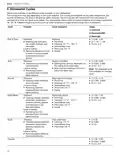
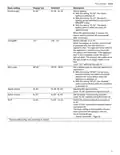
Basic setting
Display text
Selection
Description
Remote Start
rc:01
rc:00 - rc:02
Activate or deactivate remote start.
The following settings are possible:
¡ With the setting "rc:00", the option is
permanently deactivated.
¡ With the setting "rc:01", the option can be
selected via the
button.
¡ With the setting "rc:02", the option is
permanently activated.
The basic setting is not available until you
have connected the appliance with the
Home Connect® app.
Factory setting
rE:
Starting with
Y:ES
Restore changed settings to the factory
settings.
Confirming with
The settings for initial use must be
configured.
1
Factory setting (may vary according to model)
H
o
13.3ꢀRemote Start
13ꢀHome Connect®
H
o
You can use the Home Connect® app to start the
appliance with your mobile device.
This appliance is network-capable. Connecting your
appliance to a mobile device lets you control its functions
via the Home Connect® app.
of this function, the function is permanently activated, and
you can start your appliance with a mobile device at any
time.
Note: Also note the safety information in this instruction
manual and ensure that it is also observed when operating
the appliance using the Home Connect® app.
C
a
n
e
13.1ꢀSetting up the Home Connect® app
14ꢀCleaning and maintenance
To keep your appliance working efficiently for a long time,
it is important to clean and maintain it carefully.
C
a
n
e
1. Install the Home Connect® app on your mobile device.
2. Start the Home Connect® app and set up access for
Home Connect®.
Note: The Statement of Limited Product Warranty covers
defects in materials and workmanship. Cleaning and
maintenance is not covered by the warranty and a charge
will apply. See the Statement of Limited Product Warranty
for more details.
The Home Connect® app guides you through the entire
registration process.
13.2ꢀSetting up Home Connect®
Requirements
¡ The Home Connect® app is installed on your mobile
device.
¡ The appliance receives signals from the WLAN home
network (Wi-Fi) at its installation location.
¡ The appliance door is closed.
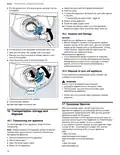
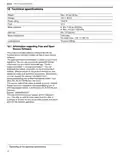
14.1ꢀFilter system
1. Check the filters for residues after each dishwashing
cycle.
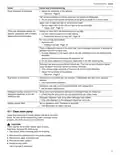
2. To see how to clean the filters, scan the following QR
code.
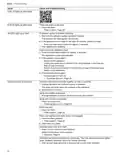
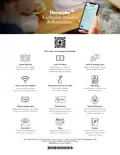
1. Open the Home Connect® app and scan the following
QR code.
2. Follow the instructions in the Home Connect® app.
22

| General | Details |
|---|---|
| Name | Thermador DWHD660EFM Dishwasher |
| Make | Thermador |
| Language | English |
| Filetype | PDF (Download) |
| File size | 3.01 MB |
 (1 votes, average: 5.00 out of 5)
 Loading...

Thermador DWHD660EFP Sapphire Dishwasher

Thermador DWHD640EFP Dishwasher

Thermador Dishwasher : for DWHD650W and More

Thermador DWHD640EFM Dishwasher


BOSCH SGV4HTX27G Dishwasher

BOSCH SMV4ECX10E-38 Dishwasher

BOSCH SMS6ITI00I Dishwasher

BOSCH SMS6EMI65M Free Standing Dishwasher

KitchenAid KDF Series Dishwasher

FISHER AND PAYKEL DD24SCTW9 DishDrawer Dishwasher

Hotpoint H7F HS41 X Dishwasher

Whirlpool WDT975SAHZSS Fingerprint Resistant Smart Dishwasher

FISHER PAYKEL DD24DTX6I1 Sanitize Integrated Dishwasher

Whirlpool WIE 2B19 Dishwasher