
TOMADO TDW6001B Dishwasher


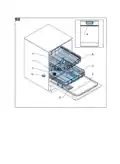










1. If necessary, adjust the height of the racks of the upper basket. Refer to secꢀon Adjusꢂng the height of the racks of the
upper basket.
2. If necessary, adjust the height of the upper basket. Refer to secꢀon Adjusꢂng the height of the upper basket.
(Figure 16)
3. Place the dishes in the upper basket.
4. Make sure that you place wine glasses and long-stem glasses against the edge of the basket, rack or glass supporter wire.
Cauꢀon:
Do not place wine glasses and long-stem glasses against other items to prevent damage to the glasses.
5. Place long, small cooking utensils, such as wooden spoons, in the middle of the upper basket.
Loading the lower basket
The lower basket is designed for loading pots with long handles, pans, lids, plates and salad bowls. The lower basket also has
space for the cutlery basket.
(Figure 17)(Figure 18)
1. Place the dishes in the lower basket.
ADJUSTING THE HEIGHT OF THE RACKS OF THE UPPER BASKET
The racks can be moved up to create more space in the upper basket, for example to place different-sized glasses under the
racks or to place cutlery items on the racks.
(Figure 19)
1. Move the racks (A) up or down.
ADJUSTING THE HEIGHT OF THE UPPER BASKET
The complete upper basket can be moved to create more space in the upper basket or in the lower basket. When the upper
basket is in the upper posiꢀon, you can place large items, such as pots and large plates, in the lower basket. When the upper
basket is in the lower posiꢀon, you can place large plates in the upper basket.
1. Pull out the upper basket.
(Figure 20)
2. Remove the upper basket (A).
(Figure 21)
3. Install the upper basket (A):
a. Install the basket in the upper runners to put the basket in the lower posiꢀon (B).
b. Install the basket in the lower runners to put the basket in the upper posiꢀon (C).
4. Push in the upper basket.
STARTING THE APPLIANCE
1. Close the door of the appliance.
2. Push the on/off buꢁon to start the appliance. The program indicator goes on.
CHOOSING A PROGRAM
Note:
For an overview of the programs, refer to secꢀon Programs.
1. Use the program selector buꢁon to choose a program.
2. If necessary, use the ꢀmer buꢁon to delay the start ꢀme of the program. Refer to secꢀon Delaying the program.
3. Push the start/pause buꢁon to start the program.
CHANGING THE PROGRAM
Note:
You can only change the program shortly aſter the appliance has started.
42 • English

| General | Details |
|---|---|
| Name | TOMADO TDW6001B Dishwasher |
| Make | TOMADO |
| Language | English |
| Filetype | PDF (Download) |
| File size | 2.29 MB |
 (1 votes, average: 5.00 out of 5)
 Loading...

TOMADO TDW5501W Tabletop Dishwasher

TOMADO TDW6001W Dishwasher


Hisense HS643D60WUK Dishwasher

FISHER AND PAYKEL DD24ST4NX9 Single DishDrawer Dishwasher

BOSCH SMS2ITW41G WiFi Connected Standard Dishwasher

IKEA FRÖSLUNDA Integrated Dishwasher

Hotpoint H2I HD526 UK Dishwasher

BOSCH SMV2HVX02E Dishwasher

BOSCH SMP4ECS71S Dishwasher

SIEMENS SN25ZI49CE Free Standing Dishwasher

Hotpoint H8I HP42 Fully Integrated Dishwasher

SIEMENS 9001881808 Fully Iintegrated Dishwasher