
VIKING VDWU724SS Dishwasher








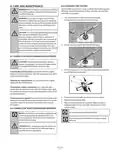

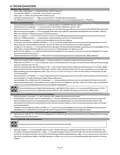





Functions Under the Settings Menu
Under the settings menu of your product, there are some additional
functions that depend on the model.
To access these functions, press and hold the Menu key for 3 seconds.
Use <- and +> to proceed to the desired function or setting.
Use the selection key to change the desired function or setting and
press the Menu key to exit the Settings menu.
Tablet detergent function
Allows to obtain a better drying performance from the multi-purpose
detergents called as all in one detergents such as 2in1, 3in1, 4in1, 5in1
and etc., depending on the hardness level of the tap water.
If you have used the Tablet features during the last
washing program you used, Tablet function will remain
C active in the next washing program you will select. If you
do not want to use these functions in the new program
you have selected, press the Tablet Detergent key until
the indicator of the relevant function turns off.
In some models pressing the Menu key only for once will
allow you to enter the Settings menu.
C
Submenu Functions:
Tablet Detergent function may cause change in the
program duration.
C
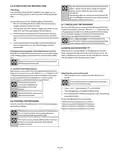
Interior Lighting
OpenAirTM Door Opening Function Off/On
Interior lighting will illuminate the interior when the door is opened.
Changing the interior lighting setting
1. After switching on your machine, press the Menu key for 1
second.
2. Press <- and +> to proceed to “L:”on the display. Select the
position you want with the Selection key. Interior lighting is off in
“L:0”position and on in “L:1”position.
Detergent Tablet Function Off/On
3. Press the Menu key to exit the settings menu. Your setting will be
saved automatically.
Changing Warning Sound Volume
1. After switching on your machine, press the Menu key for 3
second.
2. Press <- and +> to proceed to “S:”on the display.
Odor EliminatorTM Ionizer Function Off/On
3. Each pressing on the Selection key will change the warning
sound volume as “S:0”off, “S:1”medium and “S:2”high.
4. Press the Menu key to exit the settings menu. Your setting will be
saved automatically.
Floor illumination
Illuminates to show program is still running.
Your machine reflects a light to the floor during the washing process.
This light turns off after the washing process is complete.
Floor illumination cannot be cancelled by the user.
C
13 USA

| General | Details |
|---|---|
| Name | VIKING VDWU724SS Dishwasher |
| Make | VIKING |
| Language | English |
| Filetype | PDF (Download) |
| File size | 3.26 MB |
 (1 votes, average: 5.00 out of 5)
 Loading...

VIKING FDW102WS Dishwasher

VIKING 3 Series Dishwasher

VIKING VDWU324SS Dishwasher


Haier HDW15F2B1 Dishwasher

NEFF S195HCX02G Fully Dishwasher
BOSCH SMV2ITX18G Dishwasher

Bauknecht 3O35 PF Dishwasher

JENNAIR JDPSG244LS Dishwasher

BOSCH SMH8ZCX01E 60 cm Dishwasher

Classeq CP500 Commercial Passthrough Dishwasher

Hotpoint H2F HL626 Dishwasher
FISHER AND PAYKEL DD24DT2NX9 Contemporary Tall Dishwasher

Haier HDW15V2B2 Dishwasher