
VIKING VDWU724SS Dishwasher








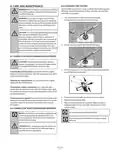






6.5 SCHEDULING THE WASHING TIME
After the door has been opened, if any button is pressed
within 5 seconds and the door is closed, the selected
Time Delay
C program resumes; otherwise, the machine will be
If an economical electricity tariff is applied in your region, you can
use the Time Delay function to wash your dishes during appropriate
hours.
switched off.
Open the door after the machine has been switched off,
press On/Off button and close the door within 5 seconds.
The program will resume washing.
You can delay the start of the selected program until 24 hours.
1. Press the Time Delay function key after selecting the washing
program and other auxiliary functions.
6.7 CANCELLING THE PROGRAM
Open the door of the product press and hold the Program Selection /
Program Cancel keys for 3 seconds. After the 3 - 2 - 1 countdown, 0:01
is displayed, close the door of the product and wait for the draining
process complete. Draining is completed in 2 minutes and the
machine gives an audible warning when it is completed.
2. Once you press the Time Delay key, Display Information Line will
show "0:30" and Time Delay indicator will start flashing.
3. Set the desired time by pressing the Time Delay key. Time will
increase with increments of 30 minutes up to 6 hours and after
that in 1 hour increments up to 24 hours every time you press the
key.
There might be detergent or rinse aid residue in the
machine and/or on the pieces being washed depending
C on the step the program you have cancelled was in.
4. Close the door of your machine after setting the Delayed Start.
Once the delay time is over, the selected program will start
automatically.
6.8 RINSE AID INDICATOR (
)
Please check the rinse aid indicator on the display to see whether
there is adequate amount of rinse aid in the dishwasher or not. You
need to refill the rinse aid reservoir with rinse aid whenever rinse aid
indicator appears on the display of your machine.
Changing the settings while Time Delay function is active
While the Time Delay function is activated, you cannot make changes
in the washing program, auxiliary functions or the duration of delay
time.
Program and auxiliary functions cannot be set/changed
after the program has started.
C
To cancel the Time Delay function
Open the door of the product Press and hold the Program Selection /
Program Cancel keys for 3 seconds. After the 3 - 2 - 1 countdown, 0:01
is displayed, close the door of the product and wait for the draining
process complete. Draining is completed in 2 minutes and the
machine gives an audible warning when it is completed.
Adjusting the amount of rinse aid
1. After switching on your machine, press the Menu key for 3
second.
In some models pressing the Menu key once will allow
You can select and start a
new program following the
C cancellation of Time Delay
you to enter the Settings menu.
C
2. Using <- and +> keys, proceed to “P:”on the display.
3. Set to the appropriate level with the Selection key.
4. Press the Menu key to exit the settings menu. Your setting will be
saved automatically.
function.
Time Delay function cannot be set
after the program starts.
C
6.6 STARTING THE PROGRAM
No rinse aid dispensed in P:0 wash position.
1 dose of rinse aid is dispensed in P:1 position.
2 doses of rinse aid are dispensed in P:2 position.
3 doses of rinse aid are dispensed in P:3 position.
Close the door of your machine to start it after selecting the program
and auxiliary functions.
4 doses of rinse aid are dispensed in P:4 position.
Pay attention not to open the door of the machine when
it is running. Use caution when opening the door as
C steam may have built-up and will escape.
The machine will be switched off if no button is pressed
within 5 seconds after opening the door while the
machine is running.
C
14 USA

| General | Details |
|---|---|
| Name | VIKING VDWU724SS Dishwasher |
| Make | VIKING |
| Language | English |
| Filetype | PDF (Download) |
| File size | 3.26 MB |
 (1 votes, average: 5.00 out of 5)
 Loading...

VIKING FDW102WS Dishwasher

VIKING 3 Series Dishwasher

VIKING VDWU324SS Dishwasher


FISHER AND PAYKEL DD24DDFTX9 N Contemporary Tall Dishwasher

BOSCH SMV2ITX22E 2 Total Dishwasher

FISHER and PAYKEL DD24DI9 N Saitize Dishwasher

FISHER AND PAYKEL DD24DTX6I1 Dishwasher

FRIGIDAIRE FGHD2455LF Dishwasher

Hotpoint H7F HS41 X Dishwasher

BOSCH SMV4ENX06E Dishwasher

IKEA TORSBODA Dishwasher

FISHER PAYKEL DD24SV2T9 Dishwasher

FISHER PAYKEL DD24SCTB9_N Single DishDrawer Dishwasher