
Whirlpool WDT975SAHZSS Fingerprint Resistant Smart Dishwasher
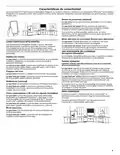

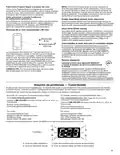




Connectivity Setup
Get the app, alternate connectivity setup instructions, terms of use,
Connectivity requires Wi-Fi and account creation. App features and functionality subject to change. Data rates may apply.
If you have any problems or questions, call Whirlpool Corporation Connected Appliances at 1-866-333-4591.
IMPORTANT: Proper installation of your dishwasher prior to use is your responsibility. Be sure to read and follow the Installation
Instructions that came with your dishwasher.
Setup Instructions – App Assisted
You Will Need:
■
The 10-character SAID from your dishwasher. The SAID,
MAC address, and a QR code are printed on a label on the
dishwasher. Refer to the dishwasher User Guide for the
location of the label.
■
A home wireless router supporting Wi-Fi, 2.4Ghz preferably
with WPA2 security. If you are unsure if your wireless
router is WPA2 capable, refer to your router manufacturer’s
instructions.
■
The name of your electric utility company.
For additional information, terms of use, and privacy policy, go to
ca/en_CA and click on the Whirlpool® Connected Appliances link.
NOTE: The router should be on and have a live Internet
connection.
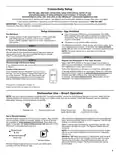
STEP 1
If This is Your First Smart Appliance:
You will need to download the Whirlpool® app and create an
online user account. You can download the app on Google
Play™† or the Apple® App Store®‡.
STEP 3
STEP 2
Register the Dishwasher in Your User Account
Download App and Account Setup
If you already have the app and a user account, skip ahead
to Step 3.
Select ADD APPLIANCE on the app to begin the process of
selecting your dishwasher, connecting it to your home network,
and registering it to your user account.
Follow the instructions in the app to connect your dishwasher.
Create a User Account
Once installed, tap the Whirlpool® app icon to run
the app. You will be guided through the steps to set
up a user account. The app will make sure to get
the necessary personal and home information as
well as information about your energy company.
If the app assisted setup is not successful, follow the “Alternate
connect your dishwasher to your wireless home network.
In Canada, visit www.whirlpool.ca/en_CA and click on the
Whirlpool® Connected Appliances link.
SET UP
†Google Play is a trademark of Google, Inc.
‡
Apple and App Store are trademarks of Apple Inc.
Dishwasher Use – Smart Operation
NOTE: You must have successfully completed the “Connectivity Setup” section for the following features to function. Verify that the
Wireless Status icon and either the Amber House icon or Blue House icon are illuminated. Check the Whirlpool® app for additional
dishwasher features, including Remote Enable (B).
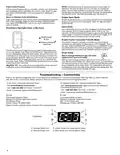
u
Wireless icon
Remote Enable icon
Amber House icon
(peak electric rate)
Blue House icon
(normal electric rates)
Set a Remote Enable
After loading the dishwasher and selecting your cycle settings,
touch and hold DOWNLOAD & GO for 3 seconds. The Remote
Enable icon will be solidly lit.
When a remote start command is received from the app, the
dishwasher will start the cycle. The Remote Enable icon will
remain lit.
Remote Enable requires Wi-Fi and account creation. App features
and functionality subject to change. Subject to Terms of Service
apply. In Canada, visit www.whirlpool.ca/en_CA and click on the
Whirlpool® Connected Appliances link.
NOTE: If no Wi-Fi connection is available, the Remote Enable
will not be set and the Wireless icon will blink for 2 seconds,
then go out.
HELPFUL TIP: Make sure that your dishwasher door remains
closed and the cycle is not changed until you start the cycle.
Opening the door after a Remote Enable has been set will
cancel the Remote Enable. The Remote Enable will need to
be reinitiated.
u
Remote Enable
Remote Enable mode allows you to start your dishwasher
remotely from the Whirlpool® app.
3

| General | Details |
|---|---|
| Name | Whirlpool WDT975SAHZSS Fingerprint Resistant Smart Dishwasher |
| Make | Whirlpool |
| Language | English |
| Filetype | PDF (Download) |
| File size | 0.51 MB |
 (1 votes, average: 5.00 out of 5)
 Loading...

Whirlpool 2B19 Dishwasher

Whirlpool WFO3O33PLAUS Standard Dishwasher

Whirlpool W11323304G Dishwasher

Whirlpool WH7IPC15BM60 Dishwasher

Whirlpool FINPUTSAD Dishwasher

Whirlpool W7U HS31 X Dishwasher

Whirlpool Thron Dishwasher

Whirlpool WDF332PAMS 24 Front Tall Tub Dishwasher

Whirlpool WRF540CWHZ Dishwasher

Whirlpool WDF130PAHB Dishwasher


BOSCH SGX78B55UC Smart Dishwasher

FISHER PAYKEL DD24DCTB9_N Tall Dishwasher

LAURUS LSVS60-9 Dishwasher

FRIGIDAIRE PDSH4816AF Professional Dishwasher

FISHER and PAYKEL DD24SHTI9 N Series 9 Tall Dishwasher

ARDESTO DWMF-V608SMHDS Dishwasher

BOSCH SHX3AR Dishwasher
LG Electronics MFL30149780 Dishwasher

FISHER PAYKEL DD24DTX6PX1 Sanitize Dishwasher

BOSCH SPS2IKI04E Dishwasher