
Whirlpool WDT975SAHZSS Fingerprint Resistant Smart Dishwasher
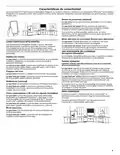

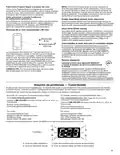




Connectivity Features
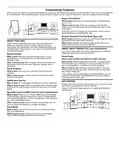
Wi-Fi connectivity allows your Smart dishwasher to connect to the Internet and interact with the Whirlpool® app from your smartphone
or mobile device. This connection opens up several Smart options to you – options intended to save you valuable time and energy.
Issue Alerts (Opt-In)
What it does: Sends you a push notification if something has
gone wrong.
What it does for you: Alerts you in advance and provides
guidance to fix simple issues through videos and step-by-step
instructions.
If the issue is more complex, you can email or call our service
center directly from the Whirlpool® app.
Kosher Consumer Friendly Mode (App only)
What it does: During this mode, the controls and lights will not
operate and the interior lights will be off.
SMART FEATURES
What it does for you: Automatically sets up the use of your
Smart Features help make your every day more efficient by
dishwasher for observance of the Sabbath.
letting you remotely monitor, manage, and maintain your
dishwasher. Your dishwasher may have additional features not
mentioned here. Please refer to your app for a complete listing
of additional features.
SMART ABOUT ENERGY (on some dishwashers)
Your Smart Dishwasher can monitor and respond to changing
energy demand levels on the power grid.
Remote Enable
Smart Delay
(Opt-In when available through local utility company)
What it does: Allows you to send remote control of your
dishwasher to your smartphone or mobile device via the
Whirlpool® app.
What it does: When energy demand is high, it delays starting
the dishwasher cycle until demand levels are lower. You can
opt out permanently or override a current Smart Delay.
What it does for you: When enabled, allows you to start your
dishwasher from anywhere and, therefore, manage when it
gets done.
What it does for you: Reduces power demands on the local
electrical grid during peak times. Some consumers may even
see a lower energy bill.
If you need to start the dishwasher cycle immediately, you can
override a Smart Delay. The dishwasher will return to energy
monitoring on the next cycle.
Cycle Progress
What it does: Gives you an up-to-the-minute look at your
progress.
What it does for you: Lets you know the dishwasher status
time from anywhere.
Notification (Opt-In)
What it does: Your dishwasher will send you a push notification.
What it does for you: Alerts you precisely when the dishwasher
is done, so you can do what comes next and move on to other
things.
GET STARTED
Refer to the “Connectivity Setup” section in this User Instruction
and follow the instructions to get connected.
Check the Whirlpool® app frequently for additional information
and features.
Specialty Cycles and My Cycle (on some dishwashers)
What it does: Allows you to browse additional cycles available
in the Whirlpool® app and download a cycle to the dishwasher
with the Download & Go™ option. You can also create and save
your own customized cycles.
What it does for you: Lets you choose what settings work for
you and saves the settings to use again and again.
Quiet Mode
What it does: Lets you turn off the tones and beeps coming
from your dishwasher.
What it does for you: Allows you to use your dishwasher
without disturbing anyone else in the household.

| General | Details |
|---|---|
| Name | Whirlpool WDT975SAHZSS Fingerprint Resistant Smart Dishwasher |
| Make | Whirlpool |
| Language | English |
| Filetype | PDF (Download) |
| File size | 0.51 MB |
 (1 votes, average: 5.00 out of 5)
 Loading...

Whirlpool 2B19 Dishwasher

Whirlpool WFO3O33PLAUS Standard Dishwasher

Whirlpool W11323304G Dishwasher

Whirlpool WH7IPC15BM60 Dishwasher

Whirlpool FINPUTSAD Dishwasher

Whirlpool W7U HS31 X Dishwasher

Whirlpool Thron Dishwasher

Whirlpool WDF332PAMS 24 Front Tall Tub Dishwasher

Whirlpool WRF540CWHZ Dishwasher

Whirlpool WDF130PAHB Dishwasher


BOSCH SMV4EAX23G Dishwasher

FISHER AND PAYKEL DD60ST4NX9 Dish Drawer Dishwasher

FISHER AND PAYKEL DW60FC4X2 Dishwasher

THPRIMO 45DFULLSLID Vaatwasser Dishwasher

FISHER AND PAYKEL DD24DDFTX9 N Contemporary Tall Dishwasher

ELVITA CBD6603V Dishwasher

FISHER PAYKEL DD60ST4HZB9 Single Dishwasher

FISHER and PAYKEL DD60D4HNX9 Contemporary Dishwasher

SHARP QW-NA1BF47EI-EU Series Dishwasher

BOSCH SMS4EMW01E-30 Dishwasher