
AEG FSK94858P Dishwasher



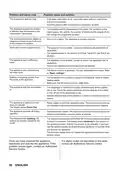


Problem and alarm code
Possible cause and solution
The programme does not start.
•
•
Make sure that the appliance door is closed.
If the delay start is set, cancel the setting or wait for the end of the
countdown.
•
The appliance recharges the resin inside the water softener. The dura‐
tion of the procedure is approximately 5 minutes.
The appliance does not fill with wa‐
ter.
•
•
Make sure that the water tap is open.
Make sure that the pressure of the water supply is not too low. For this
information, contact your local water authority.
Make sure that the water tap is not clogged.
Make sure that the filter in the inlet hose is not clogged.
Make sure that the inlet hose has no kinks or bends.
The display shows
, Error i10 or
Error i11 and No intake of water.
•
•
•
The appliance does not drain the
water.
•
•
•
Make sure that the sink spigot is not clogged.
Make sure that the interior filter system is not clogged.
Make sure that the drain hose has no kinks or bends.
The display shows
, Error i20
and Water is not draining.
The anti-flood device is on.
•
Close the water tap and contact an Authorised Service Centre.
The display shows
, Error i30
and Risk of flood detected.
Malfunction of the water level detec‐
tion sensor.
The display shows i41 - i44.
•
•
Make sure that the filters are clean.
Switch the appliance off and on.
Malfunction of the wash pump or the
•
Switch the appliance off and on.
drain pump.
The display shows i51 - i59 or i5A -
i5F.
The temperature of the water inside
the appliance is too high or malfunc‐
tion of the temperature sensor oc‐
curred.
•
•
Make sure that the temperature of the inlet water does not exceed
60°C.
Switch the appliance off and on.
The display shows i61 or i69.
Technical malfunction of the appli‐
ance.
The display shows iC0 or iC3.
•
Switch the appliance off and on.
The level of water inside the appli‐
ance is too high.
The display shows iF1.
•
•
•
Switch the appliance off and on.
Make sure that the filters are clean.
Make sure that the outlet hose is installed at the right height above the
floor. Refer to the installation instructions.
Network unit error.
•
•
Contact an Authorised Service Centre.
The display shows iC4 Network In‐
terface Error or iC5 Network Inter‐
face Error.
The appliance stops and starts
more times during operation.
It is normal. It provides optimal cleaning results and energy savings.
ENGLISH 29

| General | Details |
|---|---|
| Name | AEG FSK94858P Dishwasher |
| Make | AEG |
| Language | English |
| Filetype | PDF (Download) |
| File size | 2.14 MB |
 (1 votes, average: 5.00 out of 5)
 Loading...

AEG FSK76748P Dishwasher

AEG FSK53617Za Dishwasher

AEG FSK74747P Dishwasher

AEG FSE73507P Dishwasher

AEG GS60AIM Dishwasher

AEG FSB73427Z Dishwasher

AEG FSE74737P Quickselect Dishwasher

AEG FFB73727PM Dishwasher

AEG F8642FI Tall Tub Dishwasher

AEG FFE83800PM Dishwasher


Whirlpool W11389327B Dishwasher

Miele AK-CC 550A APFD 102 Dishwasher

Whirlpool WIE 2B19 Dishwasher

FISHER and PAYKEL DD24DAX9 N Contemporary Dishwasher

RANGEMASTER RDWP6015-I54 Integrated Dishwasher

ARTUSI ADW4001X Dishwasher

EQUATOR 1840 18 Inch Dishwasher

GE JGP3036 36 Inch Gas Cooktop with Dishwasher

BOSCH SMS26AI08G Dishwasher

FISHER PAYKEL DD60DDFB9 Dishwasher