
ARTUSI ADWFI700 Dishwasher


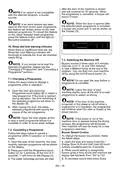


time faster. The rate of change in time is
proportional to the how long the button is
pressed and held for. When the Delay Start
touch button is pressed for a long period of
time, the counter will stop at “h:00”.
7. THE CONTROL PANEL
(9)
(8)
(7)
Additional functions can also be selected.
(1)
(6)
(2) (10)
(3)
(4)
(5)
5. Energy Save Touch Button
Press the Energy Save touch button to
activate the automatic door opening system
at the end of a programme. This reduces
energy consumption by operating at low
rinsing temperatures and improves the
drying performance.
1. On/Off touch button
2. Programme touch button
3. Display
4. Delay touch button
5. Energy Save touch button
6. Half Load touch buttons
7. Extra Fast touch button
8. Extra Silent touch button
9. Extra Dry touch button
NOTE: Each time the machine is
turned off and on, the Eco programme and
Energy Save option will be set as default.
Options chosen before will be cancelled. If
another programme is selected, the Energy
Save icon will switch off.
10. Rinse Aid lack warning indicator
6. Half Load Touch Button
1. On/Off Touch Button
Press the Half Load button to select the
area of the dishwasher that contains the
dishes to be washed. You can select both
baskets, the upper basket only, or the lower
basket only. Press the button until the light
corresponding to the basket contaning the
dishes to be washed illuminates.
Turn the machine on by pressing On/Off
button. When machine is on, "--" will be
shown on the Display (3).
2. Programme Touch Button
Select a suitable programme for your
dishes by touching Programme button. The
programme will start automatically when the
door is closed.
7. Extra Fast Touch Button
Press the Extra Fast touch button to reduce
the programme duration. The washing
water temperature and pressure will
increase to ensure an improved washing
quality in a shorter duration. This option
can only be selected at the beginning of a
programme.
3. Display
The Display shows the number and total
time of the selected programme alternately
and the remaining time during operation.
4. Delay Touch Button
8. Extra Silent Touch Button
Press the Extra Silent touch button to
decrease the water pressure, therefore
Press the Delay Start touch button to delay
the start time of a programme for 1 hour up
to 19 hours. Pressing once will delay the
start time for 1 hour, and continuing to press providing a more sensitive and silent wash.
the button will increase the delay duration.
Press the Delay button to change or cancel
the delayed start. If you turn off the machine
after activating the delay time, the delayed
time is cancelled.
This option can only be selected at the
beginning of a programme.
9. Extra Dry Touch Button
Press the Extra Dry touch button to add
extra drying steps to a programme in order
to obtain drier dishes. This option increases
water temperature of the final rinse step
and duration of the drying step.
NOTE: Press and hold the Delay
touch button to change the delayed start
EN - 17

| General | Details |
|---|---|
| Name | ARTUSI ADWFI700 Dishwasher |
| Make | ARTUSI |
| Language | English |
| Filetype | PDF (Download) |
| File size | 1.83 MB |
 (1 votes, average: 5.00 out of 5)
 Loading...

ARTUSI ADW4001X Dishwasher

ARTUSI ADW5001X Dishwasher

ARTUSI ADW5008X Dishwasher


Electrolux ESZ69300SX UltimateCare 700 Dishwasher

Miele G 7783 SCVi AutoDos K2O FF Dishwasher

BOSCH SMS6ZDI11E-38 Dishwasher

Midea WQP12-5201C Dishwasher

FISHER PAYKEL HDW13V1S1 Dishwasher

FRIGIDAIRE FDPC4314A Dishwasher

BOSCH SHE3AEM2N Dishwasher

Montpellier MDWBID6053 Dishwasher
FISHER PAYKEL DD60SDFHX9 Single DishDrawer Dishwasher

NOVETE TDQR01 Compact Countertop Dishwasher