
Home > Electrolux > Electrolux ESF6768KXA Dishwasher
Electrolux ESF6768KXA Dishwasher




12 electrolux.com.au
SETTINGS
Turning on the machine
1. Press and hold the On/Off button until the screen is
turned on.
program will be selected the
2. Eco
appliance is turned on.
first time the
Note: When turned on after first use the program will
default to the program last used, unless a favourite
program has been set up. In that case it will default to
favourite 1. Other favourite programs 2, 3, etc will follow
if set up.
Steam may be released when you open the door of your
machine. Be careful. Press the Start/Pause button again
after closing the machine door. The Program will resume
and the screen will display “WASHING”.
Program Monitoring
You can track the progress of the Program using the
progress bar. Remaining time and program pleaces
expressions (washing, program finished) will be shown
on the display.
NOTE: If the door of the machine is opened or power
gets disconnected during washing, the Program will
resume when the door is closed or the power is supplied
again.
3. Select the desired Program by pressing the Program
button successively.
NOTE: In order for the drying process to be performed
more quickly, you may manually slightly open the
machine door after a few minutes when the Program has
ended and you have seen the “PROGRAM FINISHED”.
Select the washing Program according to your dishes,
using the Program listed on the previous page.
4. You can select options
list on previous page.
according to the options
Alternately activate the ‘Auto Door’ option and the door
will open automatically at the end of the Program.
5. You can start the Program by pressing the Start/
Pause button . “WASHING” will be shown on the
display and the Program you have selected will start.
Cancelling the Program
1. Press the cancel button located on the left-hand side
of the washing bar to cancel a program in progress.
2. The display will show “Program will be cancelled.
Could you confirm please?” warning.
1
4
3
2
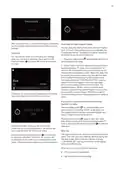
When the Program starts working, you can track the
name of the Program on the display information line (1),
the remaining time on the remaining time indicator (2),
the progress of the Program on the progress bar (3), the
options you have selected on the options indicator (4).
3. The Program will be cancelled when you press the
confirm button on the bottom-right corner of the display
and the display will show “CANCELLING”.
NOTE: Be careful not to open the door of the
machine while it is running. If you need to open,
pause the Program by pressing the Start/Pause button.
“PROGRAM PAUSED!” warning will be shown on the
display. You can open the door after you have seen
this warning.

| General | Details |
|---|---|
| Name | Electrolux ESF6768KXA Dishwasher |
| Make | Electrolux |
| Language | English |
| Filetype | PDF (Download) |
| File size | 2.69 MB |
 (1 votes, average: 5.00 out of 5)
 Loading...

Electrolux ESS87300UX Dishwasher

Electrolux EES48401L Dishwasher

Electrolux EFF9392SXA Dishwasher

Electrolux ESZ89400UX 800 SprayZone Dishwasher

Electrolux ESL2500RO Dishwasher

Electrolux KECA7400W Builtin Dishwasher

Electrolux TAPPAN Dishwasher

Electrolux KESC7320L Dishwasher

Electrolux EEC87400W Sliding Door Dishwasher

Electrolux EFC3862MS UltimateCare 300 Compact Dishwasher


BOSCH SMS2IVI61E Dishwasher

BOSCH SMS6ZCW00X-01 Dishwasher

FISHER PAYKEL DD24SV2T9 N Dishwasher

Haier HDW15V3S1 Satina Dishwasher

FISHER PAYKEL DW24UT4I2 Dishwasher

FISHER AND PAYKEL DW60FC4X1 Dishwasher

Miele PFD 101 i Dishwasher

Whirlpool WDT970SAKZ Dishwasher

Whirlpool WFE2B19X Dishwasher

FISHER PAYKEL DW24U2I1 Dishwasher