
Home > Electrolux > Electrolux ESF6768KXA Dishwasher
Electrolux ESF6768KXA Dishwasher




13
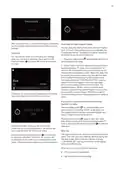
2. Date settings
Switch to the “DATE SETTINGS” menu using the
Forward/backward buttons. When you enter “DATE
SETTINGS” by pressing confirm, “DAY” section will
be shown at first. Press confirm to change the day on
the display. Change the selection using the “Forward/
Backward” buttons and press confirm to save.
Secondly, “MONTH” section will be shown when you
press forward. Follow the steps you followed for the day
setting to change the selection.
4. 1 minute after you cancel the program “PROGRAM
FINISHED” warning will be displayed.
Finally, move to the “YEAR” section. Follow the steps
you followed for day and month settings to change the
selected year.
5. You can now select a new Program, additional
options or time setting by pressing the back button.
3. Volume settings
NOTE: Detergent or rinse aid residues may be present in
the machine or on the dishes being washed depending
on the washing step of the Program you have cancelled.
You can set the level of the audio warnings that your
machine emits. Default volume level is “2”, shown in blue
when you first start your machine. 0 is the silent level and
5 is the highest volume level. Select the desired volume
level using forward/backward buttons after entering the
menu. Press confirm once the required volume setting
is chosen.
Settings Menu
Press the settings button to access the settings
menu. Menu contents are as follows;
1. Time settings
4. Rinse aid settings
2. Date settings
Switch to “RINSE AID” menu using the Forward/
backward buttons and press confirm to enter the menu.
3. Volume settings
4. Rinse aid settings
5. Factory settings
6. Brightness
The level selected in blue shows the last selected rinse
aid level. Select the new level using forward/backward
buttons. The newly selected level will be saved by
pressing confirm and will turn to blue.
7. Language
6. Brightness
You can adjust the display brightness of your machine
here. Brightness level is “5”, shown in blue when you first
start your machine. 0 is the lowest brightness level and
5 is the highest. Select the desired brightness level using
forward/backward buttons after entering the menu,
and the newly selected level will be saved by pressing
confirm.
8. Eco mode
Press back to exit the menu.
NOTE: You can access the short details of the related
menu by pressing the info button on the top right corner
of the screen.
1. Time settings
7. Language
Switch to “TIME SETTINGS” menu using the Forward/
backward buttons. When you enter the “TIME
SETTINGS” by pressing confirm, hour section is
selected. New hour can be set when you press confirm.
You can select the desired hour by pressing Forward/
Backward. The new hour is set by pressing confirm.
The hour set will not be saved if you press back instead
of confirm. Switch to the minute setting section by
pressing forward. New minute can be set when you
press confirm. You can select the desired minute by
pressing Forward/Backward. The new minute is set by
pressing confirm and the new hour setting will be saved.
The minute set will not be not saved if you press back
instead of confirm.
Switch to the “LANGUAGE” menu using Forward/
backward buttons. Press confirm to enter the Language
menu. Language selected in blue shows the selected
language. Select the new language using forward/
backward buttons, and the newly selected language will
be saved by pressing confirm.

| General | Details |
|---|---|
| Name | Electrolux ESF6768KXA Dishwasher |
| Make | Electrolux |
| Language | English |
| Filetype | PDF (Download) |
| File size | 2.69 MB |
 (1 votes, average: 5.00 out of 5)
 Loading...

Electrolux ESS87300UX Dishwasher

Electrolux EES48401L Dishwasher

Electrolux EFF9392SXA Dishwasher

Electrolux ESZ89400UX 800 SprayZone Dishwasher

Electrolux ESL2500RO Dishwasher

Electrolux KECA7400W Builtin Dishwasher

Electrolux TAPPAN Dishwasher

Electrolux KESC7320L Dishwasher

Electrolux EEC87400W Sliding Door Dishwasher

Electrolux EFC3862MS UltimateCare 300 Compact Dishwasher


BOSCH SMS4ECI28E Dishwasher

BOSCH SPS2HKW57E Dishwasher

FISHER and PAYKEL DD60D4NX9 Dishwasher

FISHER PAYKEL DD24STX6PX1 Tall Sanitize Dishwasher

FISHER AND PAYKEL DD24DV2T9 Dishwasher

FISHER PAYKEL HDW13V1S1 Dishwasher

caple DI631 Dishwasher

FISHER PAYKEL DD24DT4NX9 Dishwasher

GE CGP6030 30 Inch Gas Cooktop with Dishwasher

BOSCH SPS4HMW49E Dishwasher