
Home > Electrolux > Electrolux ESF6768KXA Dishwasher
Electrolux ESF6768KXA Dishwasher




14 electrolux.com.au
SETTINGS (CONTINUED)
• Date is 01.01.2016
8. Eco mode
The internal light lights up when you open the door of
the machine. Select “Yes” with the forward/backward
Your settings will not be changed if you select “No”
and press confirm.
buttons
to activate the Eco mode and press OK.
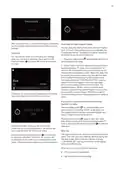
Favourite Program Setting
The following describes how Eco mode affects
functionality during various stages of dishwashing:
You can add the programs and options that you
consider are best for your dishes and you frequently
use to the Programs list in the favourites menu. To set
your favourite Program;
The program selection screen:
•
•
•
If there is no user interference to the machine during
15 minutes, the machine turns off.
1. Select the Program that you want to select using
the Program button
.
If there is no user interference to the machine during
2 minutes the backlight turns off.
2. Add the suitable options for the wash using the
options button if you want to add additional
options to this Program.
When the door is opened, the inner light turns ON
and after 2 minutes it turns OFF.
3. When you press the favourites button after
completing your Program and option selection, the
When a program is operating:
be displayed.
screen below will be displayed.
•
•
The backlight is always ON.
When the door is opened, the inner light turns ON
and after 2 minutes it turns OFF.
To deactivate Eco mode, select “No” with the forward/
backward button and press OK. In this case, internal
illumination will be lit as long as the door is open.
5. Factory settings
When you enter the menu, “Yes” will be selected and
“All settings will be reset. Could you confirm please?”
expression will be displayed when you confirm with
the confirm button. Press cancel if you do not confirm.
Press confirm to return your machine to the Factory
settings. Factory settings menu will appear again.
Your machine’s factory settings are as follows;
4. Use forward/backward buttons
the selection in any of the selections (Favourite1,
Favourite2, Favourite3, Favourite4 and Favourite5).
to save
5. Move Favourite1 to the center of the screen using
forward/backward buttons
save the selection to Favourite1.
if your are going to
• Favourite Programs are deleted
• Eco-mode is active
6. The prompt ‘Create favourite program?’ will
appear. Press OK to confirm and save.
Press OK to con rm and save.
• Volume level is 2
• Display brightness level is 5
• Economical time interval is between 22:00-06:00
• Hour is 00:00
7. Press the back button
to save.
if you do not want
8. You will be redirected to the favourite Program
selection menu when you press OK again.

| General | Details |
|---|---|
| Name | Electrolux ESF6768KXA Dishwasher |
| Make | Electrolux |
| Language | English |
| Filetype | PDF (Download) |
| File size | 2.69 MB |
 (1 votes, average: 5.00 out of 5)
 Loading...

Electrolux ESS87300UX Dishwasher

Electrolux EES48401L Dishwasher

Electrolux EFF9392SXA Dishwasher

Electrolux ESZ89400UX 800 SprayZone Dishwasher

Electrolux ESL2500RO Dishwasher

Electrolux KECA7400W Builtin Dishwasher

Electrolux TAPPAN Dishwasher

Electrolux KESC7320L Dishwasher

Electrolux EEC87400W Sliding Door Dishwasher

Electrolux EEA27200L Dishwasher


BOSCH SBV6YCX02E Dishwasher

ZLINE DWV-18 Tallac Dishwasher

BOSCH SMS6ZCW10G Dishwasher

Midea MDF24P1BST Dishwasher

AEG FSB73427Z Dishwasher

Miele PFD 104 SCVI XXL Dishwasher

NOVETE TDQR01 Compact Countertop Dishwasher

FISHER PAYKEL DD60ST4NX9 Dishwasher

BOSCH SHP65CM6N Dishwasher

FISHER AND PAYKEL DD60SHI9 Dishwasher