
Home > Electrolux > Electrolux ESF6768KXA Dishwasher
Electrolux ESF6768KXA Dishwasher




15
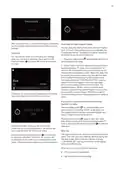
After you press “OK”, your favourite Program and options
you have added will be saved to the Favourite you have
selected.
Time Delay for Wash Program (Delay):
You can delay the starting time of the selected Program
up to 24 hours. Delay setting cannot be made after the
Program has started. The selected Program should not
be started for you to set the delay time.
Child Lock
You can prevent others from changing your settings
while your machine is operating. Press and hold the
child lock button on the top left corner of the screen
for 3 sec.
1. Press the delay button
time required for the delay.
and increase delay for the
2. Set the delay time to the desired time using forward/
backward buttons . Delay time is increased for 30
minutes with the forward button and decreased for 30
minutes with the backward button. Select the delay time
by pressing the confirm button. You can start the delay
time countdown by pressing the start/pause button.
The display will show “TIME DELAY ACTIVE”, and the
delay time and the Program time will be alternately
shown on the display until the end of this time. The
selected Program will start when countdown ends.
The time required for the started Program to end will be
shown on the indicator display. All buttons except for
On/Off and Delay buttons will be disabled when delay is
active.
“Child lock on” warning will be displayed and a warning
tone will be heard when the child lock is active.
If you want to cancel or set a new time when the
machine is in delay
Press the delay button
to cancel the delay and
press confirm by selecting “00:00” as the delay time.
The display will show the latest selected Program and
options. Delay time will not be shown.
Press the delay button again to set a new delay
time. Select the new time using forward/backward
buttons and press the start/pause button
delay time.
to start the
Child lock indicator on the top left corner of the
screen will turn to the locked position. All buttons are
non-functional when the child lock is active.
Rinse Aid
The rinse aid helps to dry the dishes without streaks and
stains. The rinse aid is automatically released during the
hot rinse phase. When rinse aid chamber is empty,
“LOW RINSE-AID” warning is shown on the display
notifying to refill rinse aid.
Press and hold the child lock button for 3 seconds
to cancel the child lock. “Child lock off” warning will
be displayed on the screen and a warning tone will be
heard. Child lock indicator will turn to unlocked position.
When you stop using combined detergents
•
•
Fill the rinse aid compartment
Set the suitable rinse aid setting

| General | Details |
|---|---|
| Name | Electrolux ESF6768KXA Dishwasher |
| Make | Electrolux |
| Language | English |
| Filetype | PDF (Download) |
| File size | 2.69 MB |
 (1 votes, average: 5.00 out of 5)
 Loading...

Electrolux ESS87300UX Dishwasher

Electrolux EES48401L Dishwasher

Electrolux EFF9392SXA Dishwasher

Electrolux ESZ89400UX 800 SprayZone Dishwasher

Electrolux ESL2500RO Dishwasher

Electrolux KECA7400W Builtin Dishwasher

Electrolux TAPPAN Dishwasher

Electrolux KESC7320L Dishwasher

Electrolux EEC87400W Sliding Door Dishwasher

Electrolux EFC3862MS UltimateCare 300 Compact Dishwasher

Electrolux TAPPAN Dishwasher

BOSCH SMS4HMI00G Free-Standing Dishwasher
lord D3 Dishwasher

smeg STL252CH Dishwasher

Bosch SMI4IKS50T Dishwasher

EF Home Appliances EFDW 6081 BSM Dishwasher

Hotpoint H8I HT59 LS UK Dishwasher

SIEMENS SN23EI14AE Dishwasher 60 cm A+++

BOSCH SMS4EKW06E Smart Dishwasher

BOSCH SMS4ECI28E Dishwasher