
Home > KitchenAid > KitchenAid KDSDM82143 Dishwasher
KitchenAid KDSDM82143 Dishwasher


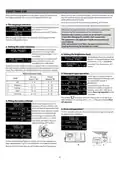


SELECTING A CYCLE AND OPTIONS
The list of available cycles and options can be found in Cycle Table
on next page. Eco cycle is selected by default. If you want to have Last
Used cycle selected by default, you can change it in„Settings Menu”.
MODIFYING A RUNNING PROGRAM
If a wrong program was selected, it is possible to change it, provided
that it has only just begun: open the door, press and hold the„ON/OFF”
button, the machine will switch off.
It is possible to select a cycle by pressing 1 of 6 cycles direct access
buttons or by pressing„Extra Cycles”
last one is reached a further press goes back to the first.
button repeatedly. When the
Switch the machine back on using the„ON/OFF”
select the new wash cycle and any desired options; start the cycle
by pressing the„START” button and closing the door.
button and
Press cycle button to choose cycle in accordance with the level
of soiling of the dishes and with Cycle Table. Information will be
shown on the display:
TO PAUSE THE CYCLE (ADDING EXTRA ITEMS)
Open the door and place the crockery inside the dishwasher,
1
2
3
(beware of HOT steam!). Press„START”
button and close the
ECO CYCLE
door within 4 sec. to resume the cycle from the point at which it was
interrupted.
5
4
ACCIDENTAL INTERRUPTIONS
If the door is opened during the wash cycle, or if there is a power
cut, the cycle stops. To resume the cycle from where it was interrup-
1. Indicators
2. Name of the selected cycle
3. Vertical bar showing the position of the extra cycle list only
4. Energy consumption of the selected cycle
5. Water consumption of the selected cycle
ted, press the„START”
button and close the door within 4 sec.
After the cycle finishes, there is an acustic signal and the dispaly
shows:
Three seconds after selecting a cycle, its
time and temperature will be displayed
(if available).
CYCLE FINISHED
POWER
CLEAN
50° 4:05h
On the display additional information can be shown:
• ADD SALT- refill salt reservoir.
Press„INFO”
its water / energy consumption.
button to display a brief description of the cycle and
• ADD RINSE AID- refill rinse aid.
• DEGREASE AND CLEAN MACHINE WE RECOMMEND WPRO-
every 50 cycle, will be recommended to use the WPRO cleaner
(according to instruction on the consumable).
WATER
ENERGY
NORMALLY SOILED CROCKERY.
STANDARD PROGRAM,
Open appliance door (beware of hot steam!) and unload the racks,
starting from the lower rack first.
During the selection phase the„START”
LED blinks.
If it is needed to refill salt reservoir or rinse aid dispenser, it is
recommended to do this operations right before start of the next
cycle.
Additional options are available for most cycles (see„Options and
Settings”section). When any option is selected, its name is shown on
the display on the right.
If more than one option is selected one
DYNAMIC
50° 4:05h
bullet point for each option is displayed.
Each option name is displayed for 3 sec.
with its bullet point fulled.
CLEAN
After 10 minutes the appliance switches off.
When the cycle and option selection is complete, press„START”
button and close the door within 4 seconds to start chosen cycle.
10

| General | Details |
|---|---|
| Name | KitchenAid KDSDM82143 Dishwasher |
| Make | KitchenAid |
| Language | English |
| Filetype | PDF (Download) |
| File size | 1.99 MB |
 (1 votes, average: 5.00 out of 5)
 Loading...

KitchenAid KDTE304RBS Third Level Jet Rack Dishwasher

KitchenAid KDTF324PPA Dishwasher

Kitchenaid MVWC565FW1 Dishwasher

KitchenAid w11323304 Dishwasher

KitchenAid KDFE104KWH Two Rack Dishwasher

KitchenAid KDTE104KPS Dishwasher

KitchenAid KDFE104KBL Front Dishwasher

KitchenAid KDTF924PPS Flush Cabinet Dishwasher

KitchenAid KDTE304RBS Level Jet Rack Dishwasher

KitchenAid KDF Series Dishwasher


JENNAR JDAF3924RX Undercounter Dishwasher

esatto EDW6012S Dishwasher

IKEA VÅGLIG Kitchen Door Dishwasher

BOSCH SMS2HTI60E 60 cm Dishwasher

FISHER PAYKEL DD60D4HNX9 Built-under Dishwasher

Miele G 15740-45 SCi SL Brilliant Dishwasher

Simpson 52C850SK Dishwasher

BOSCH SHX78CC5UC Dishwasher

BOSCH SMS4HCI19E Dishwasher

hermitlux HMX-TDJ03 Tabletop Dishwasher