
Home > RANGEmaster > RANGEMASTER RDWP6015-I54 Integrated Dishwasher
RANGEMASTER RDWP6015-I54 Integrated Dishwasher


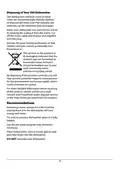
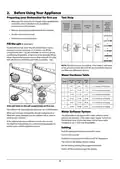
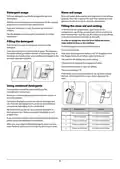
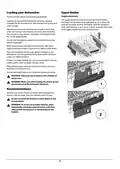



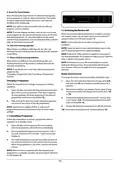




4. Control panel
(9)
(10)
(8)
(1)
(6)
(2) (11)
(3)
(4)
(5)
(7)
1. On/Off touch button
2. Programme touch button
3. Display
NOTE: Press and hold the delay touch button to change
the delayed start time faster. The rate of change in time is
proportional to the how long the button is pressed and held
for. When the delay start touch button is pressed for a long
period of time, the counter will stop at “h:00”.
4. Delay touch button
5. Energy Save touch button
6. Half Load touch buttons
7. Extra Fast touch button
8. Extra Silent touch button
9. Extra Dry touch button
Additional functions can also be selected.
5. Energy Save Touch Button
Press the Energy Save touch button to activate the automatic
door opening system at the end of a programme. This
reduces energy consumption by operating at low rinsing
temperatures and improves the drying performance.
NOTE: Each time the machine is turned off and on, the
Eco programme and Energy Save option will be set as
default. Options chosen before will be cancelled. If another
programme is selected, the Energy Save icon will switch off.
10. Salt lack warning indicator
11. Rinse Aid lack warning indicator
1. On/Off Touch Button
6. Half Load Touch Button
Press the Half Load button to select the area of the
dishwasher that contains the dishes to be washed. You can
select both baskets, the upper basket only, or the lower
basket only. Press the button until the light corresponding to
the basket contaning the dishes to be washed illuminates.
Turn the machine on by pressing On/Off button. When
machine is on, “--”will be shown on the Display (3).
2. Programme Touch Button
7. Extra Fast Touch Button
Select a suitable programme for your dishes by touching
Programme button. The programme will start automatically
when the door is closed.
Press the Extra Fast touch button to reduce the programme
duration. The washing water temperature and pressure will
increase to ensure an improved washing quality in a shorter
duration. This option can only be selected at the beginning of
a programme.
3. Display
The Display shows the number and total time of the selected
programme alternately and the remaining time during
operation.
8. Extra Silent Touch Button
Press the Extra Silent touch button to decrease the water
pressure, therefore providing a more sensitive and silent
wash. This option can only be selected at the beginning of a
programme.
4. Delay Touch Button
Press the Delay Start touch button to delay the start time
of a programme for 1 hour up to 19 hours. Pressing once
will delay the start time for 1 hour, and continuing to press
the button will increase the delay duration. Press the Delay
button to change or cancel the delayed start. If you turn off
the machine after activating the delay time, the delayed time
is cancelled.
11

| General | Details |
|---|---|
| Name | RANGEMASTER RDWP6015-I54 Integrated Dishwasher |
| Make | RANGEmaster |
| Language | English |
| Filetype | PDF (Download) |
| File size | 1.11 MB |
 (1 votes, average: 5.00 out of 5)
 Loading...

RANGEMASTER RDWT6012-I1E Integrated Dishwasher

FISHER PAYKEL DD60SDFHX9 Single DishDrawer Dishwasher

FOTILE SD2F-P3/SD2F-P3L 2 In 1 Sink Dishwasher

CAFE CDD220P2WS1 Smart Drawer Dishwasher

BOSCH SGH4HVX32G Dishwasher

FISHER and PAYKEL DD60SCTX9 DishDrawe Dishwasher

BOSCH SMS4EKW06E Smart Dishwasher

FISHER AND PAYKEL DD24DTX6I1 Dishwasher

LG LDPS6762D PrintProof Black Smart Dishwasher

FISHER PAYKEL DD60SCX9 Sanitise Single DishDrawer Dishwasher

BOSCH SMS46KI01E Dishwasher