
Home > RANGEmaster > RANGEMASTER RDWP6015-I54 Integrated Dishwasher
RANGEMASTER RDWP6015-I54 Integrated Dishwasher


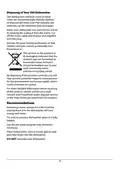




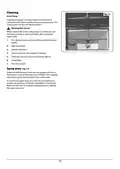



Power Save Mode
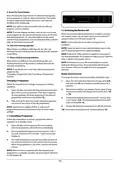
Info. LED (Model Dependent)
LED Indicator
To activate or deactivate power save mode, follow the below
steps:
State of the Machine
The machine is running a
program.
Red, continuous
1. Open the door and press Delay (4) and Extra Dry /
Energy Save (5,9) touch buttons simultaneously for 3
seconds.
Red, flashing
A program is cancelled.
The machine has a fault. Refer
to section “Automatic fault
warnings and what to do”.
2. After 3 seconds, the machine will display last Setting,
“IL1”or “IL0”.
Red, flashing rapidly
Green, continuous
3. When Power Save Mode is activated, “IL1”will be
displayed. On this mode, interior lights will turn off 4
minutes after the door is opened, and the machine will
turn off after 15 minutes of no activity in order to save
energy.
Program has finished.
4. When Power Save Mode is deactivated “IL0”will be
displayed. If Power Save Mode is deactive, interior lights
will be on as long as the door is open, and the machine
will always be on unless it is turned off by user.
5. To save the selected setting, turn off the machine.
In factory setting, Power Save Mode is active.
Natural Ion Tech (Model Dependent)
This function provides extra hygiene to the machine thanks
to Ion Technology. Natural Ion Tech function is activated by
pressing Half Load (6) touch button for 3 seconds. Meanwhile
display counts from 1 to 3. At the end of 3 seconds, “Ion”will
be displayed which indicates Ionizer function is activated. The
button is released after “Ion”is displayed. If no intervention
by user, 24 hours after activation of Ionizer function, it is
automatically cancelled.
Note: If machine is turned off, Ionizer function is cancelled.
Note: Natural Ion Tech function does not work with any
program.
Crystalight (Model Dependent)
This technology uses Ion and Light Technology together,
providing extra hygiene. It prevents bad odour during a
washing program that includes a drying step.
Crystalight function is activated or deactivated by pressing
Half Load (6) touch button for 6 seconds. Meanwhile display
counts from 1 to 6. At the end of 6 seconds, “UV1”will be
displayed which indicates Crystalight function is activated.
When it is deactivated, at the end of 6 seconds, “UV0”will be
displayed. Crystalight setting follows Natural Ion Tech setting.
Default set is “UO”.
Note: If user do not deactivate Crystalight function at the end
of program, it will remain active until the machine turns off.
Note: If Crystalight or Ionizer function is active, ionizer led
lights up like dimming during door is open.
13

| General | Details |
|---|---|
| Name | RANGEMASTER RDWP6015-I54 Integrated Dishwasher |
| Make | RANGEmaster |
| Language | English |
| Filetype | PDF (Download) |
| File size | 1.11 MB |
 (1 votes, average: 5.00 out of 5)
 Loading...

RANGEMASTER RDWT6012-I1E Integrated Dishwasher


BOSCH SRV2HKX39G Fully- Dishwasher

SIEMENS SX73HX10VG Dishwasher

IKEA 304.754.26 LAGAN Integrated Dishwasher

IKEA 004.754.23 PROFFSIG Dishwasher

IKEA RÅGLANDA Integrated Dishwasher

Hotpoint H7F HS41 X Dishwasher

Miele 11836720-001-02 Dishwasher

FISHER PAYKEL DD24SCTB9N Dishwasher

FISHER AND PAYKEL DW60UN2B2 Built Under Dishwasher

BOSCH SMD6TCX00E Dishwasher